

Cherry Joyce Bertumen
Participant
December 7, 2021
Answered

I downloaded the font but still Adobe Illustrator won't recognise it

  • December 7, 2021
  • 2 replies
  • 771 views

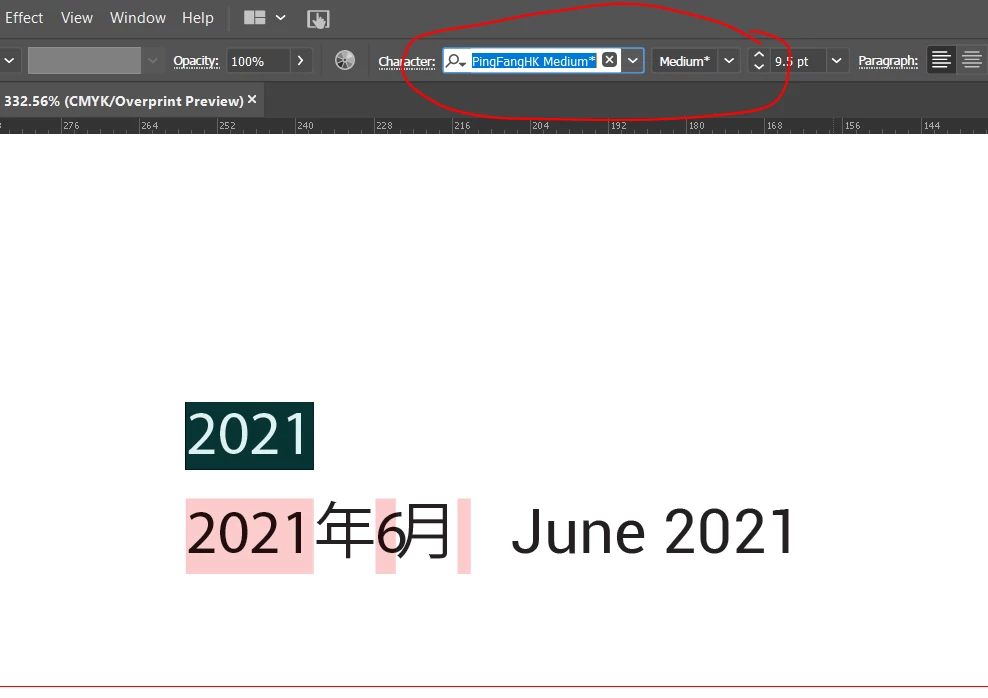
Can somebody help me with this , I downloaded the font and installed it though when using on it the font is still missing. Please see image what I mean .

Is there any chance that I can use this font ?
The font is PingFang SC Medium and I'm currently using Windows.
 

This topic has been closed for replies.
Correct answer Cherry Joyce Bertumen

I think I solve it by my own 😄

Anyways download Pingfang SC medium, and then I'm glad that Adobe has updated there software.


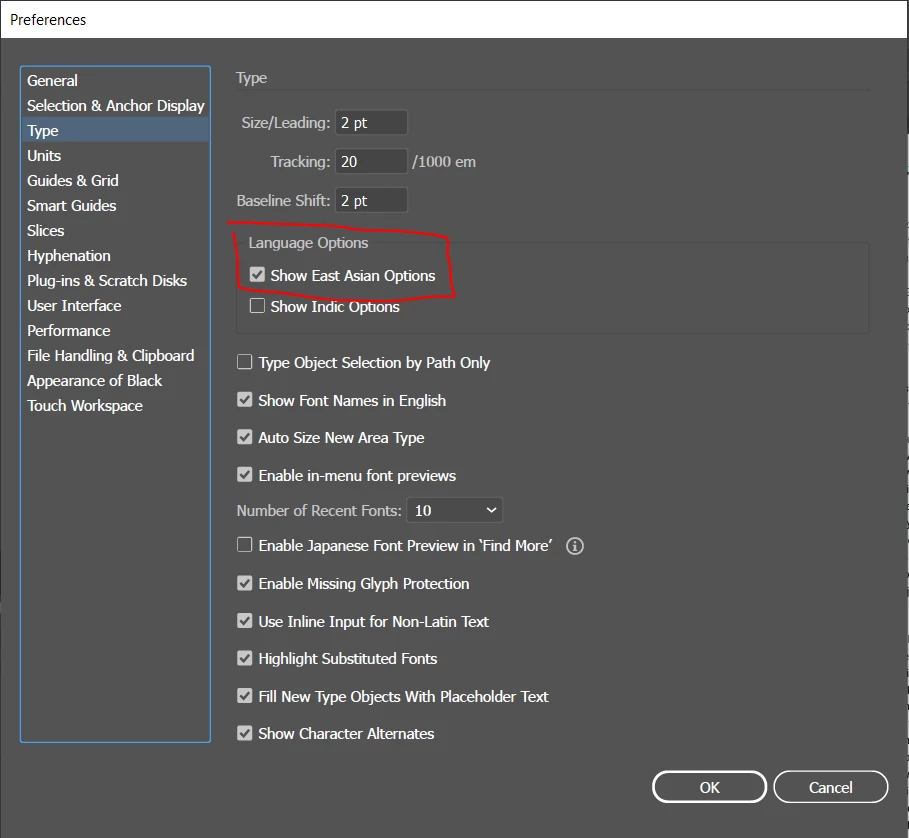
Go to Edit Menu -> Preference Menu -> locate the Type then checkbox the "Show East Asia Options"
Please see image below:


2 replies

Participant
December 4, 2023

I just had a problem like this as well. I downloaded a flower girl font off dafont.com. Went to illustrator to use the font and it kept showing up blank. I'd keep retyping it but itd come out blank or in the next font. Deleted the font then redownloaded it. still same problem. I figured out that certain fonts can only be used with ALL CAPS. Some fonts wont work with lowercase letters because its only available in uppercase. I download the font again go to illustrator and type my logo again in UPPERCASE. the font works!

Cherry Joyce Bertumen
Cherry Joyce BertumenAuthorCorrect answer
Participant
December 7, 2021

I think I solve it by my own 😄

Anyways download Pingfang SC medium, and then I'm glad that Adobe has updated there software.


Go to Edit Menu -> Preference Menu -> locate the Type then checkbox the "Show East Asia Options"
Please see image below: