
Participant
May 22, 2015
Answered

License question about font version - Antique Olive font

  • May 22, 2015
  • 1 reply
  • 5441 views

Hi,

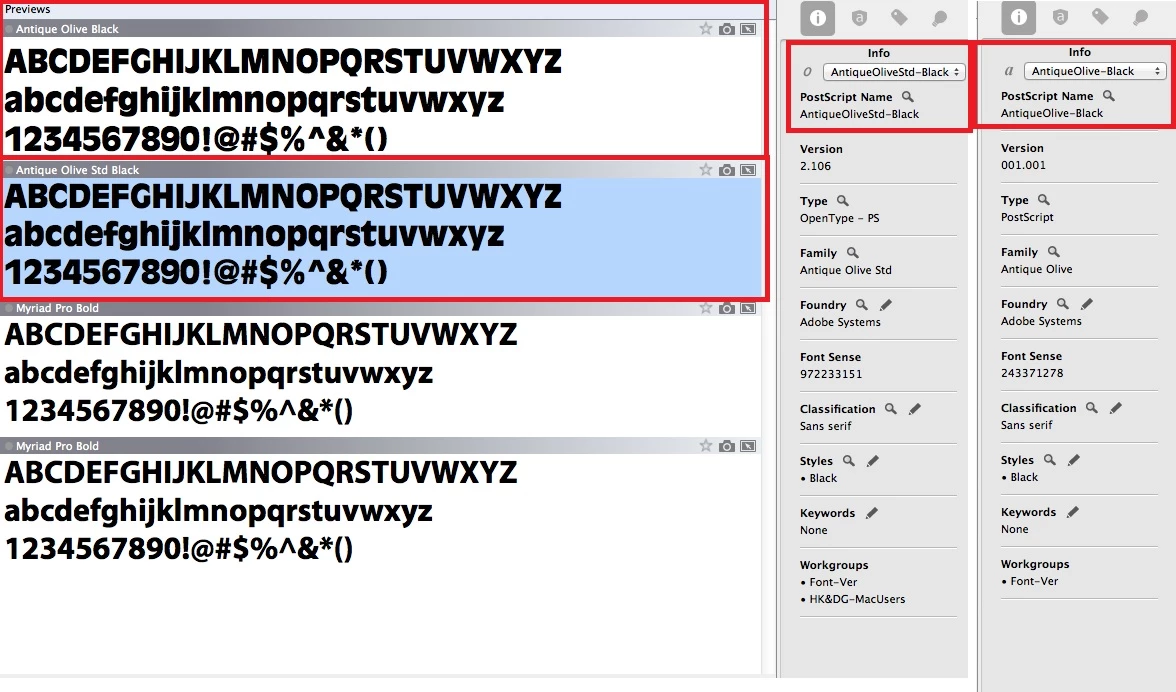
One of our business partners is using a font "Antique Olive Black" in his file.  He told me the font is from Adobe.  I can only find "Antique Olive Std Black" in Adobe font store.  I purchased it and install to our machine.  However, when I open the file, "Font is Missing" warning still appears.

After compare the fonts, it seems the 2 fonts is the same but different version.  "Antique Olive Black" seems to be the old version fonts.  As I have purchase the "Antique Olive Std Black" license, can I install and use the version fonts "Antique Olive Black" without license issue?
Regards,

Stanley

    This topic has been closed for replies.
    Correct answer MiguelSousa

    Sounds like the document is using the old PostScript Type 1 format of the font, which can be found here Adobe - Fonts : Antique Olive® Black

    To license this font you would have to purchase the whole family package Adobe - Fonts : Antique Olive 1 and decide if you need the Windows version or the Mac version.

    The Std version you purchased is the new OpenType format of the font. Adobe - Fonts : Antique Olive® Std Black

    My suggestion is for you to switch the font used by the document to the Std version. This may cause some text reflow, but it's by far the best long-term solution. The PostScript Type 1 font format is very old and has been deprecated by the latest major operating systems in favor of the OpenType format.

    1 reply

    MiguelSousa
    Community Manager
    MiguelSousaCommunity ManagerCorrect answer
    Community Manager
    May 22, 2015

    Sounds like the document is using the old PostScript Type 1 format of the font, which can be found here Adobe - Fonts : Antique Olive® Black

    To license this font you would have to purchase the whole family package Adobe - Fonts : Antique Olive 1 and decide if you need the Windows version or the Mac version.

    The Std version you purchased is the new OpenType format of the font. Adobe - Fonts : Antique Olive® Std Black

    My suggestion is for you to switch the font used by the document to the Std version. This may cause some text reflow, but it's by far the best long-term solution. The PostScript Type 1 font format is very old and has been deprecated by the latest major operating systems in favor of the OpenType format.

    June 12, 2015

    Thank you very much MiguelSousa.  The link that you provided for PostScript Type 1 format of the font did help me.  I have purchased 10 license.

    Today, my user asks me to purchase more license because they need.  However, when I try to click the link again, it seems that I am re-directed to other page.  It said Adobe has a new font partner --- Fontspring.  Unfortunately, I cannot find this font in Fontspring.  Do you have any idea where I can find this old PostScript Type 1 font?  Thanks.

    MiguelSousa
    Community Manager
    Community Manager
    June 12, 2015

    Hi Stanley,

    Our store was the only place from where you could still purchase Type 1 licenses. The store was decommissioned this week, and our partners only carry the OpenType version of the fonts. I'm affraid to say that it's no longer possible to purchase licenses of our Type 1 fonts.

    I'll take this opportunity to mention that Type 1 has long been considered a deprecated font format and that support is quickly fading from OSes and apps.