Participant
November 17, 2014
Question

Missing Fonts from CS6 - Namely Myriad

  • November 17, 2014
  • 3 replies
  • 608 views

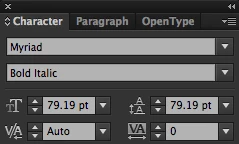
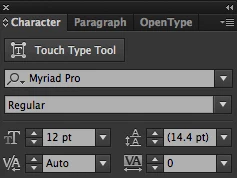
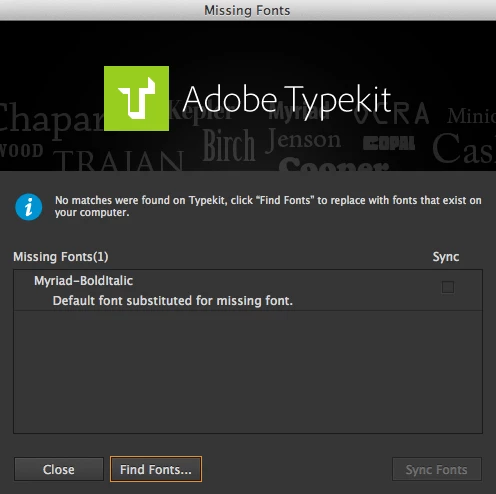
I have many templates for my work with typeset in Myriad, not MyriadPro. When I run CS6, everything works fine. Then I run the same file in CC and I get a missing font message from TypeKit and my font is gone. See attached screenshots. Please, I really need help solving this issue, otherwise I have no reason to have CC.

In CS6:

In CC:

This topic has been closed for replies.

3 replies

mdgdesign1
Participant
November 20, 2015

I maaged to manually fix this by going on a different machine with just CS6 on, search the following folder:

C:\Program Files\Common Files\Adobe

for all files called wmr.../wmi.../wmb... (guess they stand for windows myriad roman/bold/iltalic) - each has a .afm .inf .pfb and .pfm file. I moved these across to my new machine with CC on to the following path:

C:\Program Files\Common Files\Adobe\FontsRequired

and installed the fonts via .pfm file. Seems to have worked, but cant believe such a clear issue hasnt been sorted by Adobe or at least given a quicker fix than this!

Sheena Kaul
Community Manager
Community Manager
November 19, 2015

Moving to Adobe Type

mdgdesign1
Participant
November 18, 2015

Im having the exact same problem - no answer from Adobe yet???????