
OTF Version of Font Renders Differently in Office Than in InDesign
Our company has been using the Galahad font for a number of years and has purchased more licenses for an expected increase in computers. However, we have been using the PostScript version (Galahad Regular), but the new licenses are for the OTF version (Galahad Std Regular).
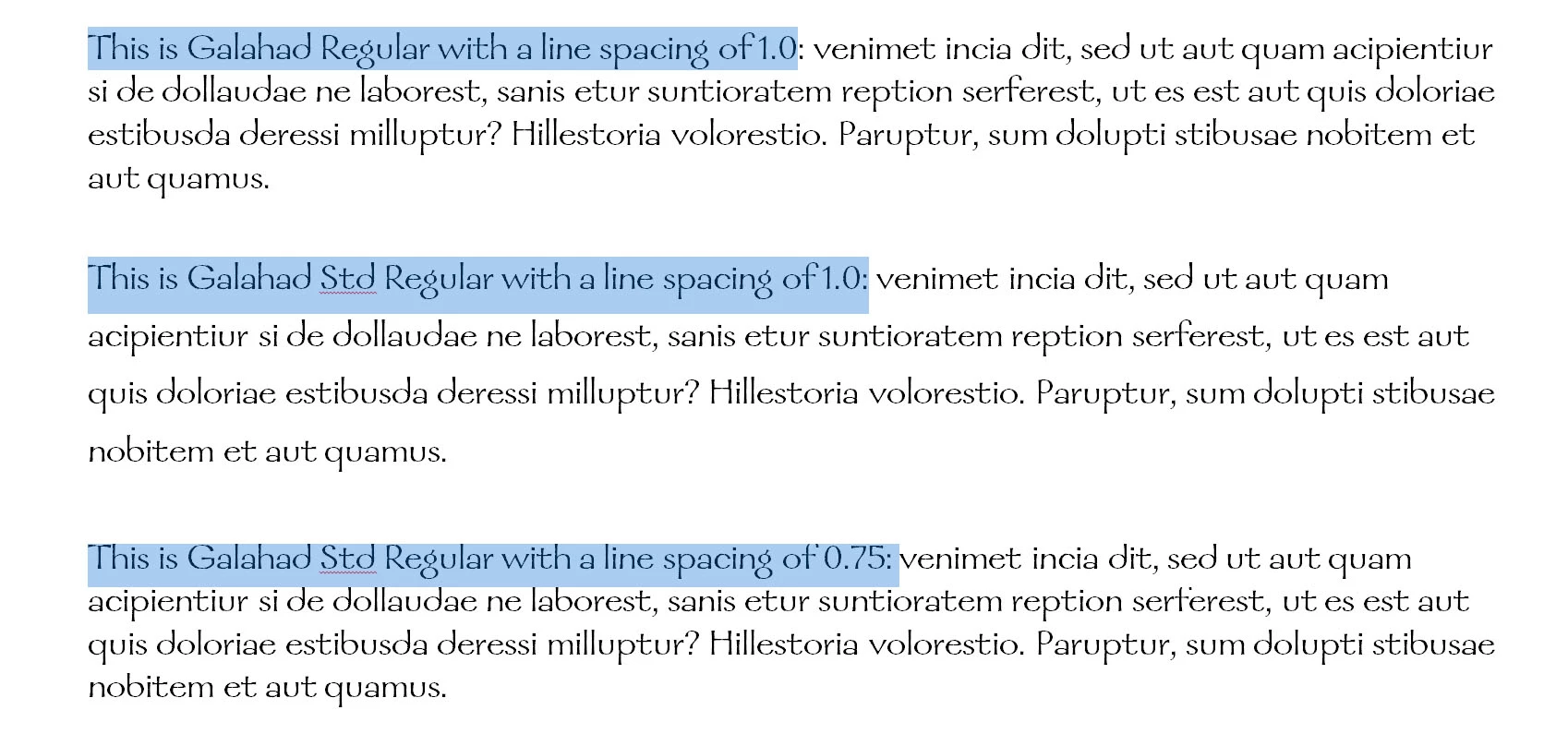
What we've dicovered is that the PostScript version and the OTF version render differently in Microsoft Office products as well as in WordPad. The OTF version renders with a line spacing significantly taller than the PostScript version. (I have to change the line spacing in Word to "Multiple 0.75" to make it look like the PostScript version.)
The problem doesn't appear in InDesign CS5 or in Quark 6.5.
Is this an Office/WordPad problem, a font problem, or both? (And if it is an Office problem, does anyone know how to fix it or the best way to contact Microsoft about it?)
Here's a screen shot. (The on-screen rendering of the 0.75 line spacing also crops the tops of characters, but those characters print correctly.)
I've thought about just sticking with the PostScript version (so we don't have to reformat our large collection of Word documents) but the vendor through which we bought the licenses (MyFonts) tells us that the licenses only apply to the OTF version of the font and that Adobe no longer has the PostScript version available.


 AdChoices