Participant
February 17, 2014
Question

Problems with Times Std Font

  • February 17, 2014
  • 1 reply
  • 1022 views

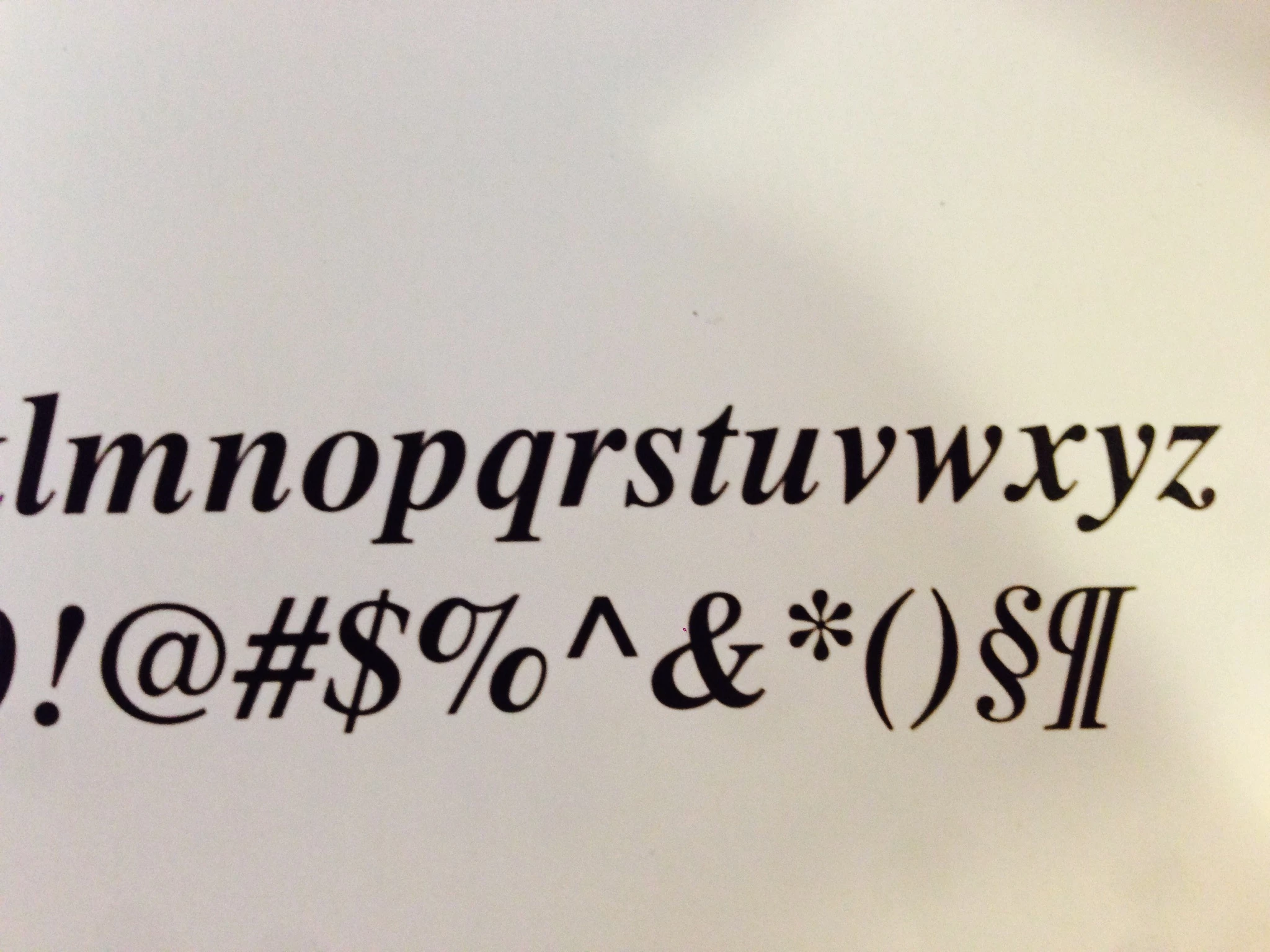
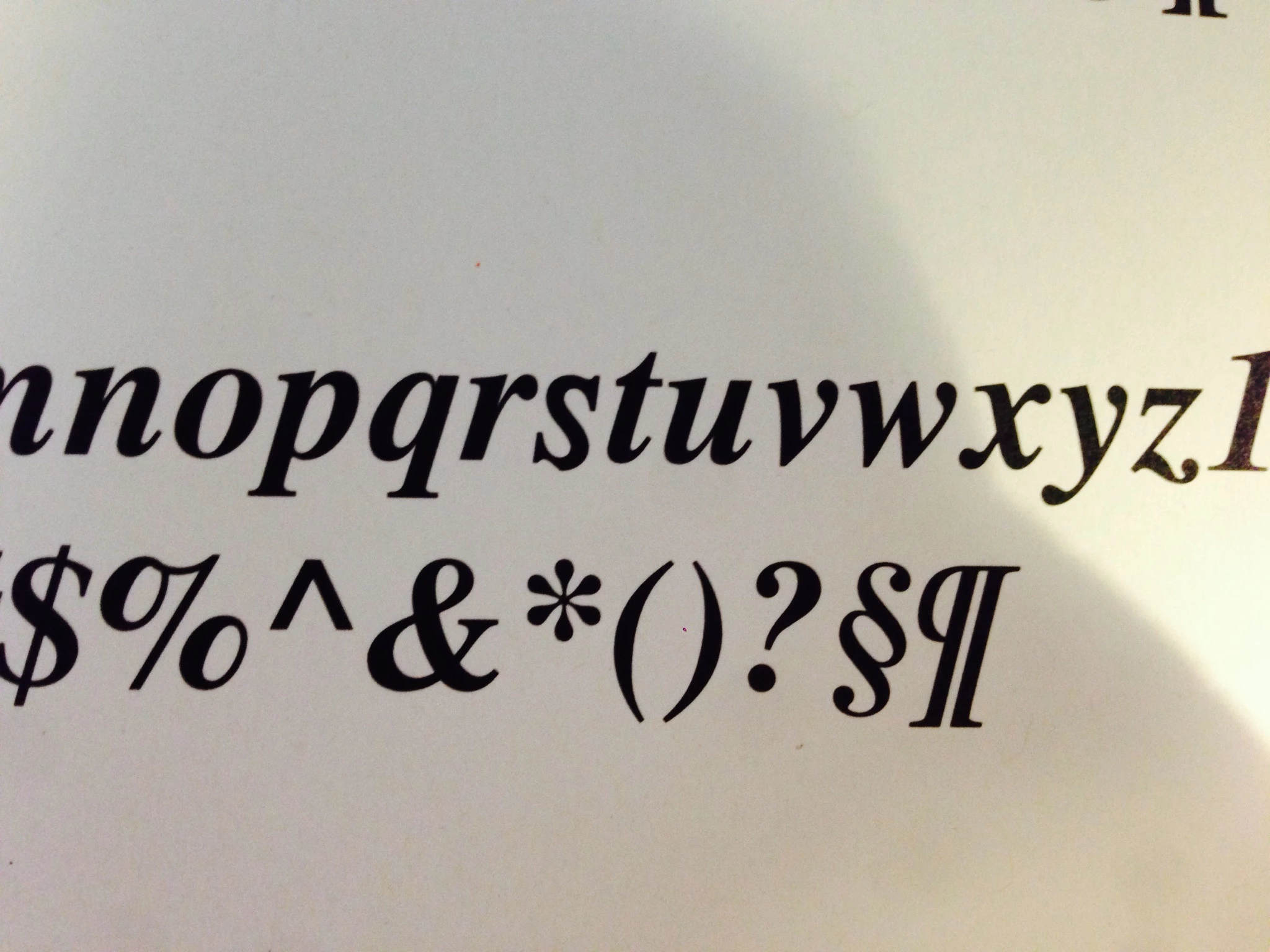
I recently purchased the adobe Times Std font (roman, italic, bold, bold italic) and the bold italic lowercase "s" character does not print correctly from Word or Preview (see attached images -- one correct and one not).  It will only print correctly from Adobe Acrobat, but that isn't a solution since I do most of my printing from Word.  I'm thinking it's a problem with the font file... 
Thank you.

This topic has been closed for replies.

1 reply

Adobe Employee
February 18, 2014

I am unable to replicate this issue. Do you have any additional info on your system? I used Windows 7 and pulled down the current shipping data (should be exactly what you received), but it looks fine to me in Sample and Word.

Ernie, Adobe Type QE.

adobe468Author
Participant
February 19, 2014

Thanks, Ernie.  I'm using Mac OS 10.9.1.  At first I thought the problem might be with Mac's pdf maker, but that wouldn't explain the problem with Word.  Are there otf/Adobe font compatability issues with Macs?

Adobe Employee
February 19, 2014

No, we worked hard to get everyone on the same page when we rolled OTFs out. The whole point is that one file is cross-platform; it's the same exact file with the same exact outlines.  I tried it on my 10.9.1 setup and it was fine in Word and preview. I thought maybe it was the system Times (/System/Library/Fonts) but the one on my system seems fine, too. This is puzzling. From the image you posted, it looks like the entire lc s outline is wonky, not just that lower left corner. If you've checked FontBook to see that you don't have any duplicates lying around, check the version on the file - it should be 2.125. You could also try clearing your font caches; open a Terminal window and type 'sudo atsutil databases -remove' and then Return/Enter and then reboot your Mac.