
Participant
October 21, 2013
Question

Typekit stopped working in Creative Cloud - any ideas?

  • October 21, 2013
  • 1 reply
  • 1489 views

Hello,

I've been using Creative Cloud for a few months and the Typekit for about a month, didn't have any major issues until now.

Typekit seems to have stopped working (or at least the syncing of fonts has). I added some fonts from Typekit that were working fine until today, now I get 'font not found on the system' dialogue when I open any Illustrator or Indesign docs.

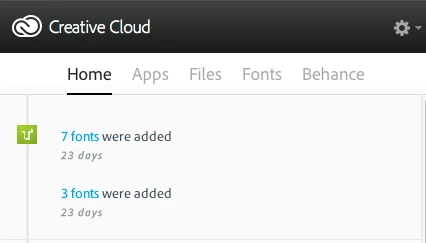
There's still a record on my Creative Cloud panel that confirms I added the fonts (23 days ago),
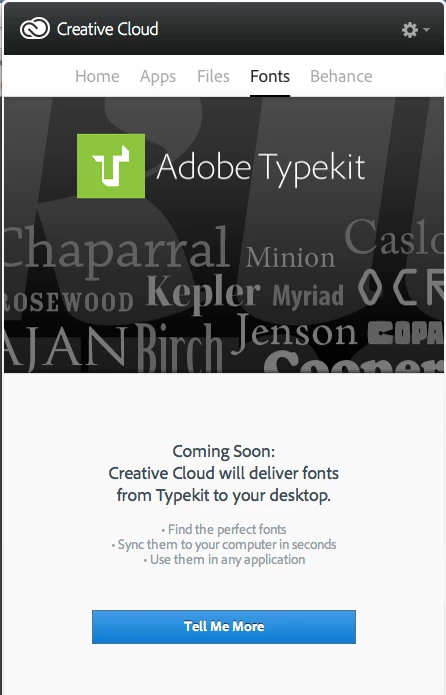
yet the Fonts tab on Creative Cloud has reverted back to the previous 'teaser' ad for Typekit saying 'Coming Soon':
Has anyone else experienced this, or are there any 'known issues'?
Working on a major project with pretty tight deadlines so need to sort this out ASAP

Many thanks in advance...

This topic has been closed for replies.

1 reply

liz, Adobe Type
Community Manager
Community Manager
October 21, 2013

Hi Greg,

I'm sorry that you ran into trouble with this.  If you haven't done so already, would you please try turning off font sync in the Creative Cloud desktop application, wait a moment, and then turn it back on?  Sometimes restarting the sync is all that's needed for the fonts to appear again.

Also, do you happen to use Suitcase Fusion to manage the installed fonts on your computer?  The Creative Cloud team identified a bug which causes fonts synced from Typekit to be deactivated. More information and a workaround is available here:

http://help.typekit.com/customer/portal/articles/1323222

If neither of those helps, please send your recent log files to support@typekit.com so we can take a look. 

On OS X:

* Open the Finder

* under the Go menu, select "Go To Folder"

* in the windows that opens, type:  /Users/(username)/Library/Application Support/Adobe/CoreSync/

(Or if you are comfortable working from the Terminal, cd to $HOME/Library/Application Support/Adobe/CoreSync/)

On Windows:

C:\Users\user name\AppData\Roaming\Adobe\CoreSync\


Attach the recent CoreSync-yyyy-MM-dd.log files to an email. Please don't send a zip file, as they often get flagged as spam.

Thanks!
-- liz

GregwyeAuthor
Participant
October 21, 2013

Thanks Liz,

After restarting twice (one for an OSX update) I had a notification that the Font Sync had been turned off. Turned it back on again and all now working fine.

(Forgot the first rule of IT: turn if off then back on again!)

Thanks for the extra pointers

liz, Adobe Type
Community Manager
Community Manager
October 21, 2013

Glad to hear that it is working for you now!  Let us know here or at support@typekit.com if you run into any other problems or questions.

-- liz