
Viewing large glyphs in Illustrator/InDesign glyphs panel
Hi guys,
I have the same problem in InDesign&Ilustrator (both CS4) and was wondering, if it were possible to view glyphs as a whole somehow.
When I, for example, use certain script fonts, I never get to see the swashes or anything outside their tiny little glyph box.
After trying to solve my problem in another thread in the Illustrator forums, I came to the conclusion this is impossible in any Adobe software. Is there an external tool that can help me? I'm on a Windows x64 machine
To illustrate my problem:
"O" in glyphs panel vs. reality
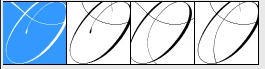
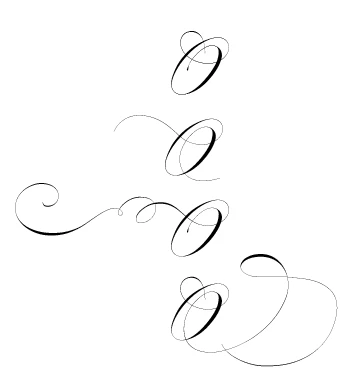
alternates for "f" in glyphs panel:

All utterly useless, and I use several of such types of fonts constantly. Unbearable. Please help 
I'm using several screens, so I don't care about screen estate. I just want to see what I'm doing.
Thanks!


 AdChoices