

Flash Player stops working with Rosetta Stone
I will start by saying I don't "speak computer" so if any assistance will need to be spoken in laymen terms that I can understand. Thanks in advance.
Operating System: 64 bit operating system, x64-based processor, Windows 10 Home Version 1709
Web Browser & Version: Microsoft Edge 41.16299.15.10 HTML16.16299, 2017 microsoft
Flash Player Version: 270.0.187
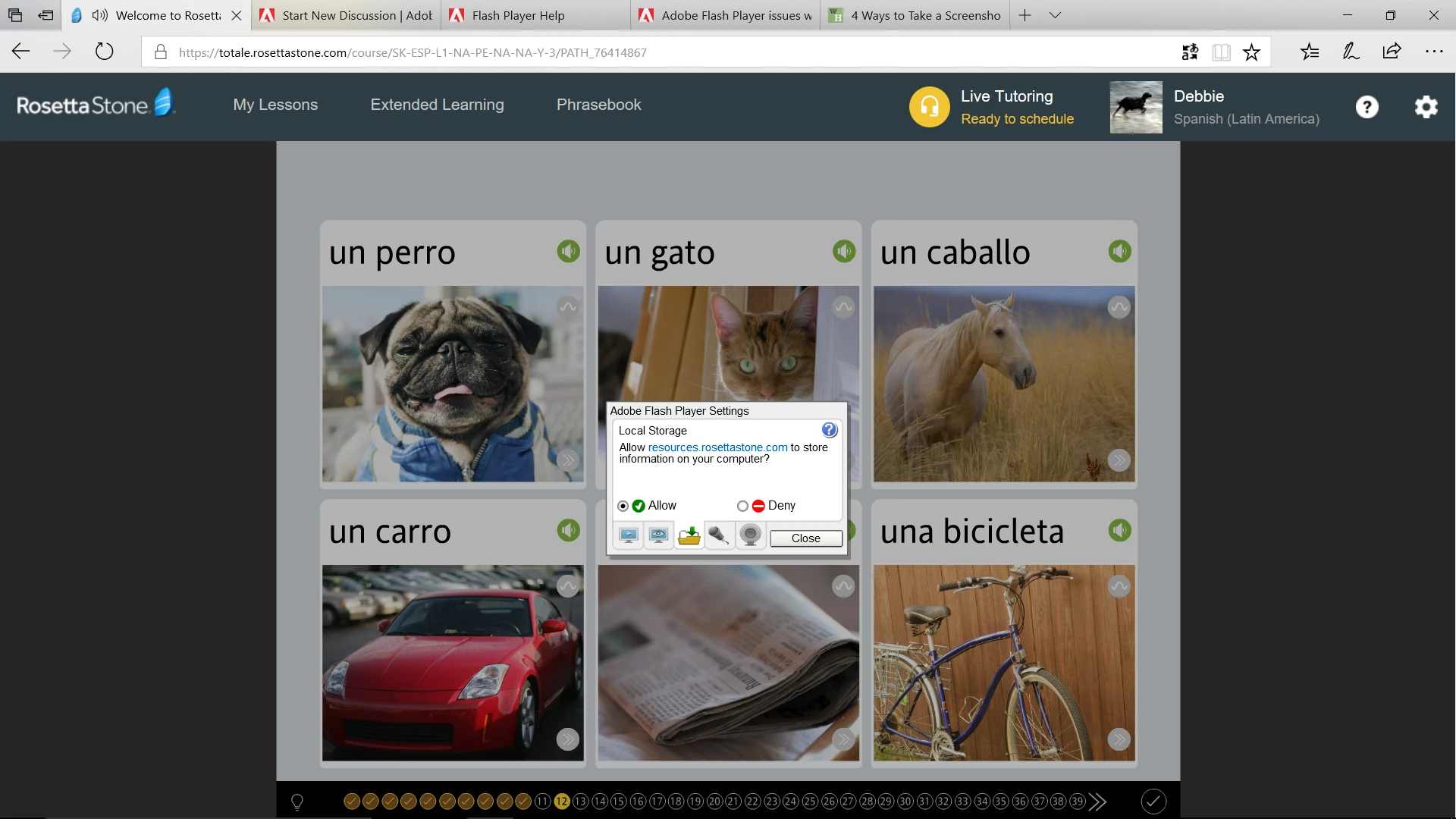
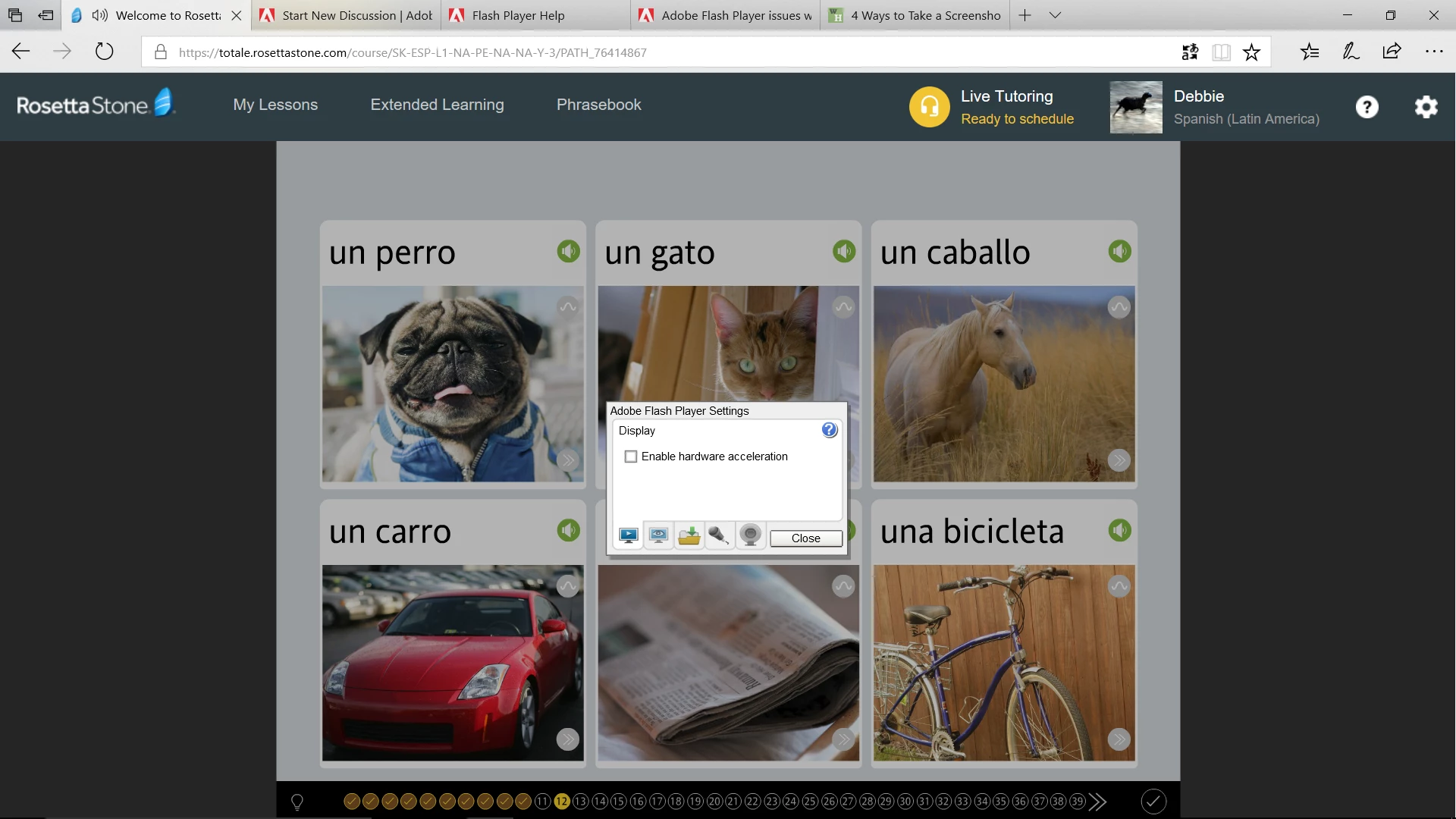
Explanation: I downloaded and used the Rosetta Stone program in June. Used the program for 3 months will no problems. I moved so haven't used the program for a few months. Am now trying to start back up again and the program keeps freezing. Sometimes I will be able to complete several lessons, sometimes it freezes on the first screen. This doesn't make sense to me because shouldn't it either work, or not work - but not begin working and then stop after a while? FYI, Rosetta Stone uses features such as speaking (repeating phrases) and selecting options (touch screen or mouse). I will provide the information the forum indicated you needed. One thing I notice is that the Flash Player screen keeps popping up asking to allow once or allow always. And a small screen with several tab options at the top pops up. I have been to so many screens for help I'm sorry this will be disjointed, but I have been asked to enable Flash Player, but when I go to advanced settings to do so it is already enabled. Also, the freezing happens whether I am using the online program or the downloaded off-line program. One of the fixes told me to uncheck "enable hardware acceleration" which I did (shown below in screen shot 2) but it didn't help.
Direct link to web page that demonstrates the problem: https://totale.rosettastone.com/course/SK-ESP-L1-NA-PE-NA-NA-Y-3/PATH_76414867
(I hope this is what you mean. This is the page in the Rosetta Stone program that I am currently frozen on.)
Screenshots:


 AdChoices