Exit
  • Global community
    • Language:
      • Deutsch
      • English
      • Español
      • Français
      • Português
  • 日本語コミュニティ
  • 한국 커뮤니티
0

Adding Created form to print cue

Guest
May 30, 2017 May 30, 2017

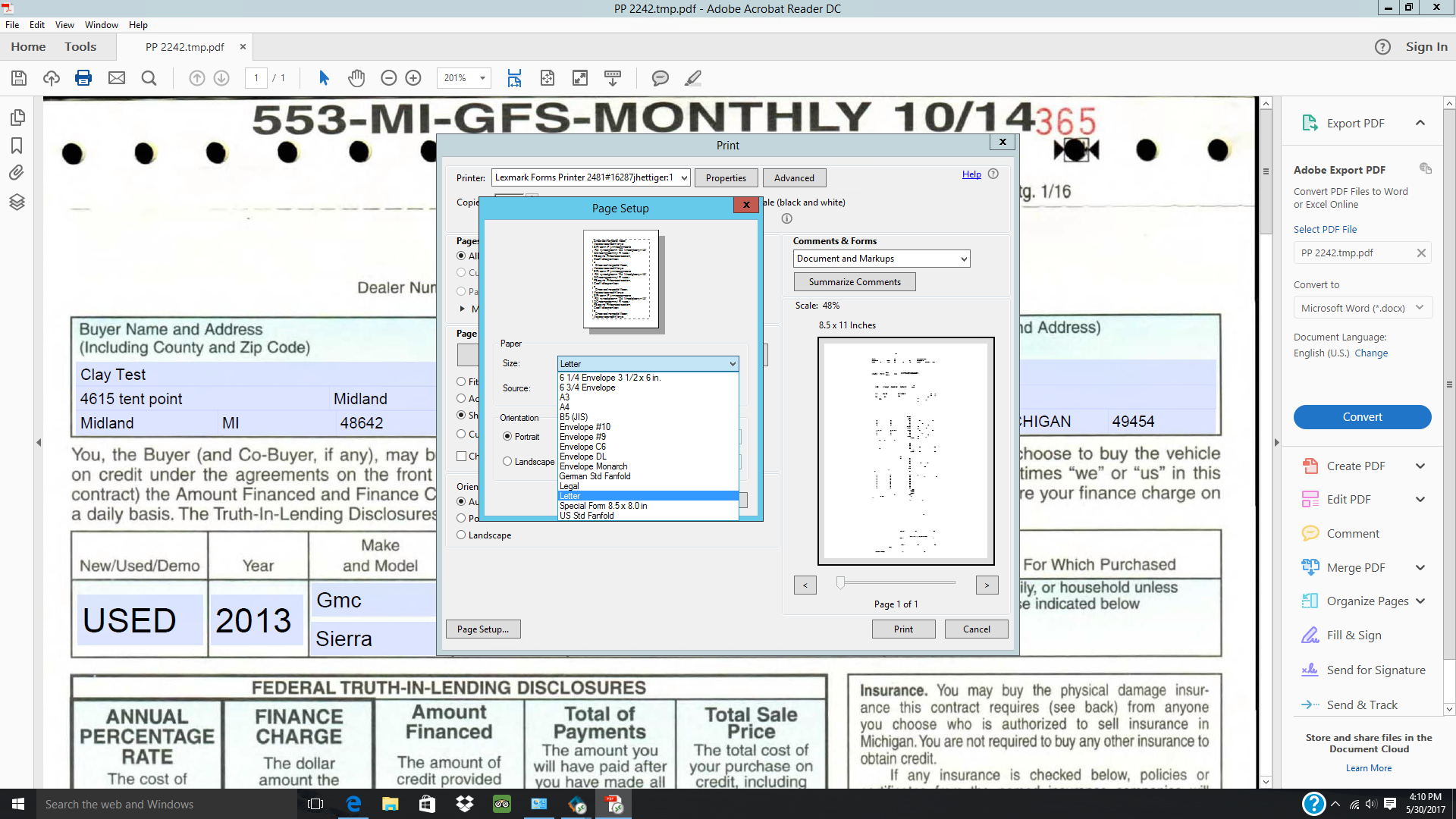
I created a document that is the size of 8.5x19.75. I was successful at adding it to the printer. When I am in the print settings, I cannot find the form as you can see. I labeled it as Law 553 and its not anywhere to be found. How to I add it to this list?

Thanks!

TOPICS
Print and prepress
459
Translate
Report
Community guidelines
Be kind and respectful, give credit to the original source of content, and search for duplicates before posting. Learn more
community guidelines
1 ACCEPTED SOLUTION
Adobe Employee ,
May 31, 2017 May 31, 2017
LATEST

Hi clayc48642

You can't add a custom page size on the windows that you highlighted.

If your printer supports that paper size, you may choose the selection on the screenshot and let us know if that helps.

Also, consider the print margins.

-Tariq Dar

View solution in original post

Translate
Report
Community guidelines
Be kind and respectful, give credit to the original source of content, and search for duplicates before posting. Learn more
community guidelines
Adobe Employee ,
May 31, 2017 May 31, 2017
LATEST

Hi clayc48642

You can't add a custom page size on the windows that you highlighted.

If your printer supports that paper size, you may choose the selection on the screenshot and let us know if that helps.

Also, consider the print margins.

-Tariq Dar

Translate
Report
Community guidelines
Be kind and respectful, give credit to the original source of content, and search for duplicates before posting. Learn more
community guidelines