
Exit
  • Global community
    • Language:
      • Deutsch
      • English
      • Español
      • Français
      • Português
  • 日本語コミュニティ
  • 한국 커뮤니티
Locked
0

Cannot remove random red box

Community Beginner ,
Apr 16, 2019 Apr 16, 2019

I turned the bleed marks on (through the print dialogue box) but a red box now appears out of alignment with the piece, and i cannot delete it, click on it, or grab it.  I've looked in the content menu in the left nav and tried highlighting the entire shape, zooming wayyyyy in to see if they're lines, but no luck  Argghhh.  Any assistance is appreciated!
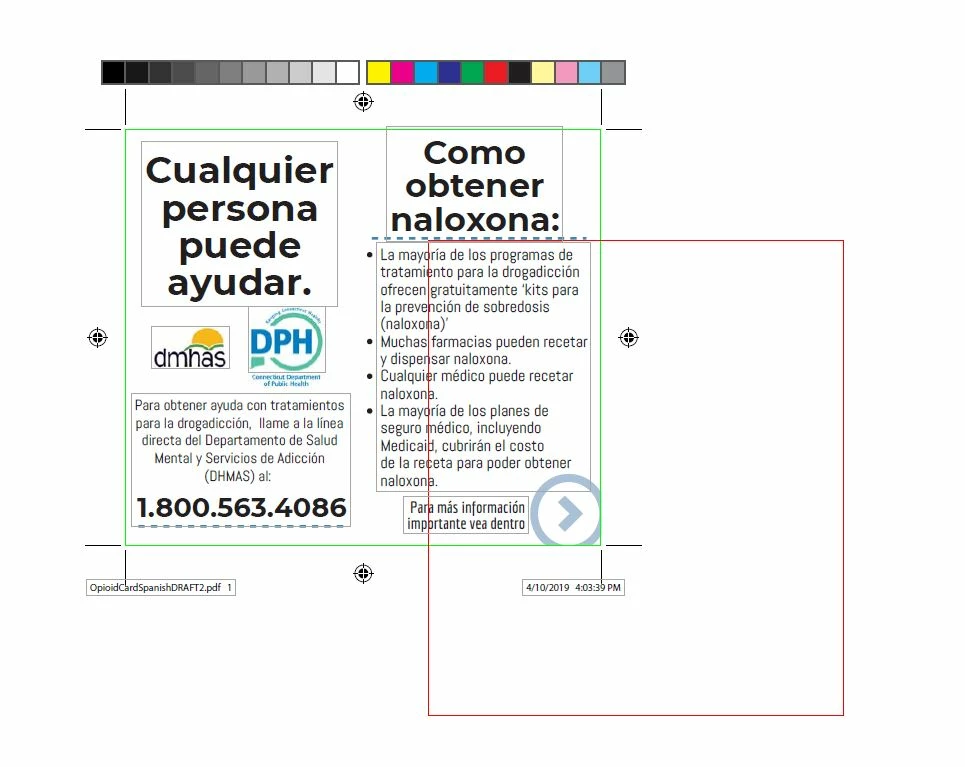
OpioidCardSpanishDRAFT2wBleeds.JPG

TOPICS
General troubleshooting
2.4K
Translate
Report
Community guidelines
Be kind and respectful, give credit to the original source of content, and search for duplicates before posting. Learn more
community guidelines
1 ACCEPTED SOLUTION
Community Expert ,
Apr 23, 2019 Apr 23, 2019
Translate
Report
Community guidelines
Be kind and respectful, give credit to the original source of content, and search for duplicates before posting. Learn more
community guidelines
Community Expert ,
Apr 23, 2019 Apr 23, 2019
Translate
Report
Community guidelines
Be kind and respectful, give credit to the original source of content, and search for duplicates before posting. Learn more
community guidelines
Community Expert ,
Apr 25, 2019 Apr 25, 2019
LATEST

Hi dutcher0705

I am locking this. Please do not post three times in three forums. Thank you!

See: Bleeds are turned on but cannot delete strange red box

A13767F0-1222-4E9B-9781-EA16EBD424C0.jpeg

Translate
Report
Community guidelines
Be kind and respectful, give credit to the original source of content, and search for duplicates before posting. Learn more
community guidelines