


- Home
- Acrobat
- Discussions
- Certain letters from certain fonts not rendering
- Certain letters from certain fonts not rendering

Copy link to clipboard
Copied
One of my users is experiencing an issue in which text fields using the Quicktype II font has certain letters disappear. So far it only appears to be this font but I won't rule out it occurring with other fonts.
The temporary workaround is using the original Quicktype font, but the plugin he uses also defaults to Quicktype II.
The other peculiarity is that these rendering issues appear consistent across computers--the user sent to another user and the issue remained, and consistently--when there was a missing capital W in the original computer, it was also missing the capital W in the second user's computer.
Anyone else have this issue and know what might be causing it?




Copy link to clipboard
Copied
OK. Thanks for the file.
The problem is that the file is more bogus than a three dollar bill!
Looking at the the Document Properties:
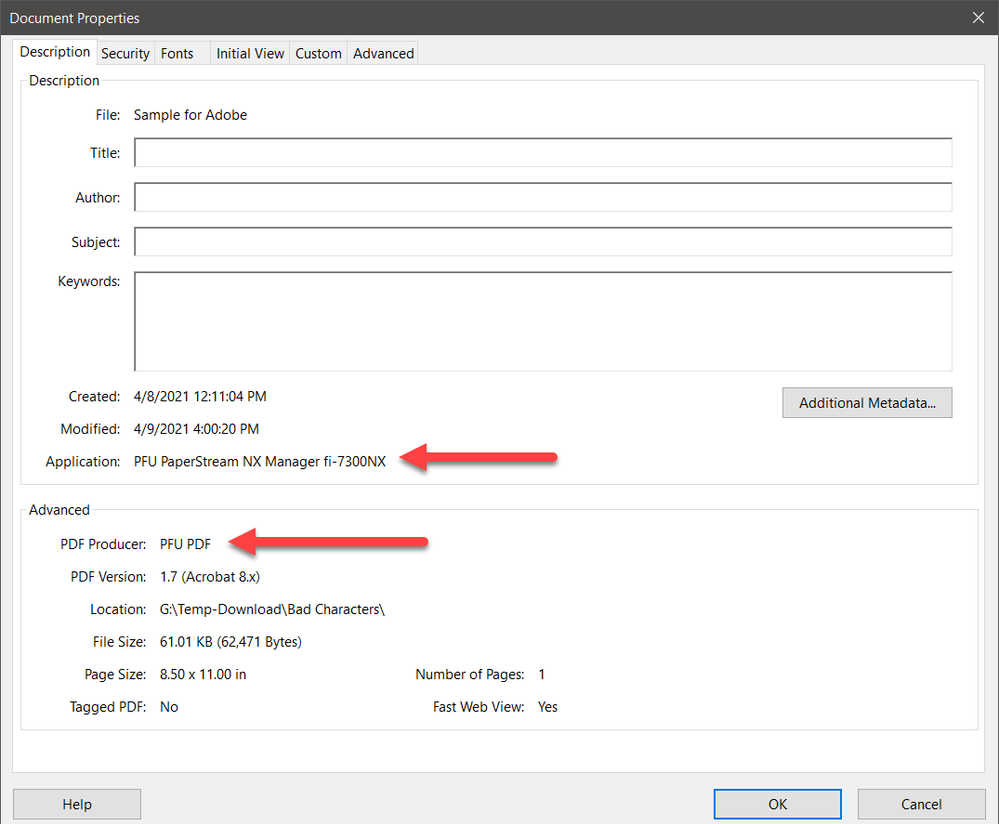
For better or worse, this file was not produced by any Adobe software.
From the list of fonts available in Document Properties, you can see that some of the font instances are not embedded and result in font substitution via Adobe Sans MM. One should always subset embed all fonts used in a PDF file, including what are euphemistically called “system fonts.” Some but not all of the instances of QuickTypeII are not embedded which could be a source of problems.
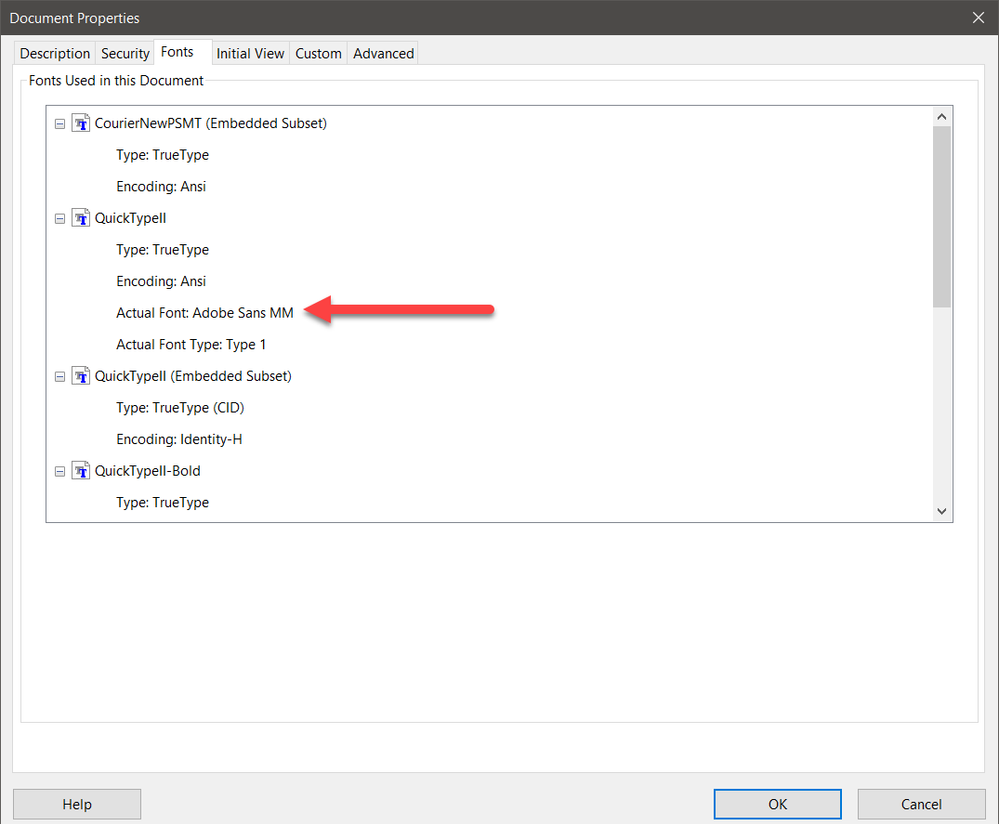
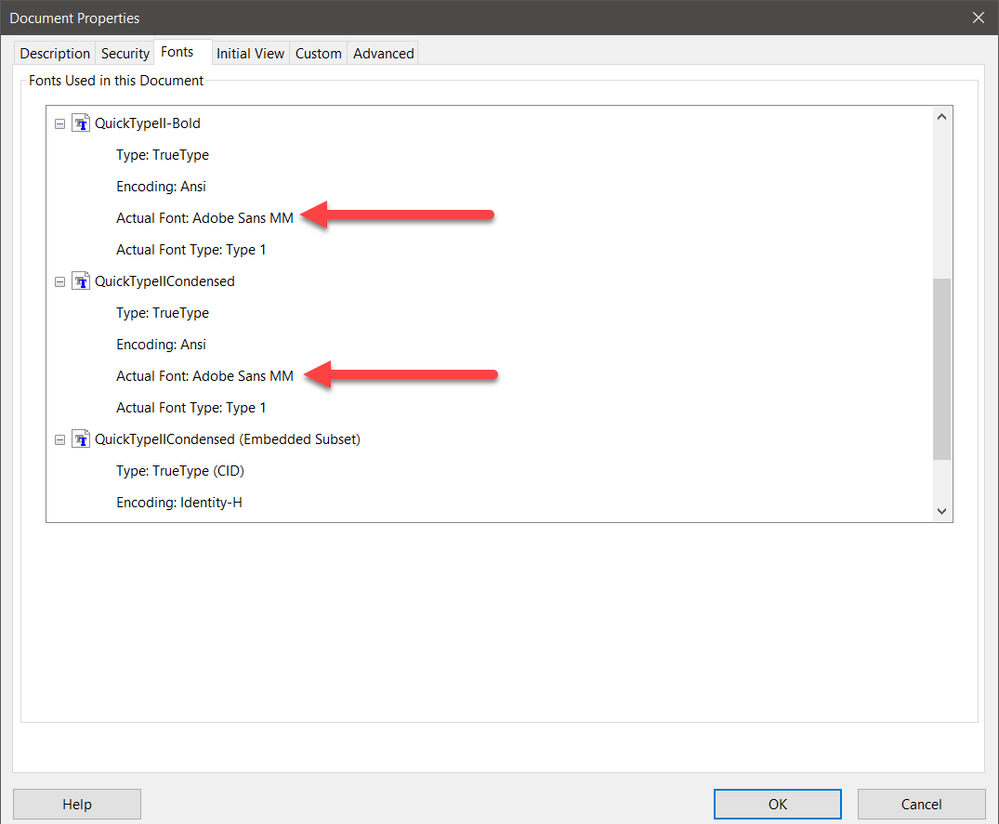
Ironically, as I subsequently found out, this is not the source of the problems you see, just lousy practice by the software generating this PDF file.
I detected the real problems by running the Preflight Inventory on the fonts within your PDF file. I have attached that inventory file (PDF) below. What you will see is that many of the glyphs in the 29 separate embedded font subsets are defined as space characters. I've circled each of those definitions with a red circle.
Bottom line is that the PDF file is bogus with regards to the fonts that are embedded. There is nothing that Adobe can do to somehow fix these problems.
 4
Replies
4
4
Replies
4


Copy link to clipboard
Copied
Unless you provide a sample PDF file exhibiting this problem, there is absolutely nothing we can do here to assist you.
Copy link to clipboard
Copied
Fair enough! I'll see if I can provide a sample file, but the active file we noticed it in contains confidential information so I'll see if the user can reproduce the error in a completely different file.
Copy link to clipboard
Copied
Copy link to clipboard
Copied
OK. Thanks for the file.
The problem is that the file is more bogus than a three dollar bill!
Looking at the the Document Properties:
For better or worse, this file was not produced by any Adobe software.
From the list of fonts available in Document Properties, you can see that some of the font instances are not embedded and result in font substitution via Adobe Sans MM. One should always subset embed all fonts used in a PDF file, including what are euphemistically called “system fonts.” Some but not all of the instances of QuickTypeII are not embedded which could be a source of problems.
Ironically, as I subsequently found out, this is not the source of the problems you see, just lousy practice by the software generating this PDF file.
I detected the real problems by running the Preflight Inventory on the fonts within your PDF file. I have attached that inventory file (PDF) below. What you will see is that many of the glyphs in the 29 separate embedded font subsets are defined as space characters. I've circled each of those definitions with a red circle.
Bottom line is that the PDF file is bogus with regards to the fonts that are embedded. There is nothing that Adobe can do to somehow fix these problems.


Get ready! An upgraded Adobe Community experience is coming in January.
Learn more
 AdChoices