


Digital IDs Disappear

Copy link to clipboard
Copied
I am having the same problem discussed in this closed thread:
I navigated to the registry key mentioned in the reply (HKEY_CURRENT_USER\Software\Adobe\Adobe Acrobat\7.0\Security\cPPKHandler\cDigitalIDFiles) and there were no digital IDs there.
Then I exported the same key from the registry of an older computer where the Digital IDs were working and imported it into the problematic computer. The subkeys all appeared in the registry, but I could only view their contents when Acrobat was open. When Acrobat was closed I received an error message when trying to view the contents of the subkeys. And as soon as I closed Acrobat all the subkeys disappeared from the registry.
From a brief internet search it is clear that many others are experiencing this same problem. Has anyone figured out a fix?


 6
Replies
6
6
Replies
6




Copy link to clipboard
Copied
Hi YossiD,
As I understand, you are referring that the digital ID created by you in Acrobat disappears when you try to add a digital signature to another PDF. Is that correct?
If yes, could you please let us know how exactly you have created or added the Digital ID in Acrobat? Share the exact steps.
Please use the steps mentioned here Digital IDs in Acrobat to add or create a digital ID in Acrobat.
Check if that helps.
If the issue still persists, share the details asked below:
- Acrobat version installed on your machine. Identify the product and its version for Acrobat and Reader DC
- OS on the machine
- Are you creating the digital ID or adding a digital ID?
Let us know if you need any help.
Regards,
Meenakshi
Copy link to clipboard
Copied
I am using Acrobat 7 Pro under Windows 10 64-bit. I know this is an unsupported combination, but since Acrobat XI users are experiencing the same problem (see link in my original posting), I'm guessing that's not the problem. Here is another thread discussing the same issue: Digital ID does not save between sessions
The problem is the same whether I create a new digital ID or browse to an existing one.
I suspect it is some kind of Windows issue, but I haven't found anyone who knows how to address it.
In the meantime, I'm wondering if there might be a workaround using Javascript to add the Digital IDs whenever Acrobat is opened. Does Javascript support that kind of functionality?
Thanks
Copy link to clipboard
Copied
Did you try once creating the digital signature directly from the preferences?
Please refer to the steps provided below:
- Launch the application and go to Edit menu > Preferences > Signatures
- Click on the "More" tab under the Identities & Trusted Certificates at the right-hand side of the Preferences window.
- Then click on the icon to add a new digital ID as shown in the screenshot below:

-Then create a new digital ID and create a password for it.
You may also refer to this help document Digital IDs in Acrobat
Check if it still disappears.
Let us know how it goes.
Regards,
Meenakshi
Copy link to clipboard
Copied
Acobat 7 Pro does not have that option (Preferences>Signatures). Instead there is something similar via Advanced>Security Settings>Digital ID Files:
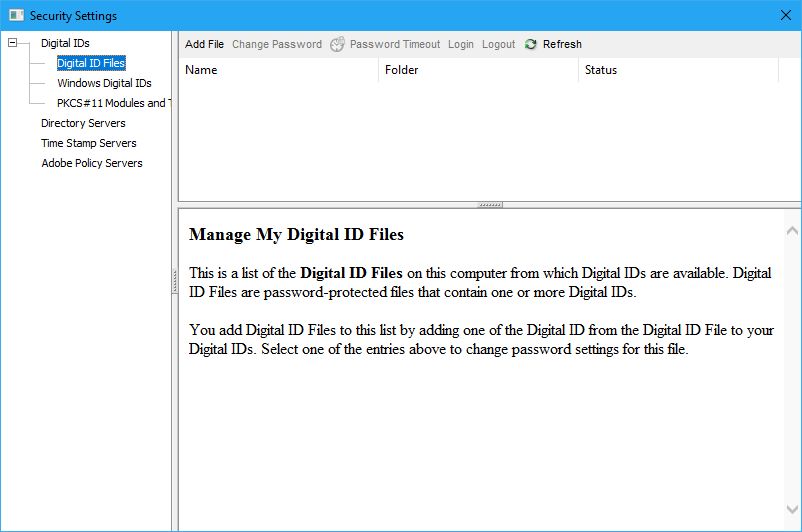
I have tried adding digital IDs that way (both existing IDs and new ones), but the result is the same. Once I close Acrobat they are gone and I have to add them again the next time.
Thanks,
Yossi
Copy link to clipboard
Copied
Interestingly, I do not have this problem when signing in Adobe Acrobat Reader DC. So for now, I am using Reader to sign documents.
Any idea why it's working ok in Reader DC but not 7 Pro?


Copy link to clipboard
Copied
Acrobat 7 is extremely old. Problems with it are to be expected.


Get ready! An upgraded Adobe Community experience is coming in January.
Learn more
 AdChoices