


- Home
- Acrobat
- Discussions
- Re: How do I fix error message when trying to crea...
- Re: How do I fix error message when trying to crea...
How do I fix error message when trying to create a pdf from word office 365

Copy link to clipboard
Copied
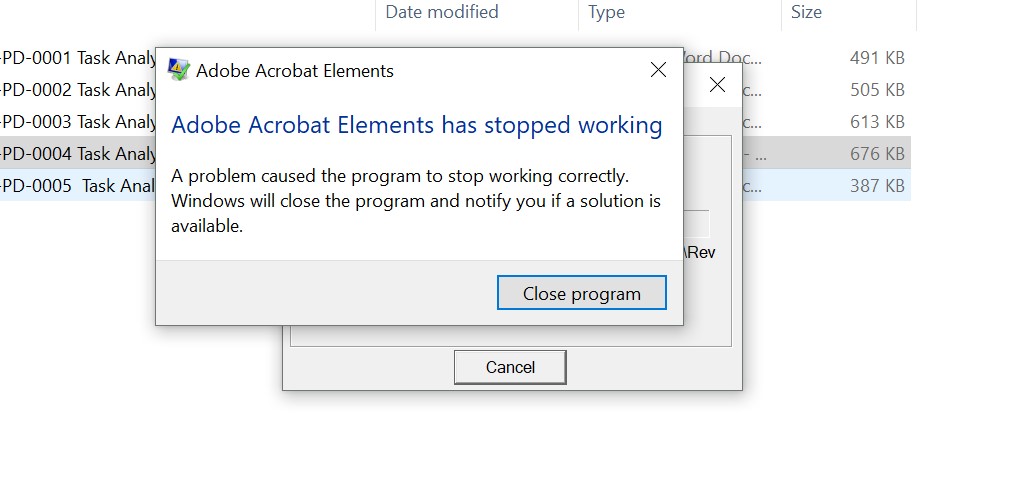
From file explorer, I right click on a document and try to create a pdf by clicking "covert to adobe pdf" and I get the following error "Adobe Acrobat Elements has stopped working". If I have an Adobe subscription, why should this be happening. It is very annoying. And I've tried to contact Adobe and of course, I have no option available to contact them other than asking the forum. I am running Windows 10. Thank you in advance for your help!!


 6
Replies
6
6
Replies
6




Copy link to clipboard
Copied
See: Error: adobe acrobat elements has encountered a problem and needs to close
I'm betting you have quite an old version of Acrobat installed on your computer, since Acrobat Elements hasn't been available for some time now. If that's the case, it's not compatible with your OS and such problems are to be expected.
Copy link to clipboard
Copied
But I have a subscription that I purchased from Adobe when I bought my computer. I pay $16/month for it. Should I uninstall if that is even possible?
Copy link to clipboard
Copied
To what do you have a subscription, exactly?
Copy link to clipboard
Copied
I pay $16/month to Adobe for Adobe Acrobat Pro DC.

Copy link to clipboard
Copied
It's interesting, but let's assume that this is a part of the currentAcrobat. Let's check some things.
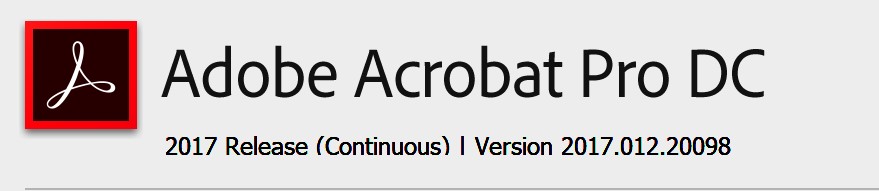
1. What is your exact version of Acrobat Pro or Acrobat Standard? Please start it and use Help > About Acrobat (or similar). We're looking for a version like 2016.123.40042.
2. In Word, do you see an Acrobat ribbon? If you see it does it work?
Copy link to clipboard
Copied
yes, I do have the ribbon on the top of Word. The only time it crashes is when I try to right click and create a pdf in file Explorer. I guess it's an old habit of mine to create pdfs in that manner. Maybe I should just use the ribbon as that works. But if you right click and it gives you the option to create a pdf, shouldn't it work?


Get ready! An upgraded Adobe Community experience is coming in January.
Learn more
 AdChoices