Exit
  • Global community
    • Language:
      • Deutsch
      • English
      • Español
      • Français
      • Português
  • 日本語コミュニティ
  • 한국 커뮤니티
0

How do I re-enable OCR popup?

New Here ,
Oct 26, 2017 Oct 26, 2017

I have a user that has apparently opted to bypass the OCR popup that comes up after doing a search for text on an image in Adobe Acrobat XI Pro. How do I re-enable this automatic popup?

Thanks in Advance.

TOPICS
Scan documents and OCR
3.5K
Translate
Report
Community guidelines
Be kind and respectful, give credit to the original source of content, and search for duplicates before posting. Learn more
community guidelines
Adobe Employee ,
Oct 26, 2017 Oct 26, 2017

Hello Emersonc,

As per the description above, you want to turn on automatic OCR feature in Adobe Acrobat Pro 11, Is that correct?

To turn on automatic OCR, In the right pane, click the Convert to Text option. From next time, Acrobat will automatically run OCR and convert a scanned document to editable text.
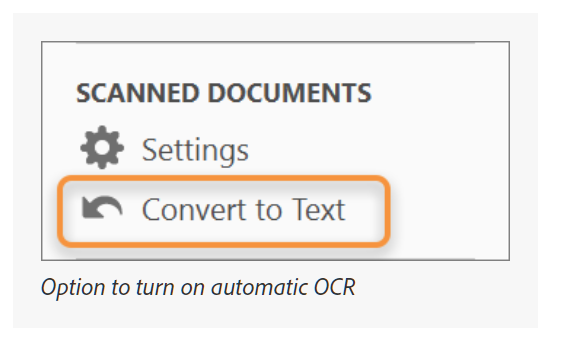
OCR.PNG

You may also refer to Edit scanned PDFs, turn off automatic OCR, Adobe Acrobat  Link: https://helpx.adobe.com/acrobat/using/edit-scanned-pdfs.html

Hope this helps, and let us know how it goes.

Regards,

Anand Sri.

Translate
Report
Community guidelines
Be kind and respectful, give credit to the original source of content, and search for duplicates before posting. Learn more
community guidelines
Adobe Employee ,
Nov 04, 2017 Nov 04, 2017
LATEST

You will have to reset the warning to get that dialog again.

Go to Edit> Preferences> General and click on the button "Reset all warnings".

It will reset all the warnings and you will see the dialog again.

Thanks.

Translate
Report
Community guidelines
Be kind and respectful, give credit to the original source of content, and search for duplicates before posting. Learn more
community guidelines
