
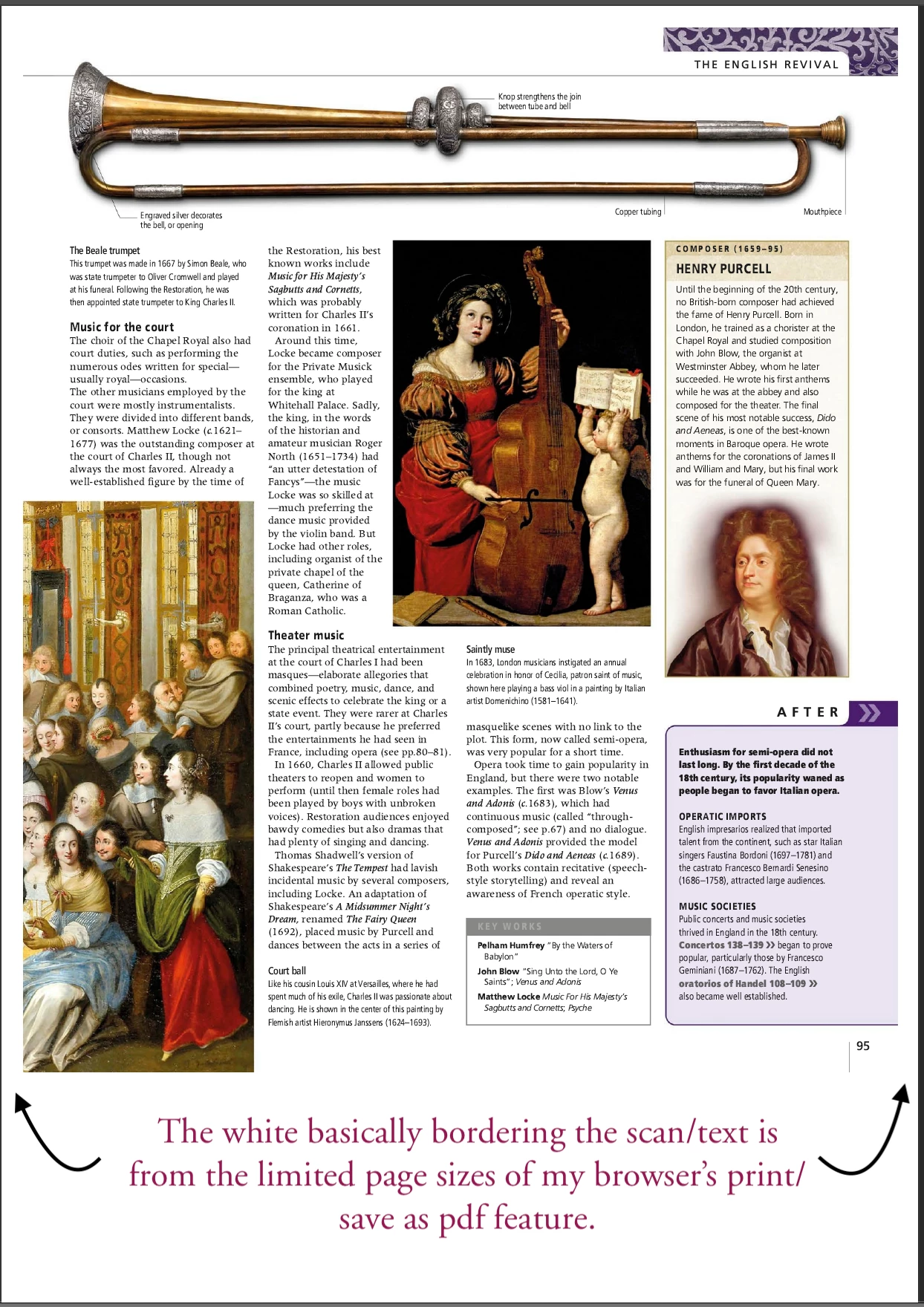
How does one crop the size of the PDF to the size of it's background image?
Basically I sorta have a good idea on what general cropping is like, even disabled the default "snap to grid" nonsense, however I cannot see myself acheiving much progress effeciently by needing to spend 2-3 minutes manually, and painstakingly cropping to the edges of a scan (which serves as the background image in question)-- and I can't even imagine the frustration I'd have then realizing that I may or may've not screwed up on consistency when it comes to said PDF size being wrong, or it being correct but cutting off the scans.
Is there either a pixel perfect grid I can select, or at the very least be able to crop the PDF down to the scan? Given that this is seemingly the only way I can export PDFs from xhtml files, I can't seem to find any other way to adjust the size. A screenshot of this dilema will be provided below. Any and all help is greatly appreciated!
 AdChoices