


- Home
- Acrobat
- Discussions
- Re: How to save a pdf with security options enable...
- Re: How to save a pdf with security options enable...
How to save a pdf with security options enabled when saving while printing is not supported

Copy link to clipboard
Copied
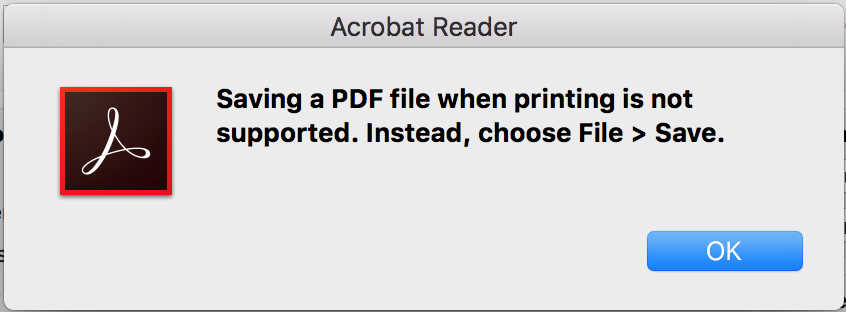
I want to add security options (figure 2) to a pdf to prevent copying, saving and printing but Adobe wont allow me to save these options while printing (figure 3). The issue is that you can't get to the security options feature without opening the print dialogue box (figure 1) which you also can't close without closing the security options feature. Its a vicious cycle haha.
Figure 1: Print dialogue box allowing you to save as a pdf
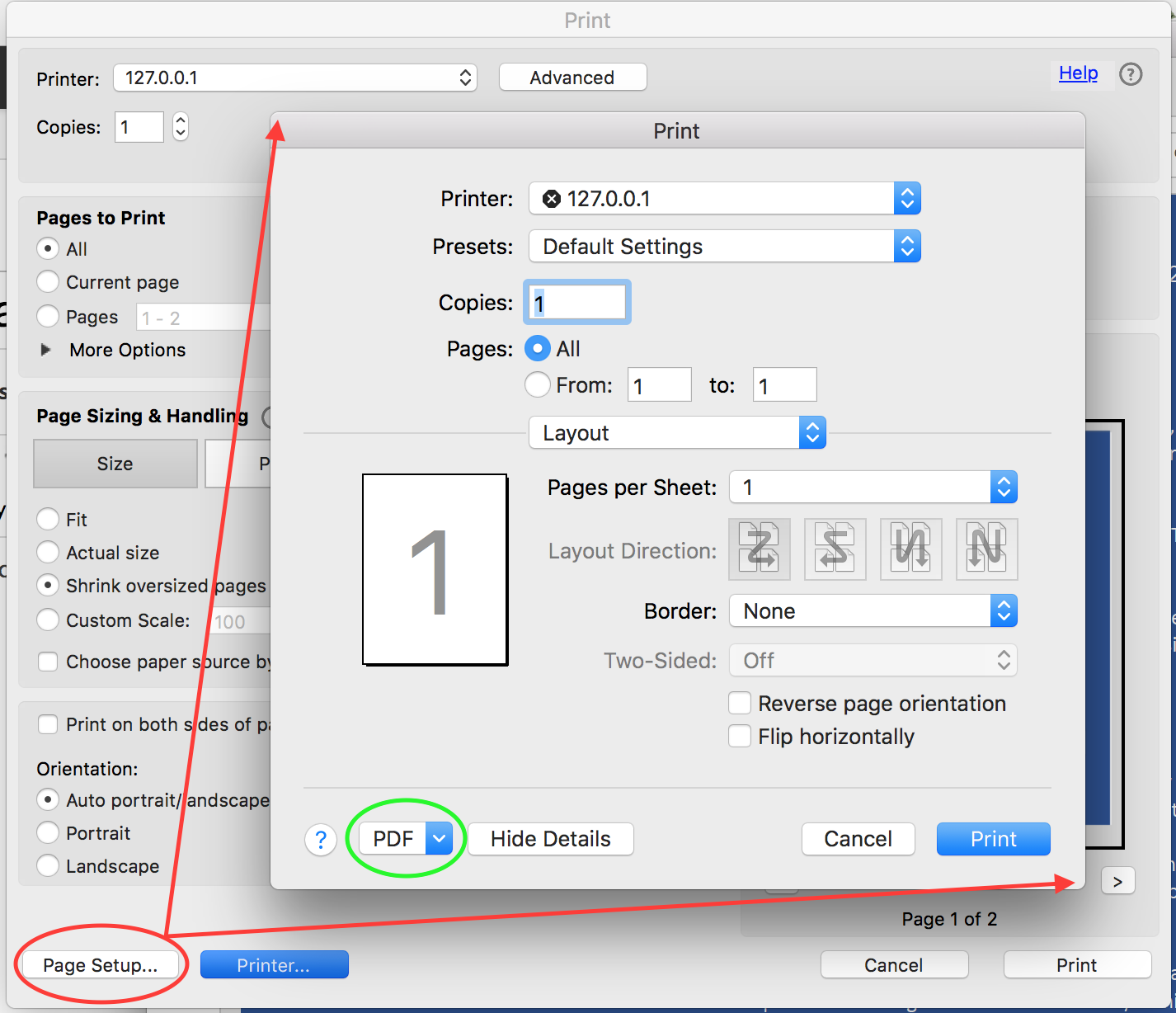
Figure 2: Pdf security options feature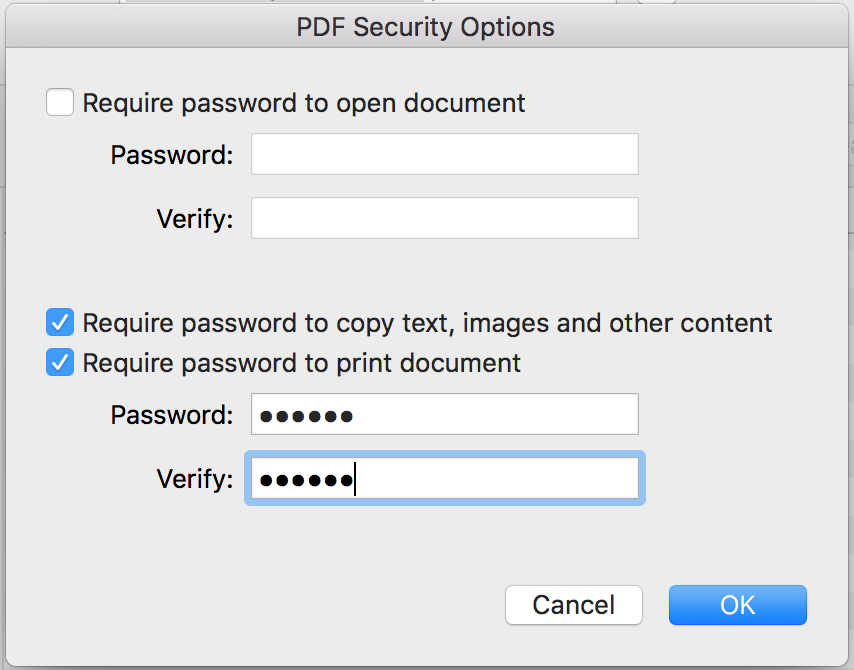
Figure 3: Adobe response resulting in inability to save


 7
Replies
7
7
Replies
7


Copy link to clipboard
Copied
Don't try to print a PDF to PDF. In Acrobat Pro (but not Acrobat Reader) use File > Properties and click the Security tab. Then change the Security Methof to password security.
Copy link to clipboard
Copied
Thank you, yes i was able to find out that it is possible in to add security in Acrobat Pro, but I don't have access Acrobat Pro. The function clearly exists within Acrobat Reader but we need to find a way to circumnavigate the support error. Any ideas?


Copy link to clipboard
Copied
It can't be done with Reader.
Copy link to clipboard
Copied
This is not a support error or bug. Everything is working as designed. Why would Adobe help you to avoid buying Acrobat?
Copy link to clipboard
Copied
Why would they not advertise the feature at that point then? Instead of an error "say please buy Adobe Acrobat to add security features", "please upgrade to pro" or something to the same effect. An error just doesn't seem like a way they would encourage sales as it was very difficult to determine that the feature is not part of Adobe Reader in the first place, I'm still not 100% certain that it isn't, I feel like I have added copy security in the distant past without issue.
Copy link to clipboard
Copied
This limit is nothing about security features. It has been around longer than that, and is probably there because the process wouldn't work well or at all. So it's just a weird side effect. Indeed, if it was deliberate, we'd probably see an advert.
Copy link to clipboard
Copied
(when it comes to printing PDF to PDF, you can't do that on Mac even with Pro)


Get ready! An upgraded Adobe Community experience is coming in January.
Learn more
 AdChoices