
jackw4445566
Participating Frequently
August 18, 2017
Answered

Unable to import exported svg file(s)

I have issues to import svg file from any exported svg files with XD. The steps I did is open the xd file then export all artboards as svg files. Click New then import the exported files back to XD. I tried all options for svg export without luck. This is the error messages I got:
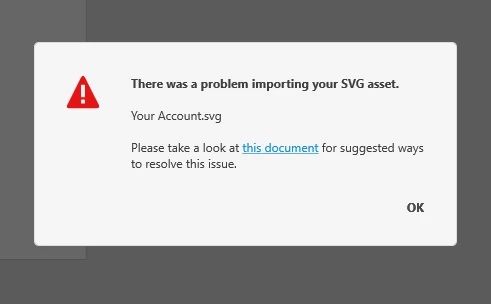
Any ideal? Thanks in advance,

Jack

    This topic is closed to new replies. Start a new post to keep the conversation going.
    Peter_FlynnCorrect answer
    Adobe Employee
    August 18, 2017

    Also though, please be aware that "round tripping" XD content to SVG and then back into XD is definitely not lossless -- so for most workflows you should avoid reimporting things this way.  Importing SVG of any sort should always work, so we definitely want to fix the error you're seeing.  But I strongly encourage you to make use of the original XD content directly whenever possible.

    14 replies

    Montecristoff
    Participating Frequently
    August 28, 2018

    I've found a workaround with Nucleo App (https://nucleoapp.com/ ) ; you can drag and drop any svg directly from this app to XD, it works flawlesssly

    Translate
    itschrisanderson
    Participant
    August 25, 2018

    I'm also unable to import, copy/paste or drag/drop ANY svg into xd.  Same error

    Translate
    Montecristoff
    Participating Frequently
    August 27, 2018

    Same problem here : I can't import any svg in a .xd file (copy-paste / drag and drop / import : same issue).

    Very annoying !

    Translate
    Anca_Cotiga__Adobe_
    Participating Frequently
    October 25, 2017

    For this particular SVG the timeout occurs because the file is imported from a shared folder and because it contains embedded images. As a workaround you can export the SVG with linked images and import it from your local drive.

    Translate
    Anca_Cotiga__Adobe_
    Participating Frequently
    October 25, 2017

    Hi,

    The failed import was caused by a timeout. The SVG file had around 50MB and was imported from a shared folder.

    Thanks,

    Anca.

    Translate
    Anca_Cotiga__Adobe_
    Participating Frequently
    August 22, 2017

    Hi,

    As a workaround, can you please try to open the SVG file in an editor,  copy the content and then paste it into XD? Let us know if it worked. Also, if possible, can you please send me a private message with the path you are importing from (the path where you saved the SVG file)?

    Thanks!

    Translate
    jackw4445566
    Participating Frequently
    August 30, 2017

    Hi Anca,

    Just had a chance to test the Copy/Paste svg file in text. It worked.

    Thank you!

    Translate
    jackw4445566
    Participating Frequently
    August 30, 2017

    Peter and Anca, Thanks you all for your help.

    Translate
    Adobe Employee
    August 18, 2017

    Yikes, sorry about that!  Can you send us a copy of the exported content so we can debug the problem?  (If it not something you can share publicly, please send me a private message with the link and I'll make sure we treat the content as confidential).

    Translate
    jackw4445566
    Participating Frequently
    August 18, 2017

    Thank you Peter! Private message sent.

    Translate
    jackw4445566
    Participating Frequently
    August 21, 2017

    Just checked. This is the version I am using:

    Translate