Copy link to clipboard
Copied
Using Acrobat 7 Pro
Excel 2003 SP3
Windows XP
I have a particular document that neither I nor anyone else in my office on a PC (including people with Acrobat 9 Pro) can get to print all the columns.
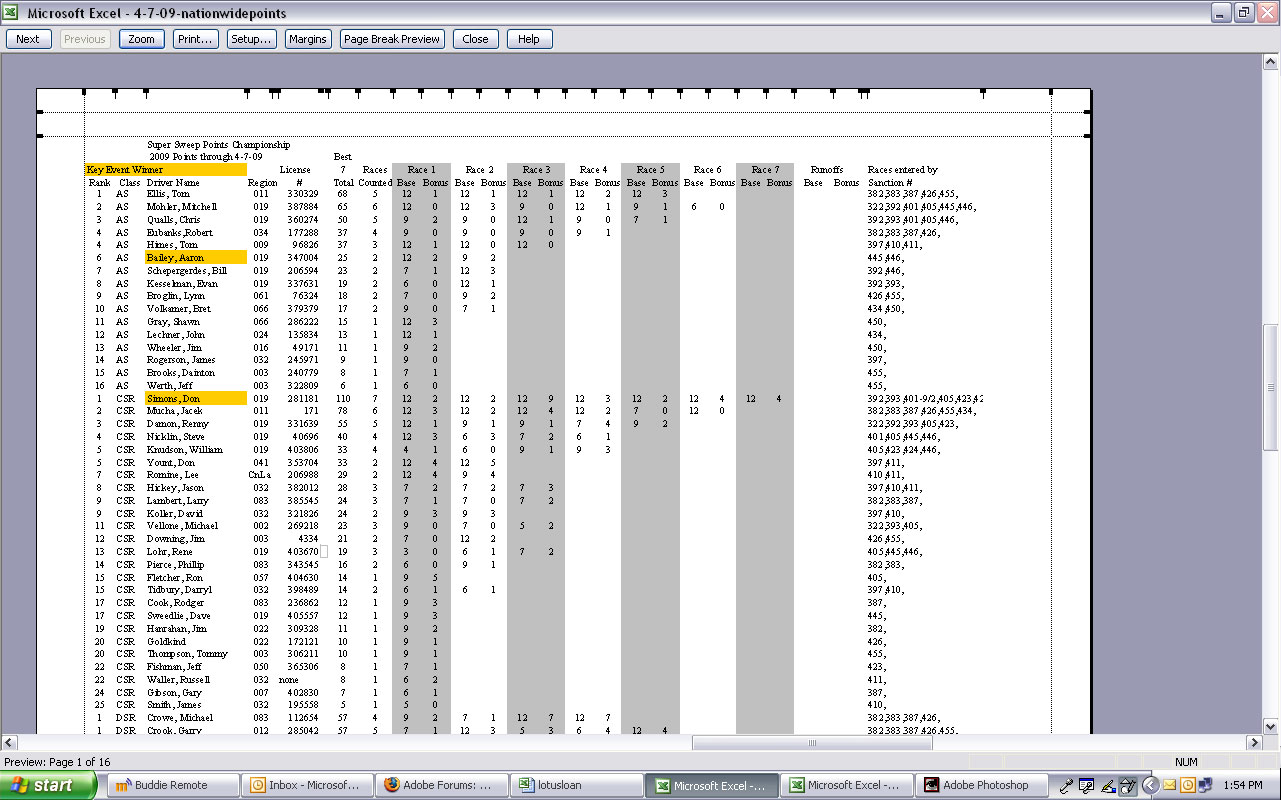
I've seen other threads that say to set the print area after choosing Acrobat as the printer and that does not help. When I go to print preview, It simply is cutting off anything past a certain point on a landscape page. When I pull up margins in the print preview, they are all correct, but the text disappears at a point approximately 2.3" from the right edge of the page. It's almost as if it won't print wider than a portrait letter sized page. Output is landscape in both Excel and in the properties of the Adobe print area.
Here's the kicker. The one guy on a Mac here can print it no problem.
I've attached three jpegs of screen grabs. One of the actual document, one of the print preview (with margins) of the doc in Adobe and one of the print preview (with margins) of the doc for a different HP printer
Any thoughts?

Copy link to clipboard
Copied
Connect the Adobe PDF printer to your print screen first and then check the preview. Excel, like WORD, reflows documents based on the printer that is attached. Thus you are probably running into the last column being a bit wide. With the printer set while you edit, you should be able to look at the preview correctly.
Copy link to clipboard
Copied
Bill-
That's what the print screen jpeg that ends with "adobe" has. I changed the printer to "Adobe PDF" and then went and set the print area. I then went back to the print preview/Print screen and what you see is what it did.
Thanks
Copy link to clipboard
Copied
One of the little things I do not like about Excel. I just play around until I get things to fit. At least you had something to try. Good luck in finding a solution.
Copy link to clipboard
Copied
I figured it out. There is a tech note here: http://kb.adobe.com/selfservice/viewContent.do?externalId=kb403530
I changed the dpi output to 600 and it worked.
Copy link to clipboard
Copied
I had no idea that the quality would affect the print like that. Thanks for the info. I do have my Acrobat set at 300 dpi usually, rather than the default 1200 dpi due to other resolution issues. 1200 as the default is a terrible choice on Adobe's part.
Get ready! An upgraded Adobe Community experience is coming in January.
Learn more