Exit
  • Global community
    • Language:
      • Deutsch
      • English
      • Español
      • Français
      • Português
  • 日本語コミュニティ
  • 한국 커뮤니티
0

Picture rollower

New Here ,
Mar 02, 2019 Mar 02, 2019

Hello friends,

I would like to ask you to help me with one issue. I would like to create small photo slideshow and export it as an interactive PDF fiel. I do not know in my slideshow how to create something like picture rollower/slider. For example I have arrow button on the left side allows me to move small pictures from the right to the left side. Next to the left-arrow are lets say five positions for pictures. Next to the last picture is other arrow to allow me move picture back to the right side. Between the arrows are five picrures but I would like to visible eight other pictures between the arrows according of the clicking on each other. Remaining eight pictures should be not visible when are not on some position just between the button-arrows. Pictures can not be moved directly, they can be only changed on each positions according of using arrow button.

I saw something like this once as an adobe form but I do not know how to do it to the PDF file.

Do you have some idea how to create it?

Thank you for help.Slideshow.png

TOPICS
PDF forms
574
Translate
Report
Community guidelines
Be kind and respectful, give credit to the original source of content, and search for duplicates before posting. Learn more
community guidelines
Community Expert ,
Mar 02, 2019 Mar 02, 2019

Implementing a picture slider is a bit tricky.  The way to handle dynamic images (i.e. they move) is to use a button field. The button field is essentially the Acrobat image field.  Buttons can be easily hidden, shown, and moved with JavaScript. 

You'll need to learn some scripting to make this happen. The general strategy is to create as many buttons as you have images. One image loaded into each button. Then put references to the image buttons into an array and create a variable to keep track of the index of the first image shown. Next, write a function to place 5 images in the array from the current index, and hide all the other images. Finally, add MouseUp scripts to the arrow buttons to increment/decrement the index variable and then call the placement function.

Thom Parker - Software Developer at PDFScripting
Use the Acrobat JavaScript Reference early and often

Translate
Report
Community guidelines
Be kind and respectful, give credit to the original source of content, and search for duplicates before posting. Learn more
community guidelines
New Here ,
Mar 03, 2019 Mar 03, 2019

Hmm..Can I find somewhere a guide for it..with similar steps at least? Anyway, is it feasible in Adobe Acroba or I need Adobe LiveCycle Designer or even Adobe InDesign?

Translate
Report
Community guidelines
Be kind and respectful, give credit to the original source of content, and search for duplicates before posting. Learn more
community guidelines
Community Expert ,
Mar 03, 2019 Mar 03, 2019

You can create this in Acrobat as a regular PDF.  However, it requires a good knowledge of PDF form fields and JavaScript.  And no, I don't know of anything specific for implementing this.

However, it's all about positioning form fields, so here's an article that covers just about everything you need to know:

PDF Page Coordinates (page size, field placement, etc.)

Thom Parker - Software Developer at PDFScripting
Use the Acrobat JavaScript Reference early and often

Translate
Report
Community guidelines
Be kind and respectful, give credit to the original source of content, and search for duplicates before posting. Learn more
community guidelines
Explorer ,
Mar 21, 2019 Mar 21, 2019
LATEST

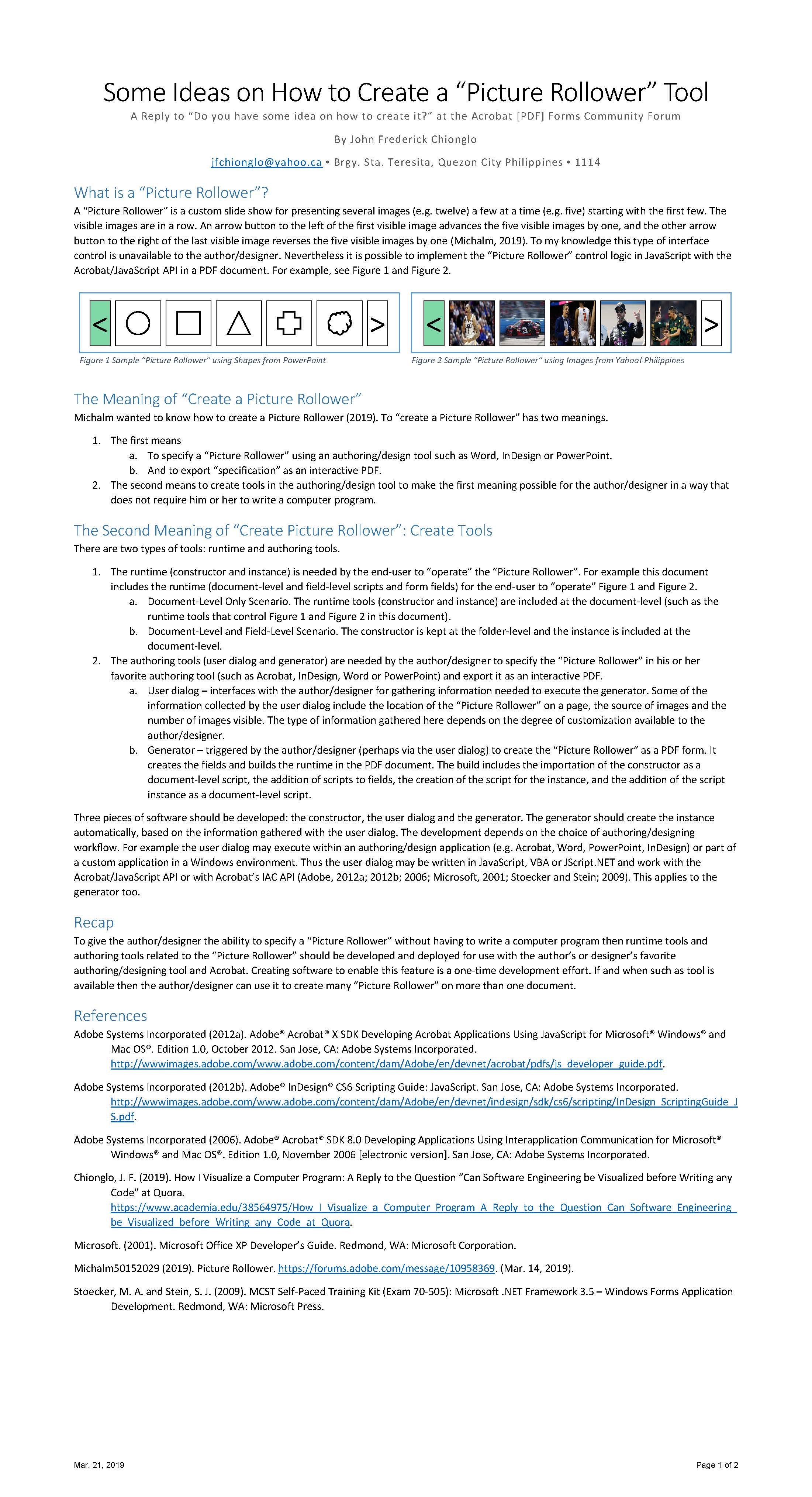
To give the author/designer the ability to specify a “Picture Rollower” without having to write a computer program then runtime tools and authoring tools related to the “Picture Rollower” should be developed and deployed for use with the author’s or designer’s favorite authoring/designing tool and Acrobat. Creating software to enable this feature is a one-time development effort. If and when such as tool is available then the author/designer can use it to create many “Picture Rollower” on more than one document.

1553219200_Page_1.jpg

An interactive PDF version of this reply may be found at slidshare.net: "Some Ideas on How to Create a “Picture Rollower” Tool: A Reply to “Do… "

Translate
Report
Community guidelines
Be kind and respectful, give credit to the original source of content, and search for duplicates before posting. Learn more
community guidelines