
Known Participant
March 17, 2025
Answered

Radio Button choice displays answer in text field box

  • March 17, 2025
  • 2 replies
  • 829 views

I am trying to do a simple task, but keep running into a brick wall.  I need my client to select 1 radio choice out of 3 buttons, and have whatever choice the tic, display in a text boxt at the end of the road, automatically.  My radio group is called Payment Date.  The 3 choices are: 1st/month, 3rd/month, 10th/month.  That is the actual name of my three options too.  Whichever chosen needs to appear in the text box as the same wording.  I have tried several calcualtion scripts but it only shows the first option.  I don't know how to add the other two, so they will show when chosen.  Last script attempted below.  See pics for details.

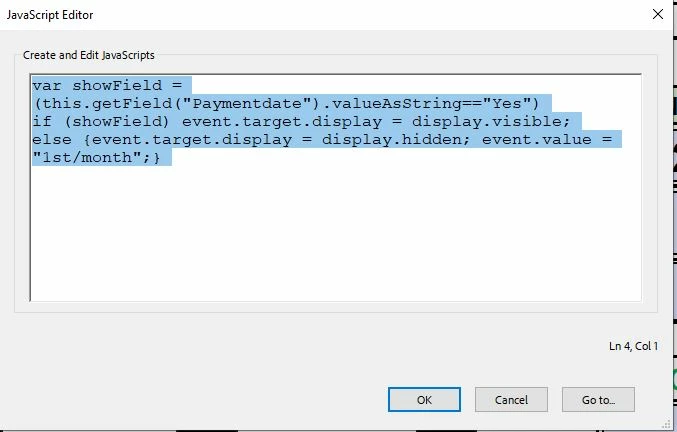
var showField = (this.getField("Paymentdate").valueAsString=="Yes")
if (showField) event.target.display = display.visible;
else {event.target.display = display.hidden; event.value = "1st/month";}

Correct answer Nesa Nurani

As mentioned by @PDF Automation Station you need to pay attention to field name.

Also, if yours choices are "1st/month, 3rd/month, 10th/month" there is no "Yes" choice then.

If you wish to 'show' text field and display value from radio button that is selected, use this as custom calculation script of that text field:

var showField = this.getField("Paymentdate").valueAsString;

if(showField !== "Off") {
 event.target.display = display.visible;
 event.value = showField;}
else {
 event.target.display = display.hidden; 
 event.value = "";}

2 replies

Nesa Nurani
Community Expert
Nesa NuraniCommunity ExpertCorrect answer
Community Expert
March 17, 2025

As mentioned by @PDF Automation Station you need to pay attention to field name.

Also, if yours choices are "1st/month, 3rd/month, 10th/month" there is no "Yes" choice then.

If you wish to 'show' text field and display value from radio button that is selected, use this as custom calculation script of that text field:

var showField = this.getField("Paymentdate").valueAsString;

if(showField !== "Off") {
 event.target.display = display.visible;
 event.value = showField;}
else {
 event.target.display = display.hidden; 
 event.value = "";}
Known Participant
March 17, 2025

That's did not work.  When the first button was chosen it enter YES.  When chosen the other two left the box blank.  Again, I need the box to show, whatever button was chosen.  See pics for details.

PDF Automation Station
Community Expert
Community Expert
March 17, 2025

You said your choices were 1st/month, 3rd/month, 10th/month.  Change your export values to these and it will work.

PDF Automation Station
Community Expert
Community Expert
March 17, 2025

this.getField("Paymentdate").value=="Off"?event.value="":event.value=this.getField("Paymentdate").value;

Your description says the field is called Payment Date, but you called it Paymentdate in your script.  Use the correct one with the script above.  No need to show/hide the text field.