


Copy link to clipboard
Copied
Hi, I have a collection of PDF forms and it's kind of annoying that the mouse cursor keep changing from arrow to caret every time it hovers a text.
Being it a form I would like that caret cursor show up only when the mouse hovers a fillable field.
I would like to know if there is a way to turn the text selection OFF for regular texts? I am on Acrobat XI.
Thanks!


 Correct answer by
yankleber
AUTHOR
Correct answer by
yankleber
AUTHOR
Copy link to clipboard
Copied
Well, never mind... I will simply convert all my texts to images to stop this annoying behavior...
It's just that I thought that there was a smarter way of doing it. Also it will be kind of time consuming because I have DOZENS of forms to working on.

Thanks for trying to help anyway!

 7
Replies
7
7
Replies
7




Copy link to clipboard
Copied
Simply switch to the Hand tool.
Copy link to clipboard
Copied
Switch WHERE?
Copy link to clipboard
Copied
In the toolbar above the document. Click here:
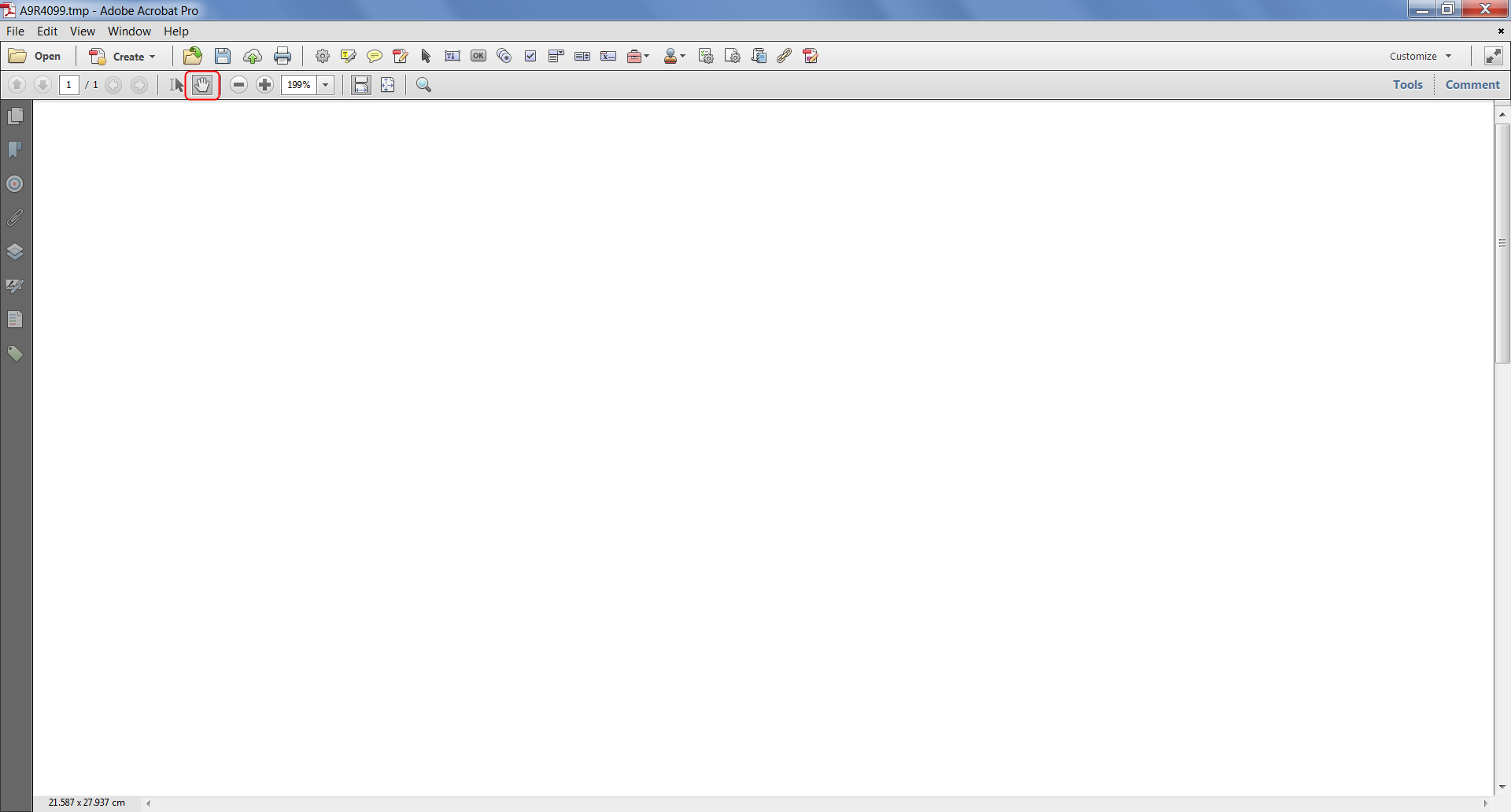
Copy link to clipboard
Copied
I think you didn't get my point... I am not a form user but a form MAKER.
I would like to know if I can force disable text selection for good on all PDFs I make. I want that the users don't have the ability of select those texts are all. There is a way of doing it?
EDIT: I think there IS because I see PDFs like this all the time. I just don't know how to do that!
Thanks!
Correct answer by
yankleber
AUTHOR
Copy link to clipboard
Copied
Well, never mind... I will simply convert all my texts to images to stop this annoying behavior...
It's just that I thought that there was a smarter way of doing it. Also it will be kind of time consuming because I have DOZENS of forms to working on.
Thanks for trying to help anyway!
Copy link to clipboard
Copied
That's the only way, but it's a bad one. You'll effectively ruin the usability of your file (no more searching for text, pixelization when zooming in, etc.) just to prevent the cursor from changing... I would strongly recommend against it.
Copy link to clipboard
Copied
Well, hopefully my form doesn't need to be searched or even indexed by search engines at all!
Basically it's an in-house form with only one page where mostly of the contents are pictures, so we will be fine.
About the pixelation problem I am not going to convert the texts into bitmaps but in vectors (it still will be fully scalable). So no pixels here.
Thanks a lot for your patience anyway!


Get ready! An upgraded Adobe Community experience is coming in January.
Learn more
 AdChoices