Exit
  • Global community
    • Language:
      • Deutsch
      • English
      • Español
      • Français
      • Português
  • 日本語コミュニティ
  • 한국 커뮤니티
0

Zentriert drucken aus Acrobat PRO DC?

Community Beginner ,
Jun 05, 2018 Jun 05, 2018

Hallo,

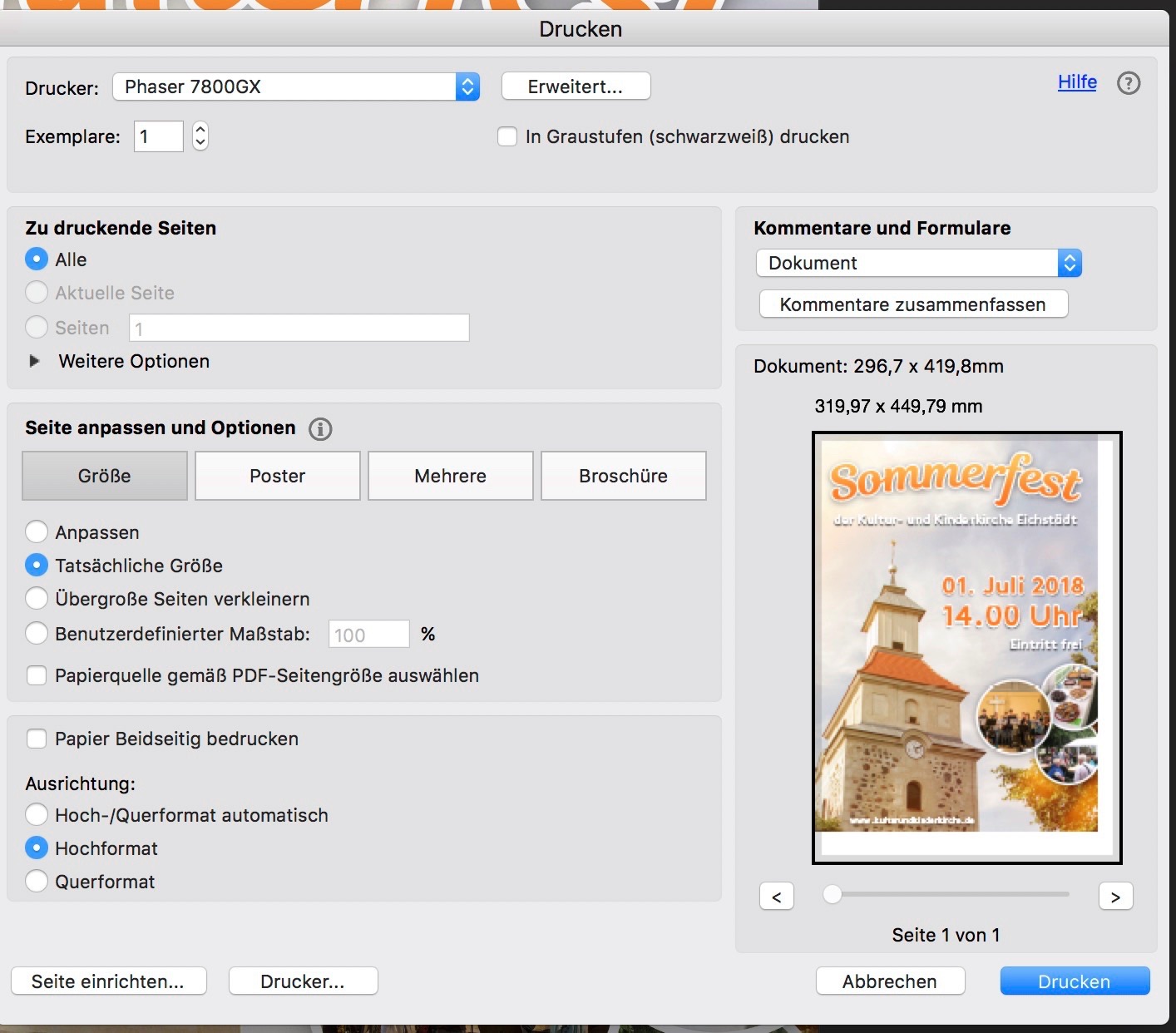
kann mir mal jemand die Logic von Acrobat DC bezüglich der Platzierung des Drucken auf dem Blatt erklären? Wenn ich "Poster" wähle, dann erfolgt der Druck zentriert. Wähle ich aber "Tatsächliche Größe" dann wird der Druck oben links platziert und eine Einstellung für "Links/rechts/oben usw. positionieren" wie im Illustrator gibt es im Acrobat nicht. Und das soll jetzt "Pro" sein?

Stefan

Entwurf 2018-06-05 um 09.42.22.jpg

TOPICS
Print and prepress
4.5K
Translate
Report
Community guidelines
Be kind and respectful, give credit to the original source of content, and search for duplicates before posting. Learn more
community guidelines
Community Expert ,
Jun 05, 2018 Jun 05, 2018

Hallo Stefan,

was Du siehst is nicht das normale Verhalten von Acrobat:

2018-06-05_08-44-45.png

Mein Dokument is 8x10.5in, und wird auf 8.5x11in zentriert gedruckt. Dein Dokument muss irgendwo tun, das Acrobat's normales Verhalten umgeht, und dann in dem nicht-zentrierten Ausdruck endet. Ich nehme an, das hat mit der Crop Box zu tun, aber ohne Zugriff auf die Datei kann ich nur raten.

Translate
Report
Community guidelines
Be kind and respectful, give credit to the original source of content, and search for duplicates before posting. Learn more
community guidelines
Community Expert ,
Jun 06, 2018 Jun 06, 2018
LATEST

https://forums.adobe.com/people/Karl+Heinz+Kremer  wrote

Hallo Stefan,

was Du siehst is nicht das normale Verhalten von Acrobat:

Doch, ich  glaube schon, dass das Verhalten normal ist. Der Unterschied zwischen Deiner Ausgabe und der von mr_blueeye ist das Auto portrait/landscape.

ABAMBO | Hard- and Software Engineer | Photographer
Translate
Report
Community guidelines
Be kind and respectful, give credit to the original source of content, and search for duplicates before posting. Learn more
community guidelines