
Participant
July 18, 2016
Answered

activar la vista con fichas

  • July 18, 2016
  • 2 replies
  • 1016 views

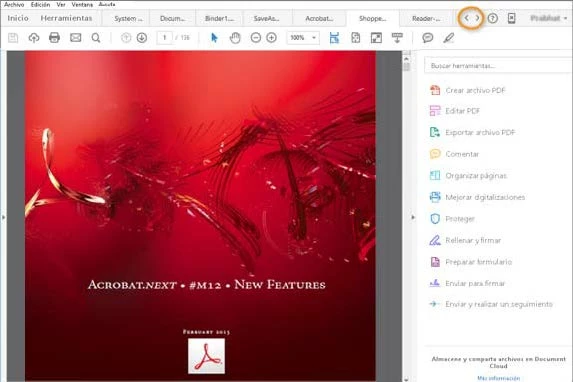
Como puedo activar la vista de documentos abierto en fichas. Según el manual hay que ir:

"Editar >Preferencias > General y desactive la casilla de verificación de la preferencia Abrir documentos como

una nueva ficha en la misma ventana (requiere reiniciar)", pero no encuentro esto en ningún sitio de las preferencias.
This topic has been closed for replies.
Correct answer Bernd Alheit

The option is not available in this version.

2 replies

Bernd Alheit
Community Expert
Community Expert
July 18, 2016

Did you buy or subscribe Adobe Acrobat?

Sarojini_Nagar
Community Manager
Community Manager
July 18, 2016

Hi movastin ,

To open the documents in tabbed view you need to navigate to Edit>Preferences>General>and check the box which reads " Open documents as new tabs in the same window(Restart Requires)" . Click OK.

Let us know if this helps.

Regards

Sarojini

movastinAuthor
Participant
July 18, 2016

Esta opción no aparece en preferencias. estoy utilizando la versión de Adobe Acrobat dc pro para escritorio. No tengo subcrpición, tengo un código de licencia.

Bernd Alheit
Community Expert
Bernd AlheitCommunity ExpertCorrect answer
Community Expert
July 18, 2016

The option is not available in this version.