Participant
July 1, 2016
Question

Adobe Won't Print Thin Lines (On Paper)

  • July 1, 2016
  • 2 replies
  • 13253 views

Hi All -

My problem is this:  When physically printing a PDF drawing (originally from AutoCAD), the thin line weights default to a thicker line.  The lines appear properly in Adobe Reader, but don't translate when printed physically. 

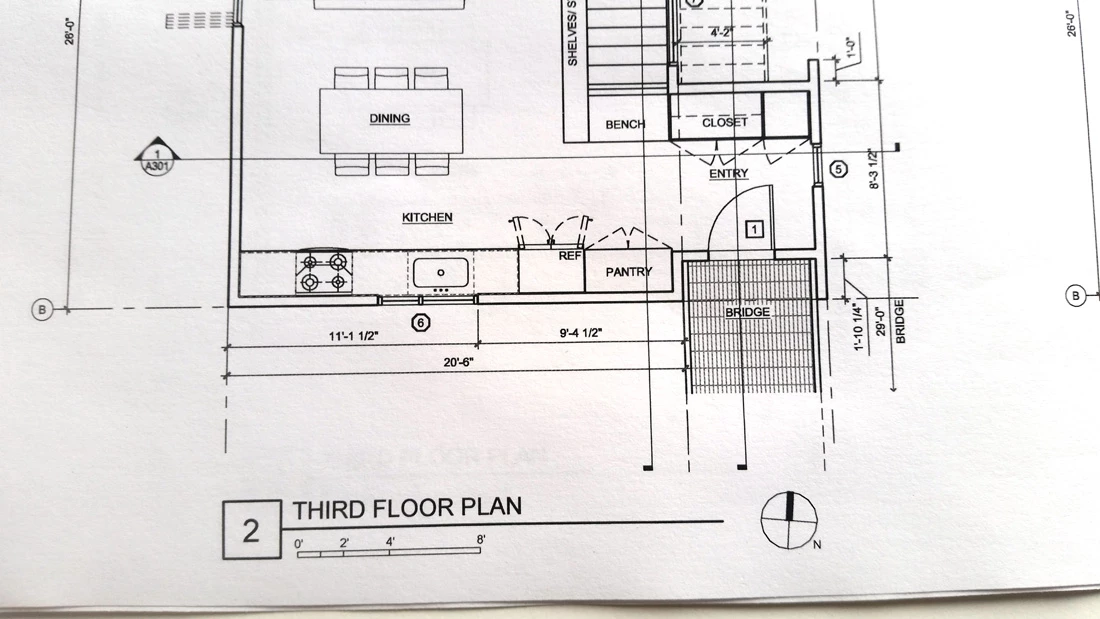
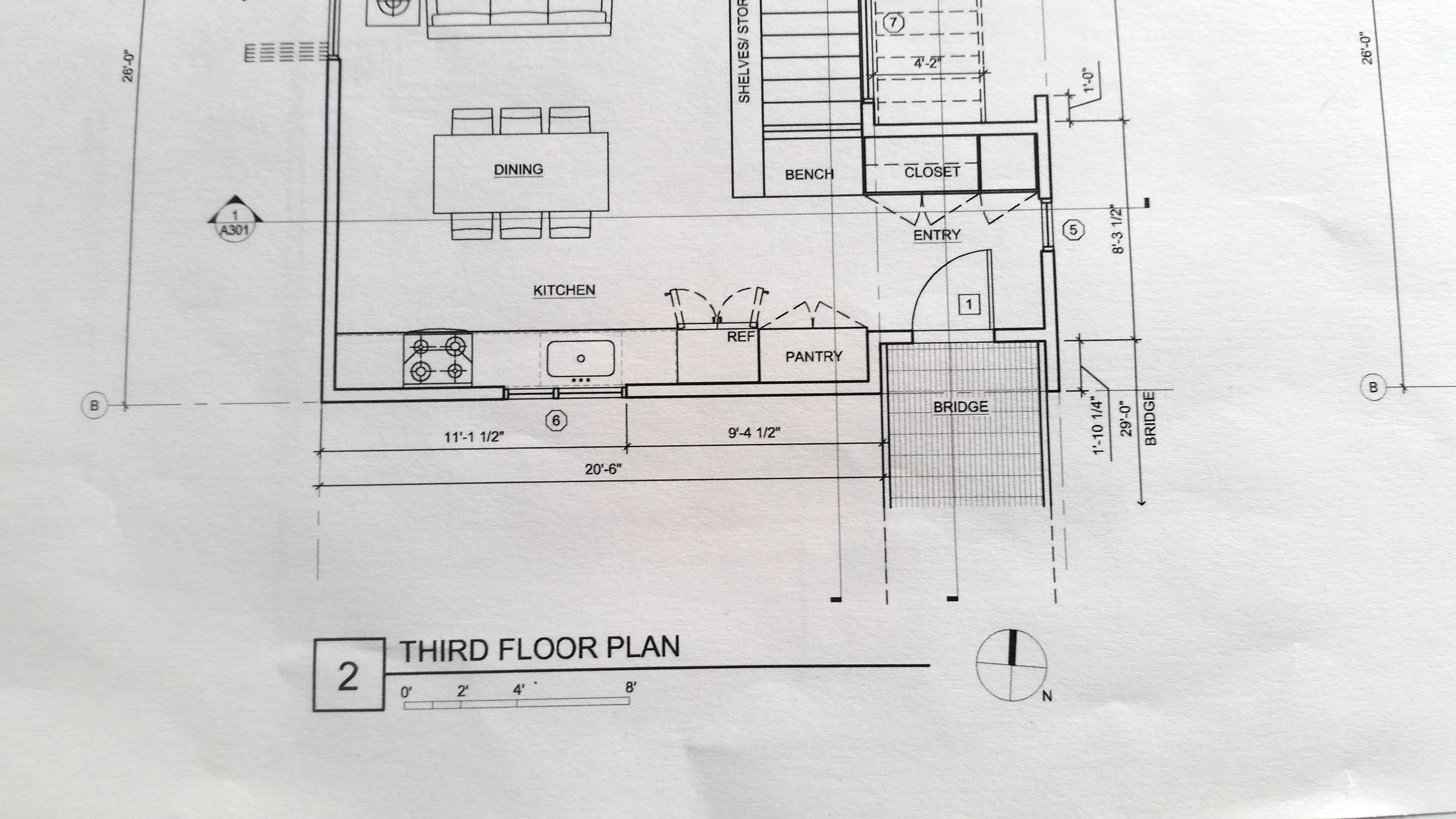
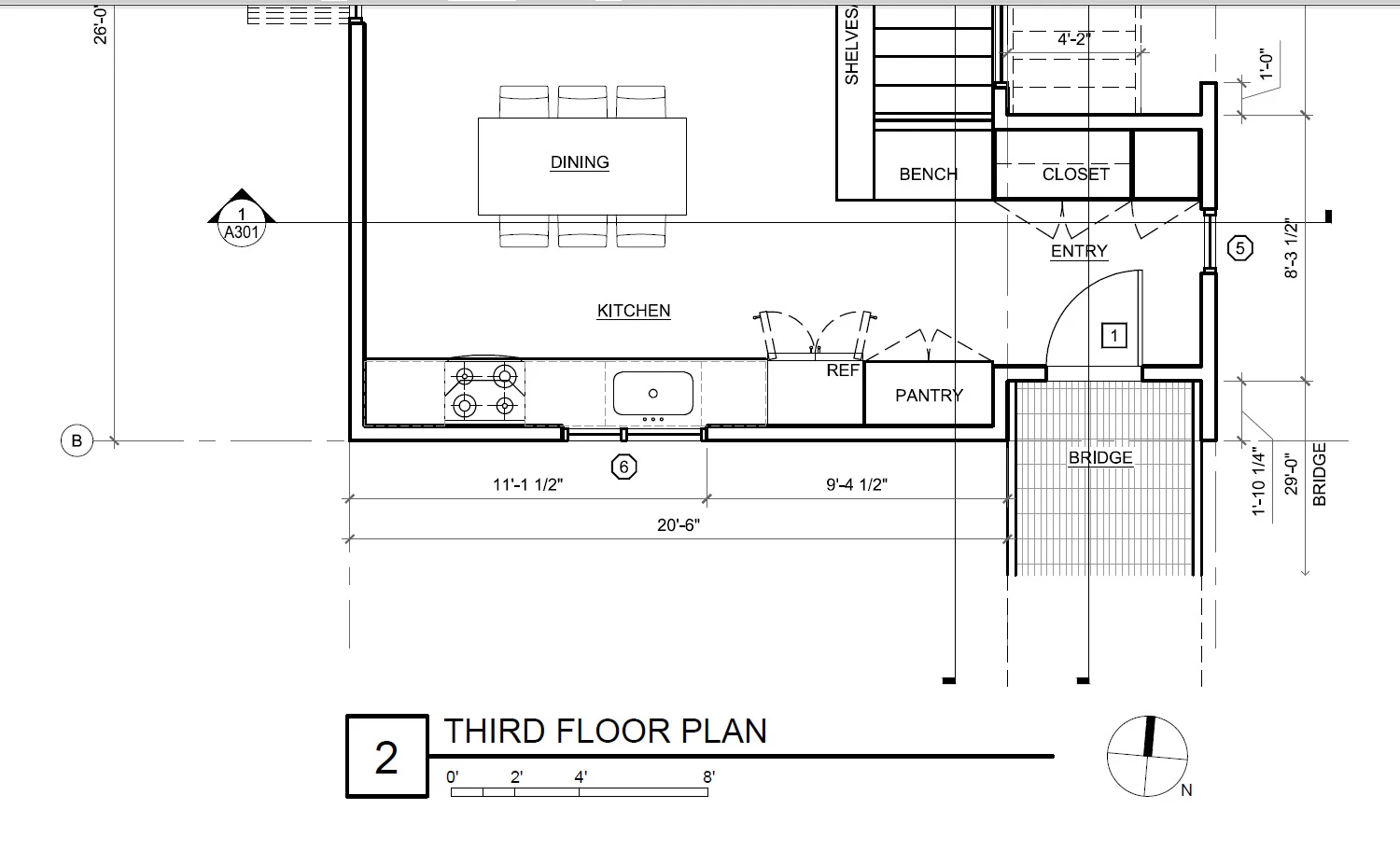
Attached are three images:

1 - The PDF as seen on screen.  Line weights look correct when zoomed in

2 - Hard copy printed from the pdf.  Line weights of the thin lines are much thicker (see gridlines and hatch around the "bridge" area)

3 - Hard copy printed directly from AutoCAD. Line weights are correct, so its not an issue with the printer's capabilities.

I've found that when physically printing from PDF, there seems to be a threshold where if a line is too thin, it will get replaced with a default thickness.  I can't find anywhere to fix this "setting" if there even is one. 

I'm using Adobe Reader XI.  My co-worker has Adobe Acrobat and I tried "fix hairlines" setting from his computer - and still no improvement.

Thank you for your help!
This topic has been closed for replies.

2 replies

BoohsteAuthor
Participant
August 11, 2016

Here's an update - the problem has been fixed, though not through my own cunning and problem solving skills.

I tried installing and switching the printer to a PostScript print driver after reading that PS drivers do better with vector graphics. This did change how many of the thin lines printed, though it still wasn't up to the standard I'd like. 

We got a new printer (same model) due to the original one having unrelated (I think) issues.  The new printer came with a PostScript driver as the default.  After installing it directly onto each computer instead of going through our network server like the previous printer, its printing beautifully! 

I don't know if this points to anything specific being the problem.  Both printers were running the same driver, so I suspect there was an issue with the original printer hardware, or somehow printing through the network server was causing the files to no be translated properly.

Either way, the issue has been fixed... so onto the next!

Thanks everyone for your help!

Luke Jennings
Inspiring
July 7, 2016

It sounds like it's a printer issue. Your printer might have a setting to enhance thin lines, so thin lines do not get lost, this setting might not be editable on screen. When printing a CAD file, the printer possibly does not recognize the CAD format as lines and so does not enlarge them. If you had Acrobat or Illustrator, you could try to convert the PDF lines to outlines, see this old related thread:

Line drawings distorted by Adobe Reader's Thin Line Enhancement feature

But I don't think you can do it in Reader.

BoohsteAuthor
Participant
July 15, 2016

Thanks Luke.

Since I don't have Acrobat or Illustrator, I can't try that fix.  It does seem odd that I should have to make changes to every PDF in Acrobat before printing in order to get the correct output. 

For the moment I've found a sort-of-work-around:  Through lots and lots of test prints, I found that below a line thickness of 0.003", they are converted to thicker lines.  So I've set up our drawings to use that as the thinnest line weight.  It makes the drawings work better graphically, but isn't really solving the issue.

I'll keep working on it when I have the time and will post again if I find a solution.

Luke Jennings
Inspiring
July 15, 2016

Did you try turning off the Adobe Reader preference to enhance thin lines? This is a page display preference, but perhaps it's affecting print as well. You could try downloading the newer Adobe Reader DC. You might also open a service call to the maker of your printer, they might have a solution.