
Question
Bottom of page is getting cut off when printing...
Hello,
I just purchased a Canon MG2920 printer for print and play games (among other things). I'm trying to print out some things, but the bottom of the page keeps getting cut off. It looks like the margin on the top of the page is smaller compared to the bottom of the page.
For some of the things being printed, it needs to stay the actual size, so shrinking to fit is not an option.
You can see in the image below, the bottom part of the page has been cut off (in grey).
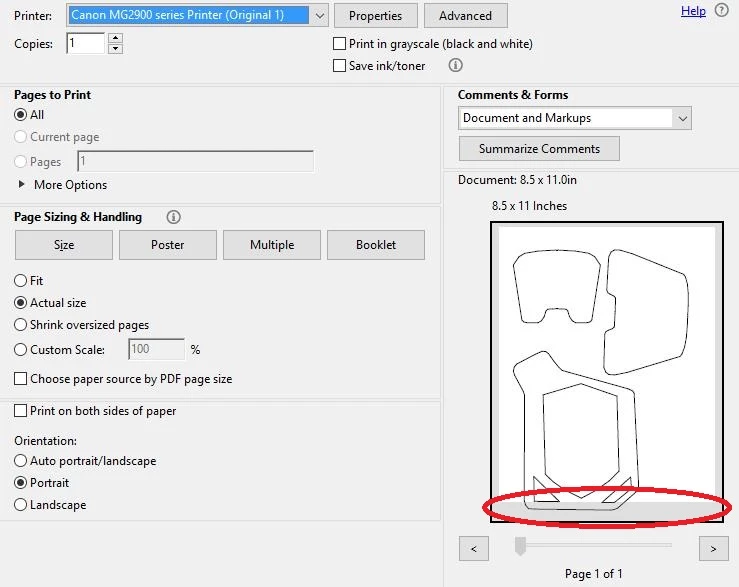
Is there some setting that needs to be changed?
I have a Windows 10 system using Adobe Reader DC.
 AdChoices