
Answered
Creating Editable Flyer Template in Acrobat Pro :: for Reader Users
Hello,
I work for a real estate brokerage and I am trying to create an editable flyer in acrobat. My agents will be editing the template in reader. In order for them to swap out information and images I have placed text fields (for the property info) and an action button implementing javascript to prompt image swaps. But I have hit one hiccup. The main image needs to be arranged in the back of the PDF so I can layer a white text box on top of the photo. Please see the image below. Is there anyway to do this, the text box is outlined. I know it is there, I just can't place it on top of the main image (the main image is using an action button).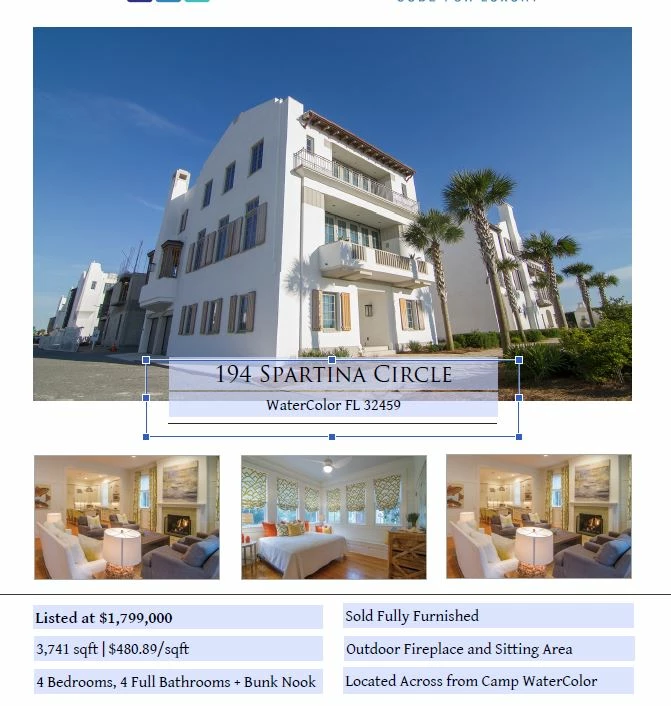
 AdChoices