
Known Participant
March 16, 2017
質問

Custom calculation script - need help

  • March 16, 2017
  • 返信数 2.
  • 548 ビュー

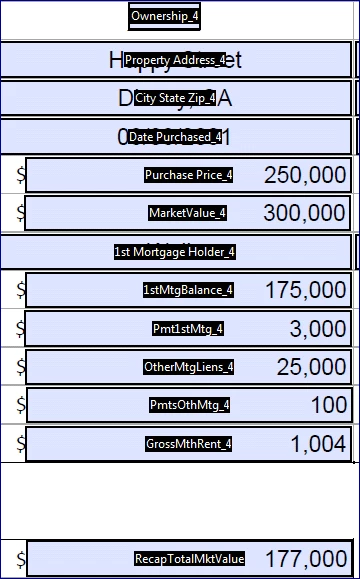
I have 6 fields with property value and 6 related % Ownership, then a grand total field.  My intent is to take property_1 x ownership = value, do the same for the remaining 5 properties, then add all resulting values for a total property value based on % of ownership.  I first entered script below with only one property (without the surrounding ()'s, and it worked fine, then I added the (), copy/pasted the same script & updated the names.  When I inserted the remaining properties, it doesn't work.   (Note, in the example below the calc would be $300,000 X 59% = $177,000).  Where did I mess up on the script?

Thank you so much ~ Michelle

event.value = ( this.getField("MarketValue").value * this.getField("Ownership").value ) + ( this.getField("MarketValue_2").value * this.getField("Ownership_2").value ) + ( this.getField("MarketValue_3").value * this.getField("Ownership_3").value ) + ( this.getField("MarketValue_4").value * this.getField("Ownership_4").value ) + ( this.getField("MarketValue_5").value * this.getField("Ownership_5").value ) + ( this.getField("MarketValue_6").value * this.getField("Ownership_6").value );
このトピックへの返信は締め切られました。

返信数 2

Known Participant
March 20, 2017

Thank you for your help.  I tried adding in each section of the query one at a time and it all worked, until I added in property #3.  Not sure how to read the debugger, but it also pointed to #3.  After close review, I found that I had a space in field name between Market and Value, which was different than the rest of the fields.  Fixed that and it worked.  What I learned is to used the debugger to guide me.  thank you soooooo much!

try67
Community Expert
Community Expert
March 16, 2017

The script itself doesn't have any errors in it. What do you mean by "it's not working"? Are you getting any error messages in the JS Console? Does it not produce the correct result?

Known Participant
March 16, 2017

Thank you for your time!

It does not produce the result I expected.

1     300,000X59% = 177,000

2     300,000X100% = 300,000

3     300,000X100% = 300,000

4     300,000X100% = 300,000

5     300,000X100% = 300,000

6     300,000X100% = 300,000

When I only had the first property in the query, it returned a result of 177,000 which is correct answer.  When I added in the next 5 (as shown in my original question), I expected to get a result of 1,677,000.  However, the field did not update.    Is there a better way to write the script? Maybe like a weighted value like in Excel?

I'm still new at this and haven't used the debugger before.  I had to activate it, but don't know if its telling me anything

try67
Community Expert
Community Expert
March 16, 2017

Did you change the value of any of the fields after applying the new code? It won't "kick in" until you do...