
Eli-zabelle
Inspiring
June 10, 2017
Answered

Date format: month all lower case

  • June 10, 2017
  • 2 replies
  • 1499 views

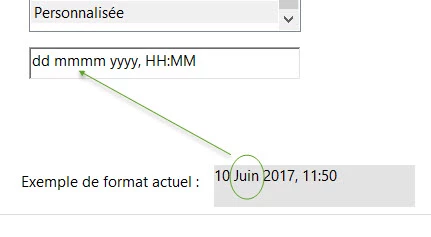
Is there a way that I could make the month all lower case once the date has been validated? I've tried event.value = event.value.toLowerCase() in the action tab once the field is deactivated and what not... 

It may not seem like much but it's a flagrant spelling error in French. Thank you if someone can help.
This topic has been closed for replies.
Correct answer JR Boulay

Hi.

To get a French date (without cap letters) you must use this:

event.target.value = util.printd("date(fr){D MMMM YYYY}", new Date(), true)

2 replies

JR Boulay
Community Expert
JR BoulayCommunity ExpertCorrect answer
Community Expert
June 11, 2017

Hi.

To get a French date (without cap letters) you must use this:

event.target.value = util.printd("date(fr){D MMMM YYYY}", new Date(), true)

Acrobate du PDF, InDesigner et Photoshopographe
Eli-zabelle
Inspiring
June 11, 2017

Hi, the format is right. Is there a way that I can apply this to a date chosen from the calendar field without deactivating the calendar?  Thank you so much.

JR Boulay
Community Expert
Community Expert
June 11, 2017

I don't know if it's doable with the embedded date picker, but it works fine with my MagicDate picker: https://www.abracadabrapdf.net/utilities-in-english/acrobat-utilities/magicdate-picker/

Acrobate du PDF, InDesigner et Photoshopographe
Inspiring
June 10, 2017

Not unless you want to write custom scripts for keystroke, format, and validation. Note you will need to perform the necessary date validation to insure only valid dates are entered.

You might want to file a Feature Request/Bug Report through Adobe.com.

Eli-zabelle
Inspiring
June 10, 2017

Thank you.

try67
Community Expert
Community Expert
June 10, 2017

I believe some forum regulars already developed this code... Try searching for similar keywords like "french date format".