
Participant
August 7, 2016
Answered

Download Adobe DC - always ERROR MESSAGE

  • August 7, 2016
  • 1 reply
  • 1699 views

Hi,

I've recently upgraded my system to Windows 10.

Since that, Adobe DC won't open.

I alays get an error message "internal error occurred".

I tried to uninstall and reinstall via the adobe Website.

During the Download, I always get an error message without content.

It just says "warning" and I can see a little x, but nothing more.
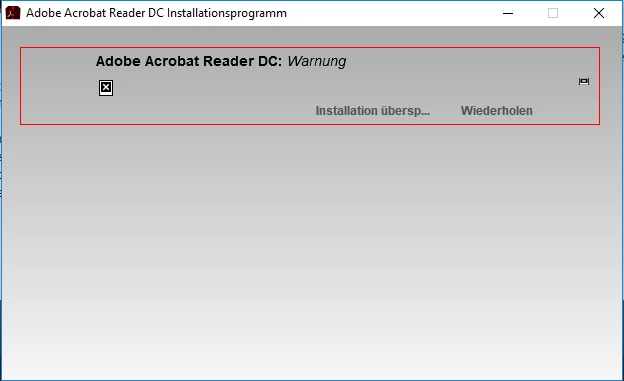
If I jump over the installation, Adobe still won't open. If I click "repeat", nothing happens and the installation aborts.

What can I do?

This topic has been closed for replies.
Correct answer Sarojini_Nagar

Hello Sarojini,

sorry, but this doesn't solve my problem also.

I also tried to download the prior Adobe Reader version (10 or 11, the

only other possibility) directly from the website. But I get the same

error message.

So I uninstalled it, run the cleaner again and reinstalled Adobe Reader DC.

Today, I tried every help that is shown in the link:

1.) I already have all folders visible and the user has all permissions

to the folder. So there's nothing to change.

2.) I added the command mentioned in the discussion to the registry, but

still the same error message.

3.) I tried to open the program as administrator, but still the same

error message.

Can you help me with another solution?

Best regards,

Maxi

Am 08.08.2016 um 14:33 schrieb Sarojini.Nagar:

>

Download Adobe DC - always ERROR MESSAGE

created by Sarojini.Nagar

<https://forums.adobe.com/people/Sarojini.Nagar> in /Installing,

Updating, & Subscribing to Acrobat/ - View the full discussion

<https://forums.adobe.com/message/8928156#8928156>


Hi heavenwise ,

Please try creating a new user account and check if you able to install Reader DC in the new user account.

Let us know.

Regards

Sarojini

1 reply

Sarojini_Nagar
Community Manager
Community Manager
August 7, 2016

Hi heavenwise ,

Please try running this cleaner tool on the system: Download Adobe Reader and Acrobat Cleaner Tool - Adobe Labs

Restart the system and install Acrobat Reader DC from this link : Adobe - Adobe Acrobat Reader DC Distribution

Let us know is this helps .

Regards

Sarojini

Participant
August 7, 2016

Hi Sarojini,

I have followed your instructions, run the cleaner, restarted the system

and installed the reader again...

During the download there's no error message.

But unfortunately, when I try to open Adobe Reader DC, I get the same

error message as before:

"internal error occurred" :-(((.

Is there anything else I can do?

Best regards,

Maxi

Am 07.08.2016 um 17:55 schrieb Sarojini.Nagar:

>

Download Adobe DC - always ERROR MESSAGE

created by Sarojini.Nagar

<https://forums.adobe.com/people/Sarojini.Nagar> in /Installing,

Updating, & Subscribing to Acrobat/ - View the full discussion

<https://forums.adobe.com/message/8926950#8926950>

Sarojini_Nagar
Community Manager
Community Manager
August 8, 2016

HI heavenwise ,

Please try referring this link :  Acrobat Reader: "An internal error occurred" popup after installing Windows 10 - Chrome also fails to launch  and follow the steps to change the permissions as mentioned .

Let us know if this helps .

Regards

Sarojini