



Pricoky
Known Participant
September 27, 2016
Answered

How can I use a dropdown menu item selection to change another field value?

  • September 27, 2016
  • 1 reply
  • 3838 views

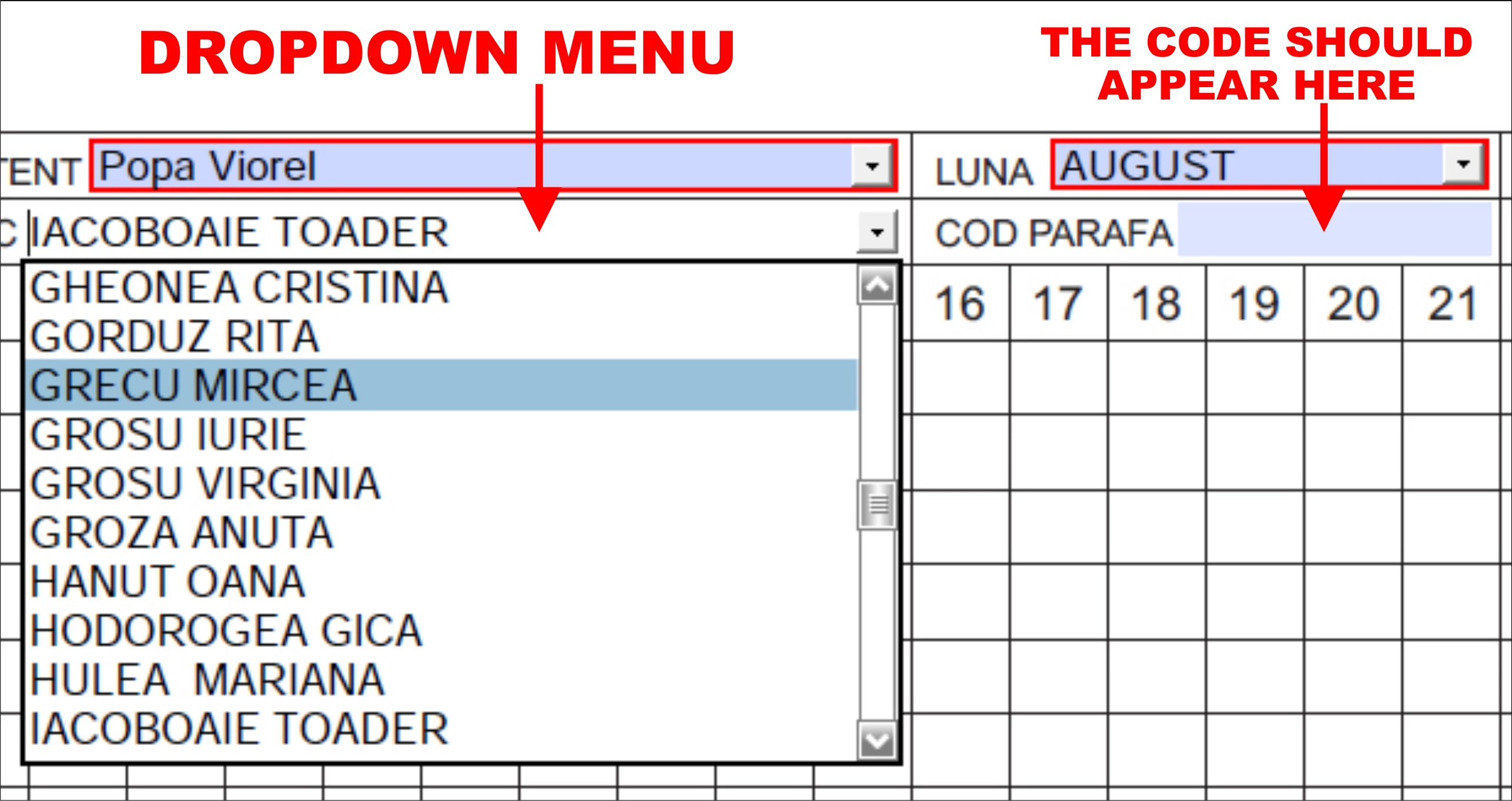
Hi guys! I'm working for a Medical Care Center and I have to create a PDF file which has to contain some form fields. I've managed to create most of these fields but I got stuck at a dropdown menu. The dropdown menu contains the names of 83 employees. Each employee has a unique 6 numbers code. I'd like these code to automatically appear in another field based on the selection a make in the drop down menu field. Is there a way to do this without scripts? I'm not a programmer and have no programming abilities. I’m working in Adobe Acrobat Pro DC!
This topic has been closed for replies.
Correct answer try67

You can do it using a very simple script.

Basically what you need to do is set the export value of each item in your drop-down to the code corresponding to that person and then use this code as the custom calculation script of the text field (replace "Employee" in the code with the actual field name, of course):

event.value = this.getField("Employee").valueAsString;

PS. You should also enable the option to commit the selected value immediately in the drop-down field. You'll find it under the field's Properties, Options tab.

1 reply

try67
Community Expert
try67Community ExpertCorrect answer
Community Expert
September 27, 2016

You can do it using a very simple script.

Basically what you need to do is set the export value of each item in your drop-down to the code corresponding to that person and then use this code as the custom calculation script of the text field (replace "Employee" in the code with the actual field name, of course):

event.value = this.getField("Employee").valueAsString;

PS. You should also enable the option to commit the selected value immediately in the drop-down field. You'll find it under the field's Properties, Options tab.

Pricoky
PricokyAuthor
Known Participant
September 27, 2016

Aaa... ok.. it seems so easy when I read it and I'm sure it is but how do I set this "export value" of every item in  the dropdown menu? I mean I know I'll have to insert this code somewhere but where does this magical place rest ?

try67
Community Expert
Community Expert
September 27, 2016

When you add an item to the drop-down field there are two fields available: Item and Export Value. The former is the name, in your case, and the latter is the code. So it will look something like this:

The code I provided should be placed in the third option of  the Calculate tab of the code text field.