
Inspiring
June 15, 2017
Answered

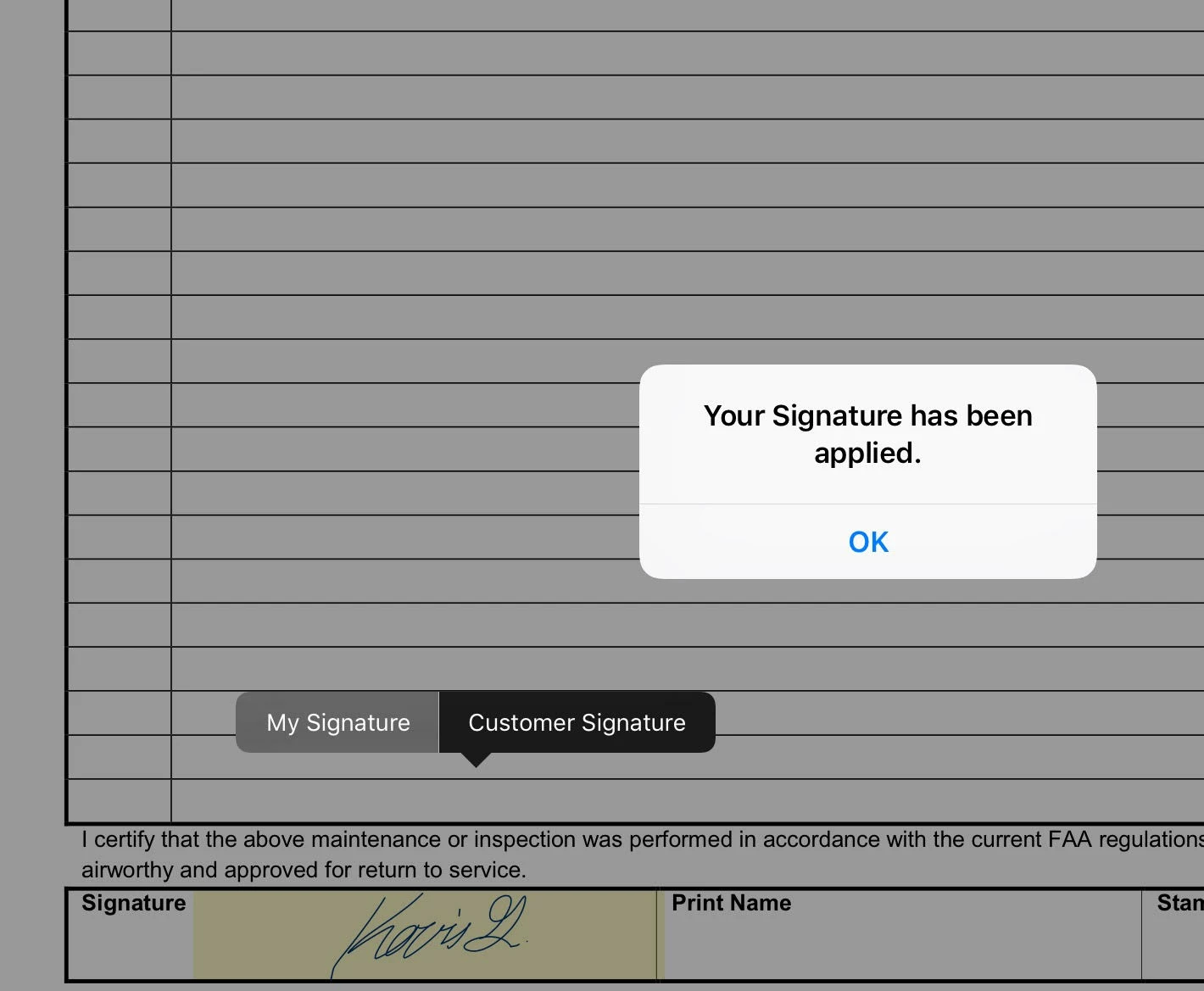
Is it possible to add a notification that pops up when a digital signature has been applied saying "your digital signature has succesfully been applied."

  • June 15, 2017
  • 1 reply
  • 1200 views

Is it possible to add a notification that pops up when a digital signature has been applied saying "your digital signature has succesfully been applied."

I am using a PDF program on IPad Pro and it uses electronic signatures like look like handwritten signatures to verify documents. I had already set the rules on ADOBE ACROBAT DC PRO to make all fields read to lock the document to prevent further edits. However, in the JavaScript section i Can add codes to make certain things happen. If possible, I'd like to add a pop up saying "your digital signature has been successfully been applied."

Also, if i can add a digital stamp saying the users name and time/date to be placed in the signature box as well That would be nice.
This topic has been closed for replies.
Correct answer Cloud Design

I'm new to this but i combined two scripts and got the document to lock all fields and give a pop up notification. However, the fields lock even before the My Signature button gets chosen.

app.alert("Your Signature has been applied.");

// make all fields in a form read only;

var oField; // variable for field being processed;

// loop through the form fields;

for (var i = 0; i < this.numFields; i++) {

// process each field name;

oField = this.getField(this.getNthFieldName(i)).readonly = true;

}


OK, i was able to change the last line like you said and it did the trick.

app.alert("Your Electronic Signature Has Successfully Been Applied.");

// make all fields in a form read only;

var oField; // variable for field being processed;

// loop through the form fields;

for (var i = 0; i < this.numFields; i++) {

// process each field name;

this.getField(this.getNthFieldName(i)).readonly = true;

}

Thank you everyone for helping!

1 reply

Joel Geraci
Community Expert
Community Expert
June 15, 2017

You can add an alert in the signed script area. See image. There's no guarantee that the unnamed PDF program will interpret it correctly though.

Inspiring
June 15, 2017

Hello,

i want to use a code similar to this:

<!DOCTYPE html>

<html>

<body>

<h2>JavaScript Alert</h2>

<button onclick="myFunction()">Try it</button>

<script>

function myFunction() {

    alert("Your Signature has been succesfully applied.");

}

</script>

</body>

</html>

Source: 

Tryit Editor v3.5

Inspiring
June 16, 2017

Change this line:

oField = this.getField(this.getNthFieldName(i)).readonly = true;

To:

this.getField(this.getNthFieldName(i)).readonly = true;


I'm new to this but i combined two scripts and got the document to lock all fields and give a pop up notification. However, the fields lock even before the My Signature button gets chosen.

app.alert("Your Signature has been applied.");

// make all fields in a form read only;

var oField; // variable for field being processed;

// loop through the form fields;

for (var i = 0; i < this.numFields; i++) {

// process each field name;

oField = this.getField(this.getNthFieldName(i)).readonly = true;

}