- Home
- Acrobat SDK
- Discussions
- You've got the right idea, but are missing a few b...
- You've got the right idea, but are missing a few b...

Copy link to clipboard
Copied
Hi.
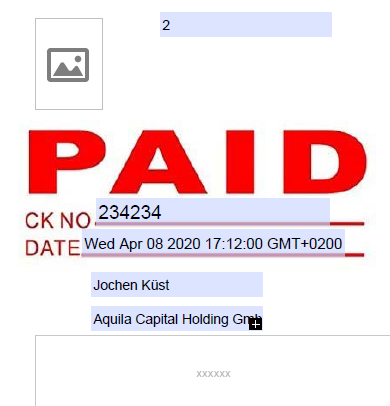
I am making a Dynamic stamp. I need to collect multiple data inputs from a form, and shows in the fields of the stamp. The code shows a dialog box every input, which is annoying:
this.getField("Name").value = app.response("Name");
this.getField("Corporation").value = app.response("Company");
this.getField("Invoice").value = app.response("Invoice");
I was triying with something like that, but it just gives me one input....
var oDlg = {
	strName: "", initialize: function(dialog) {
	    dialog.load({"usnm":this.strName}); },
        commit: function(dialog) {
              var data = dialog.store();
              this.strName = data[ "usnm"];},
        description: { name: "Test Dialog", elements: [
        	{ type: "view", elements: [
        		{ name: "Enter your name:", type: "static_text", },
				{ item_id: "usnm", type: "edit_text", char_width: 15 },
				{ type: "ok_cancel", },
			] },
		] }
};

this.getField("Corporation").value= app.response(oDlg);
Anyway, not sure if the code is completely correct, but I think the idea is clear.
Thanks!!


 2 Correct answers


You've got the right idea, but are missing a few bits.
Here are some articles and tools that will be a big help:
https://acrobatusers.com/tutorials/popup_windows_part5/
https://www.pdfscripting.com/public/All_About_PDF_Stamps.cfm
https://www.pdfscripting.com/public/ACRODIALOGS-OVERVIEW.cfm
And here's the reference entry you need for displaying the dialog:
...
Well, really I could find the solution!!!
{

                     type: "view",

                     align_children: "align_row",

                     elements:

                     [

                        {

                           type: "static_text",

                           name: "Number of pets: "

                        },

                        {

                           type: "radio",

                           item_id: "rd01",

group_id: "ra 4
Replies
4
4
Replies
4

Copy link to clipboard
Copied
You've got the right idea, but are missing a few bits.
Here are some articles and tools that will be a big help:
https://acrobatusers.com/tutorials/popup_windows_part5/
https://www.pdfscripting.com/public/All_About_PDF_Stamps.cfm
https://www.pdfscripting.com/public/ACRODIALOGS-OVERVIEW.cfm
And here's the reference entry you need for displaying the dialog:
Use the Acrobat JavaScript Reference early and often
Copy link to clipboard
Copied
Oh, thanks a lot!! I found a script that works for me with multiple fields.
I was wondering if I could place many of those fields in same line, or adding some Checkbox next to a text filed (I mean all in the dialog box) instead every field on several lines... my form has many questions.
Every filed on the code is like this, but din't find the property to locate...
type: "view",
	align_children: "align_row",
	elements:
		[
			{
			type: "static_text",
			name: "User *",
			width:70
			},
			{
			item_id: "user",
			type: "edit_text",
			alignment: "align_right",
			width: 200,
			height: 20
			}
		]
	},
Thanks!!
Copy link to clipboard
Copied
Well, really I could find the solution!!!
{

                     type: "view",

                     align_children: "align_row",

                     elements:

                     [

                        {

                           type: "static_text",

                           name: "Number of pets: "

                        },

                        {

                           type: "radio",

                           item_id: "rd01",

                           group_id: "rado",

                           name: "One"


                        },

                        {

                           type: "radio",

                           item_id: "rd02",

                           group_id: "rado",

                           name: "Two",

                        },

                        {

                           type: "radio",

                           item_id: "rd03",

                           group_id: "rado",

                           name: "Three or more",

                        }

                     ]

                  }
Thanks just in case!!!
Copy link to clipboard
Copied
The "view" and "cluster" elements in combination with "align_children" property are used to arrange fields
Is it all working?
Use the Acrobat JavaScript Reference early and often

Get ready! An upgraded Adobe Community experience is coming in January.
Learn more
 AdChoices