May 5, 2016
Answered

Not able to see adobe pdf in printer - Adobe acrobat 8.0 pro

  • May 5, 2016
  • 1 reply
  • 549 views

Dear Concerned,

We have a license of Adobe Acrobat Pro 8.

We are not able to create any PDF file from Word/Excel file. We have followed below process to create a PDF.

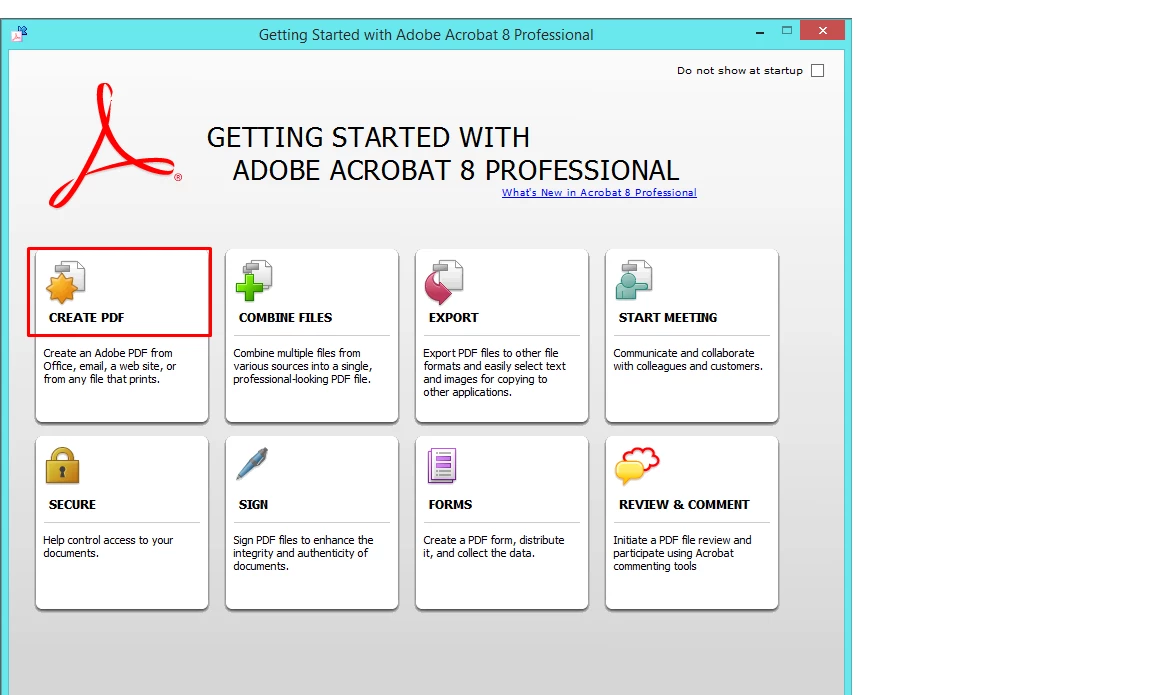
  • Opened Adobe Acrobat 8
  • Click on Create PDF
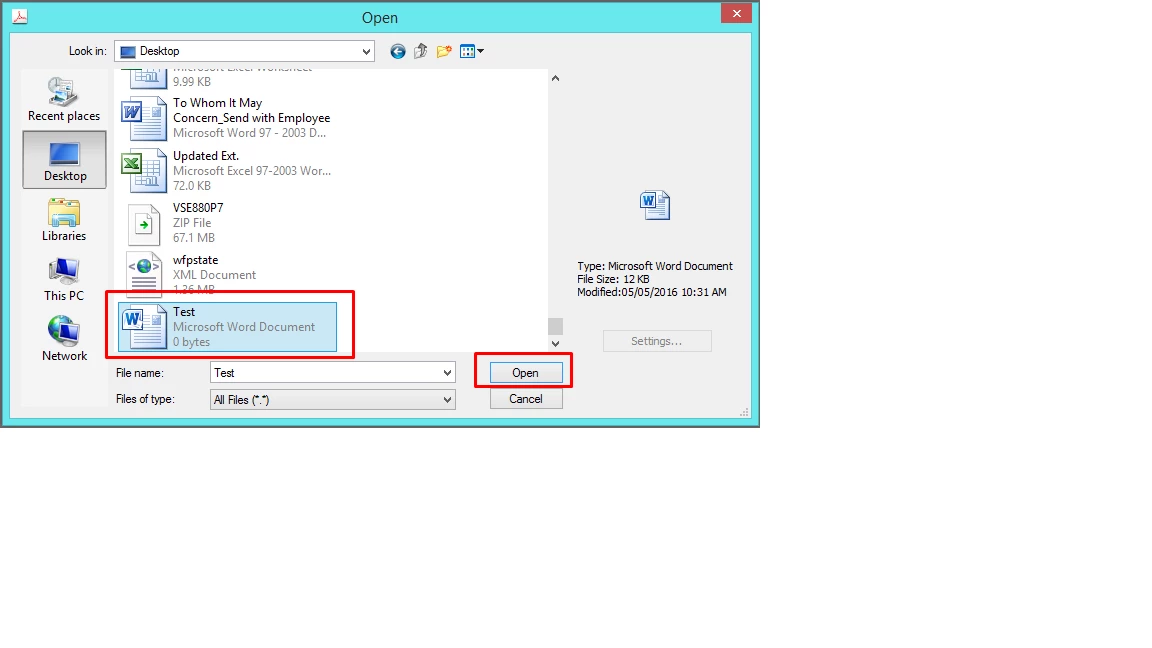
  • Click on From File
  • Selected Word File
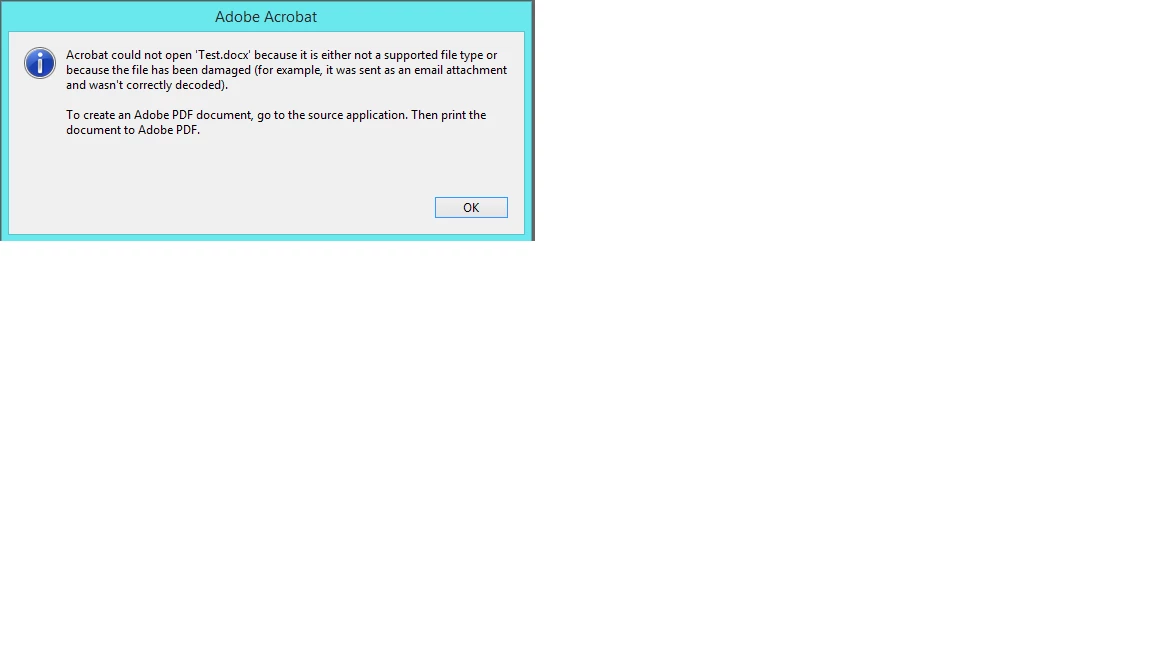
  • While trying to convert the Word or any file to PDF, getting error “Unsupported file type of file has been damaged”. (Getting Error for every Word / Excel File)
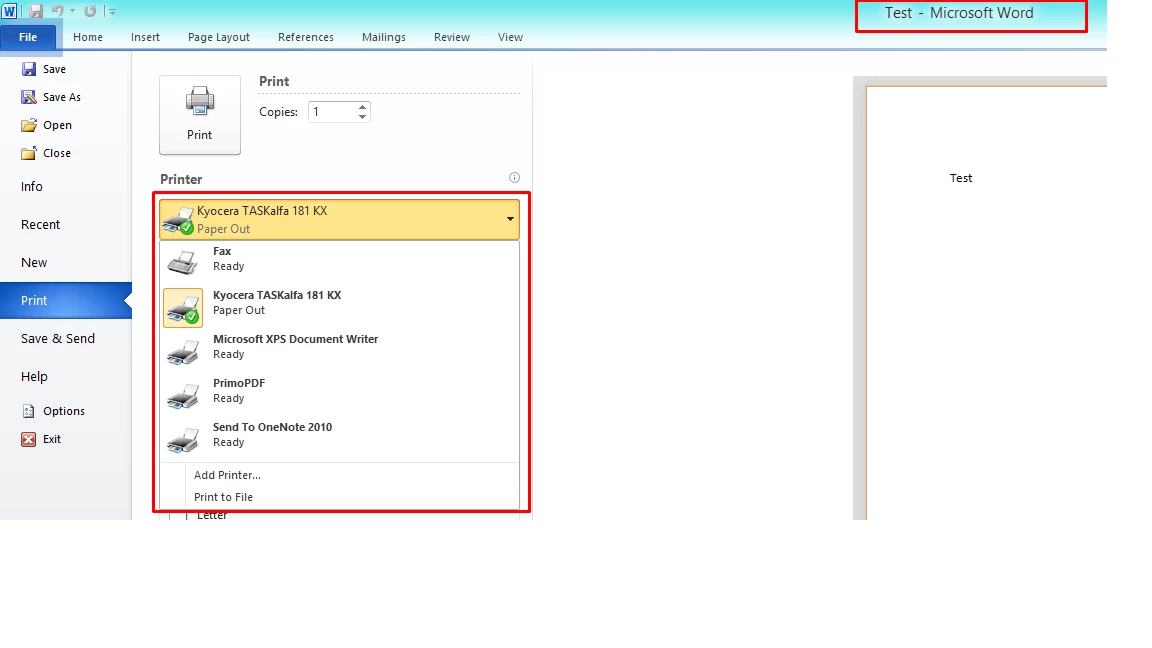
  • As suggested, after that opened the source word file
  • Goto Print
  • But Adobe PDF Printer is not available

Find attached below images for your reference.

I am using Windows 8.1 Pro 64-Bit  OS.

Please provide solution as soon as possible.

Let me know if you require any further information from my end.
This topic has been closed for replies.
Correct answer YatharthS

Hi vatsal1892 ,

Please note that the Adobe PDF Printer functionality to create PDF files  is only available with Adobe Acrobat (paid version), and not with Adobe Reader (free version).For manually installing the PDF printer manually please refer to this article :- Manually installing PDF Printer

Also would like to inform you that Acrobat 8 Pro is not compatible with Win 8.1.

Regards,Yatharth

1 reply

YatharthSCommunity ManagerCorrect answer
Community Manager
May 5, 2016

Hi vatsal1892 ,

Please note that the Adobe PDF Printer functionality to create PDF files  is only available with Adobe Acrobat (paid version), and not with Adobe Reader (free version).For manually installing the PDF printer manually please refer to this article :- Manually installing PDF Printer

Also would like to inform you that Acrobat 8 Pro is not compatible with Win 8.1.

Regards,Yatharth