
Participant
July 5, 2021
解決済み

Set value to radio buttons and get the sum of the selected radio buttons

  • July 5, 2021
  • 返信数 1.
  • 8256 ビュー

Hi, 

I need help in setting values to radio buttons and getting the sum of the selected radio buttons. 

Please note that I am a novice and am excited to learn more about this. 

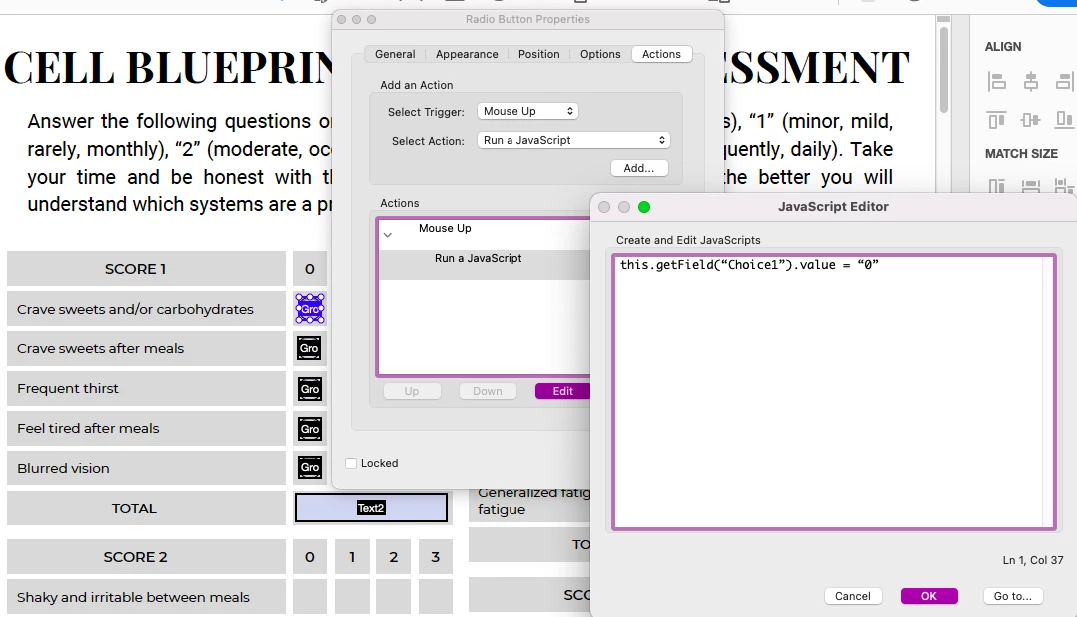
I am creating this form for a client and each radio button should have its value. 
For example,

Choice1 == "0"; 
Choice2 == "1";
Choice3 == "2";
Choice4 == "3";

it's the same with the rest of the radio buttons. 

Each question is grouped so in SCORE1, there are 5 groups. 
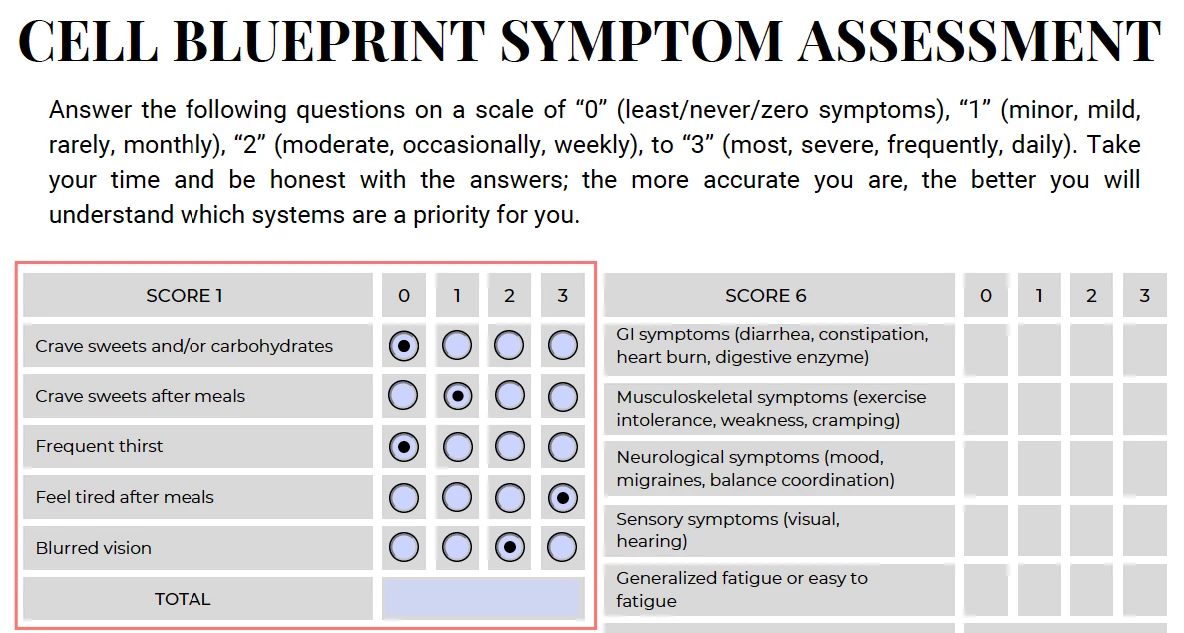


this is what I've done so far, setting a value for each radio button.. not sure if this is the best option. 
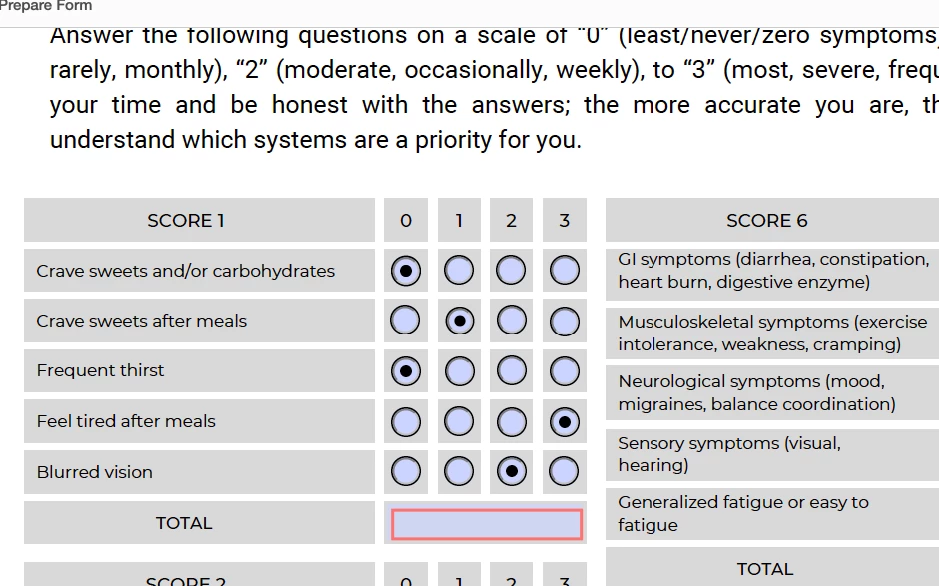
I'm really lost with the total text field where it should get the sum of the selected radio buttons only. 
So say in: 
Group1, Choice1 is selected then value is at 0;
then add the choice on group2 which is at 1 and so forth. 
Let me know how to go from here. Thank you! 
 

解決に役立った回答 try67

Why not simply edit the Radio Button Choice values from "Choice1", "Choice2", etc. to "1", "2", etc.?

Then you could use the fields directly in the Sum option of the Calculate tab of your total text field. No scripts necessary.

返信数 1

try67
Community Expert
try67Community Expert解決!
Community Expert
July 5, 2021

Why not simply edit the Radio Button Choice values from "Choice1", "Choice2", etc. to "1", "2", etc.?

Then you could use the fields directly in the Sum option of the Calculate tab of your total text field. No scripts necessary.

hannahjane20作成者
Participant
July 6, 2021

Hi @try67 thank you for your response. It actually worked! I never thought it could be that simple. 
I have another issue: when doing a preview of the document on Adobe Acrobat, the calculations worked but when I saved the document, closed it and re-opened it to try ==it does not automatically calculate .. it looked like the calculations are not saved. 

Let me know how to move forward. Thank you! 

try67
Community Expert
Community Expert
July 6, 2021

That should not be the case. What do you mean by "doing a preview in Acrobat", though?