


- Home
- Acrobat SDK
- Discussions
- Re: Signature certificate password help
- Re: Signature certificate password help

Copy link to clipboard
Copied
I'm trying to set up a topaz T-S460-HSB-R electronic signature pad. I successfully installed and signed documents on one computer I clicked the sign field and a signature field came up you sign and boom your done. But upon trying the same process with the same document on another computer I get this:
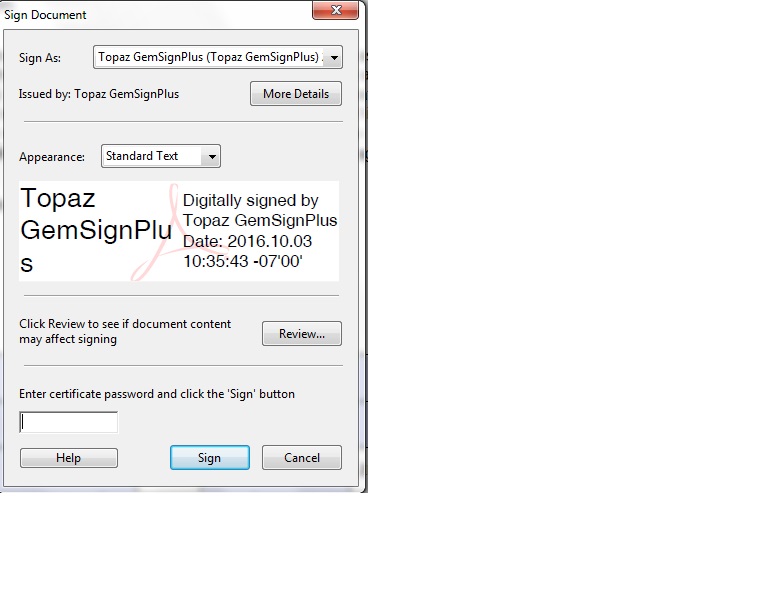
First, I don't even have any type of password although acrobat begs to differ, second I'm trying to set up this computer so that people who come in can sign the documents they fill out so it will be signed by many people and I cant have this popping up every time. I know it has something to do with the Digital ID but Im not sure how to remove it or set up a public version. Any help would be appreciated.


 1 Correct answer

I managed to fix it through a reinstall of the plugin software.

 1
Reply
1
1
Reply
1
 Correct answer by
Guest
AUTHOR
Correct answer by
Guest
AUTHOR
Copy link to clipboard
Copied
I managed to fix it through a reinstall of the plugin software.

Get ready! An upgraded Adobe Community experience is coming in January.
Learn more
 AdChoices