
Participant
May 3, 2016
Question

Transforming a bookleted book(i don't know what it's called) to a normal book

  • May 3, 2016
  • 2 replies
  • 498 views

hi, experts (hee hee)

I need to print a booklet book in 2 sided because it's so small. But the problem is...
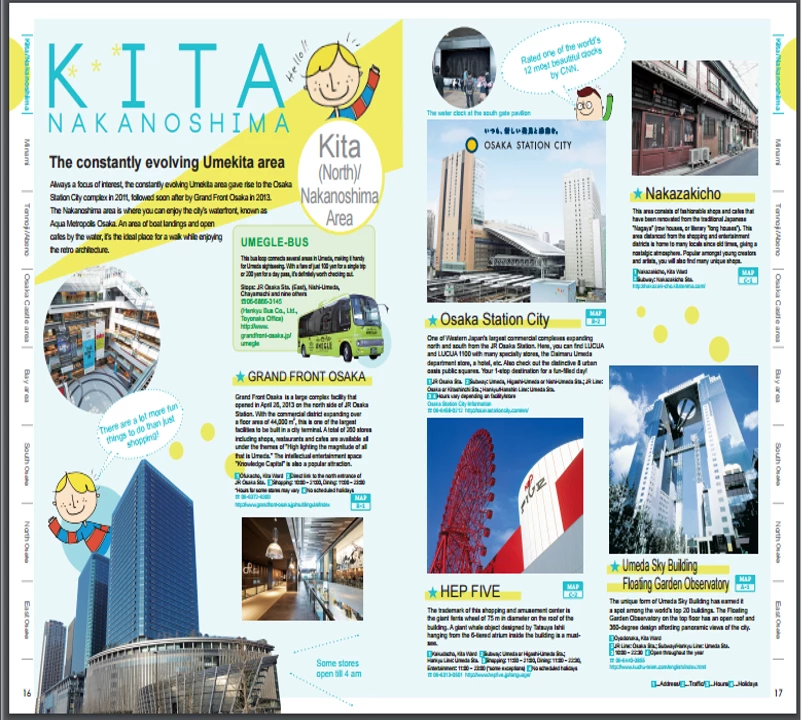
The file was already made for booklet prints (this page should be 2 pages), but my Brother printer printing preferences were made for a normal 1 page-per-sheet documents only.

I'm not a professional and i don't know the words for them but please understand this.

Thanks!

PS. I use a MFC-J2510 Brother Printer

Another PS. File : http://www.osaka-info.jp//agent/upload/files/20160331_161201_600313.pdf

This topic has been closed for replies.

2 replies

Willi Adelberger
Community Expert
Community Expert
May 6, 2016

You need Acrobat Pro.

  1. Duplicate the page in the page panel by dragging it with ALT keey on the Mac or CTRL key on Win.
  2. Select the crop tool (in the print production section) and crop each page.
  3. Print.
Participating Frequently
May 4, 2016

Hi IkkyU9541 ,

Would like to inform that if your printer doesn't support booklet printing, there is no possible way to get the document printed with that option.

Please check with this workaround,From Print menu select the Adobe PDF Printer  & from Page sizing you may select the Booklet option. By going through  this you will get a pdf file with Booklet View, which you may again print with your Brother Printer .

Let me know if it helps.

Regards,

Yatharth