
RaLaySpa
Participant
August 11, 2016
Question

Editing Shapes in Adobe DC standard

  • August 11, 2016
  • 2 replies
  • 666 views

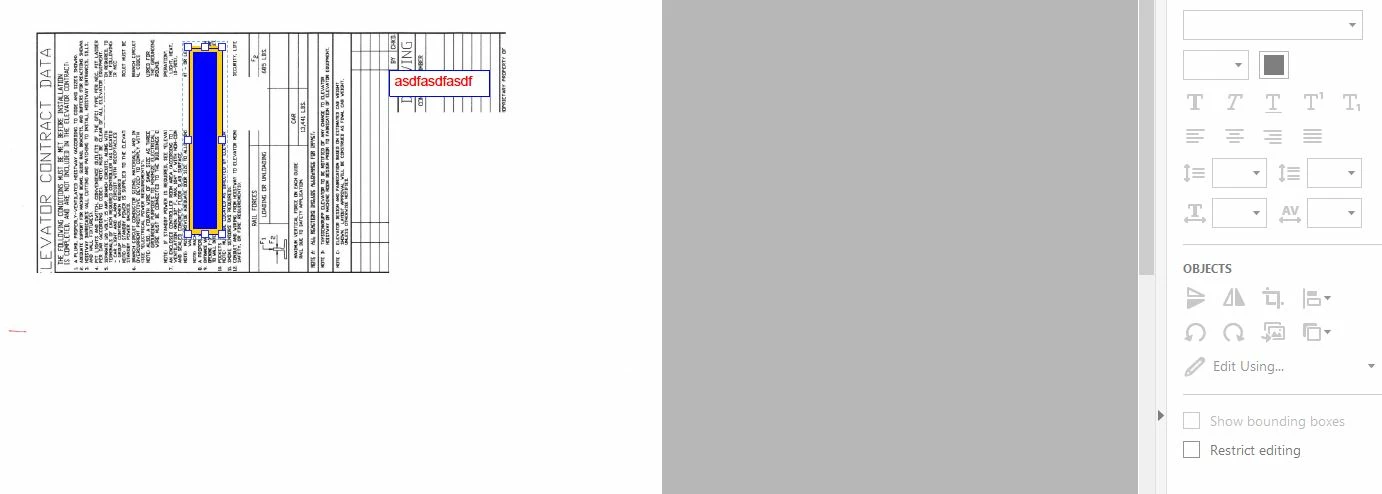
I can't figure out how to edit the 'draw order' of shapes once I draw them.  For instance, if I'm adding some basic overlapping graphics to a pdf, I can't 'send to back' or 'bring forward', to place one shape in front of another.  In fact, the editing tools are totally grayed out once I click on my object (see attached image).  I'm coming from a bluebeam world, and I'm finding this extremely frustrating...Help!
This topic has been closed for replies.

2 replies

Adobe Employee
August 16, 2016

Seems like you are using "Drawing tools" under Comments app for adding shapes. Please note that editing tools does not work for comments.

You can use the following workaround for achieving the desired operation:

  • Flatten the document using Preflight profile "Flatten annotations and form fields".
  • Now go to Edit PDF tool and select the shape. All the editing tools should be accessible now.

Only downside here is that annotation capabilities are removed from the shapes after flattening.

Regards,

Priyanka

philippanmei
Participating Frequently
August 12, 2016

In the Edit PDF mode select the object which you want to keep forward and cut it (Ctrl+X) and paste it again, It will help you a bit to bring forward (but don't select the object of or text that you want to keep backward).

Thanks