
Exit
  • Global community
    • Language:
      • Deutsch
      • English
      • Español
      • Français
      • Português
  • 日本語コミュニティ
  • 한국 커뮤니티
0

Starting and signing up for Adobe Sign

New Here ,
Jan 04, 2021 Jan 04, 2021

Our company currently own about four licences of Acrobat Pro. The rest of the company has a copy of Reader installed.


We would like to use Adobe Sign to digitally sign our product certification. Each certificate requires about eight signatures and we produce less than 150 a year. About four people would be creating certificates to sign.


It's not clear to me how many licences we would need and what the costs would be.


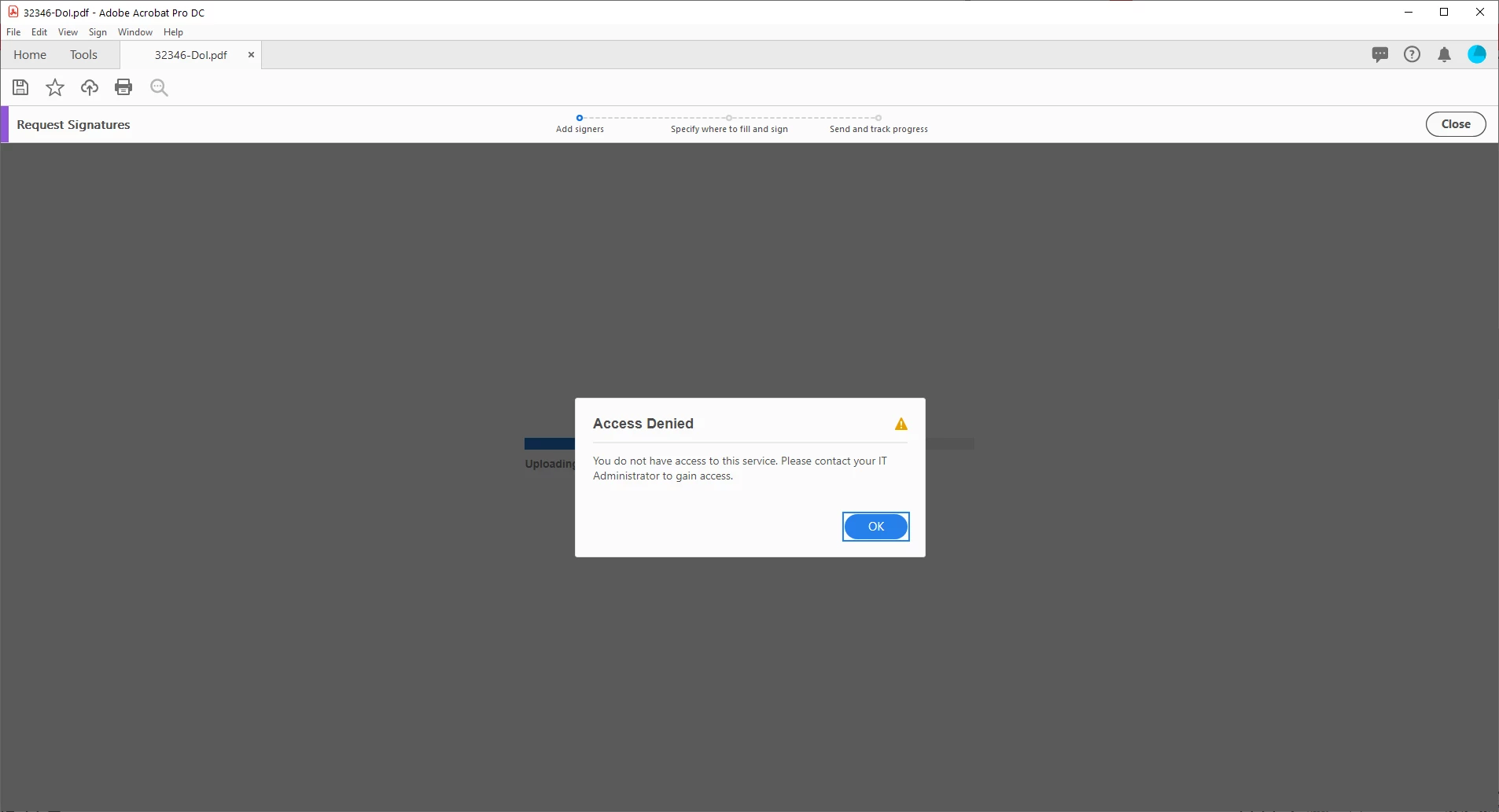
Also I am signed up for a trial but cannot get past the add signatures screen. Our IT cannot see a problem at their end.
 

l6fkrYh

Any help would be appreciated.

TOPICS
Billing , How to sign , Login issues , Manage security and compliance
326
Translate
Report
Community guidelines
Be kind and respectful, give credit to the original source of content, and search for duplicates before posting. Learn more
community guidelines
Participant ,
Jan 04, 2021 Jan 04, 2021
  • You need to understand that there are different Adobe Sign plans and the one that comes in Adobe Acrobat Pro is limited to the Individual plan which consists of the following:
    Only 150 transactions per user per license per year
  • The documents are stored in the users Document Cloud and not linked to the organization but to the users Adobe ID
    File upload size is limited to 10MB or 100pages and limited to 10 signatures

Remember Adobe Sign supports both electronic signature and digital signatures - electronic signatures can use a variety of methods for authenticating signers — such as email, corporate IDs, or phone verification — digital signatures use one specific method. With digital signatures, signers authenticate their identity using a certificate-based digital ID, which is typically issued by a trusted third-party certificate authority.

Adobe Acrobat Pro & Adobe Reader support digital signatures that use certificates and you don’t need to purchase Adobe Sign to have access to this. The information on how to do this can be found here https://helpx.adobe.com/africa/sign/using/create-electronic-signature.html


Sharing our knowledge today for your use tomorrow.
Translate
Report
Community guidelines
Be kind and respectful, give credit to the original source of content, and search for duplicates before posting. Learn more
community guidelines
New Here ,
Jan 04, 2021 Jan 04, 2021

Thanks.


I'm aware of the different plans I was hoping to hear which would suit us best.


Who acts as the third-party certificate authority and how? Is this Adobe?

Translate
Report
Community guidelines
Be kind and respectful, give credit to the original source of content, and search for duplicates before posting. Learn more
community guidelines
Participant ,
Jan 04, 2021 Jan 04, 2021
LATEST

Well the third party authorities are listed on the Adobe Approved Trust List and it would depend on the country you are in - here is the currently accredited ones https://helpx.adobe.com/acrobat/kb/approved-trust-list1.html 

As for which solution to use that would depend on a number of things. 
How many signatures per person per document?

Do the signatories need to initial or just sign?

What is the role of the person signing? Signer or Approver
Do you need integration into Microsoft 365, Sharepoint, Teams or other solutions?
Do you need to track the document while out for signing?
Does the signature process require a specific signature routing?


Sharing our knowledge today for your use tomorrow.
Translate
Report
Community guidelines
Be kind and respectful, give credit to the original source of content, and search for duplicates before posting. Learn more
community guidelines