Participant
March 23, 2017
Answered

Adobe Capture unable to export due to malfunctioning CC License

  • March 23, 2017
  • 1 reply
  • 996 views

Whenever I try to export something that I had captured using Adobe Capture, I got a notification popping op telling me that I have to become a member of the Adobe Creative Cloud to use this function. What's so strange about this is that I am an Adobe Creative Cloud member, with a paid subscription, but still I am being locked out of these features. I'm using Adobe Capture on an Android device.

This topic has been closed for replies.
Correct answer Michael J. Hoffman

Where am I supposed to see that?


Hi Kingties,

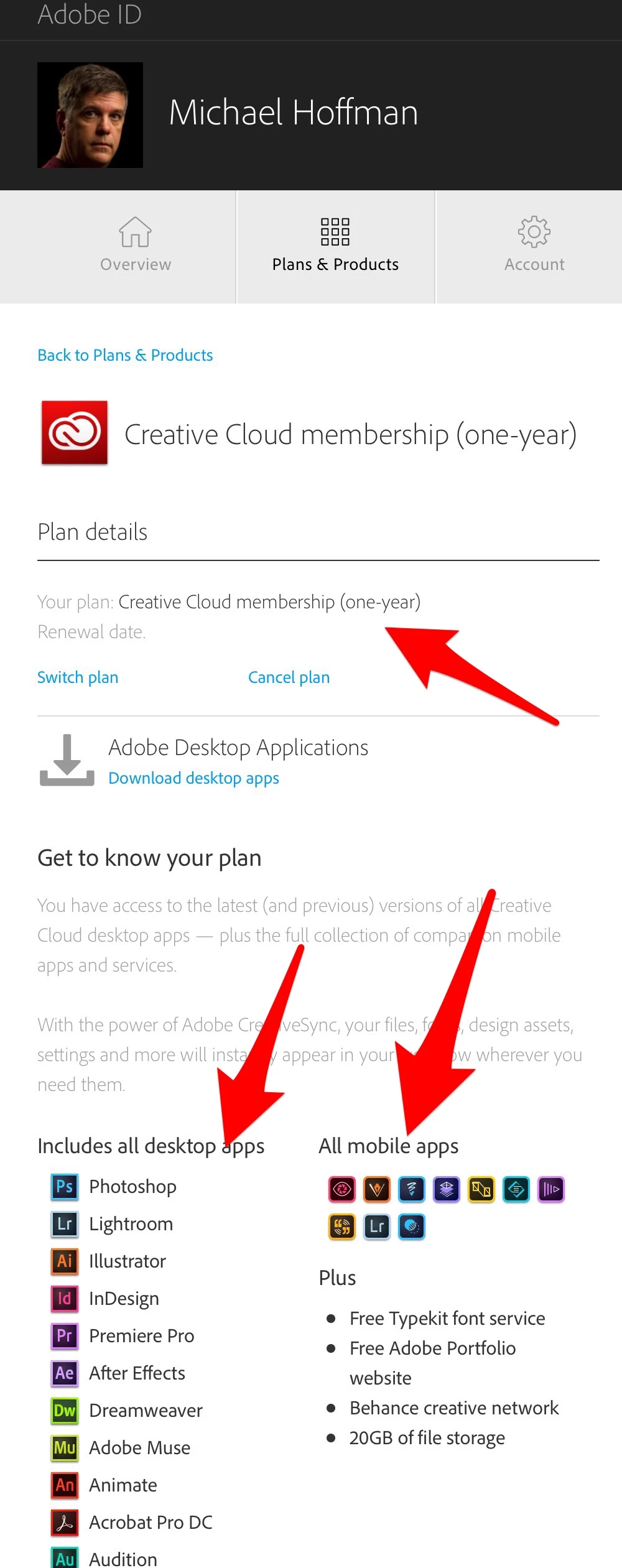
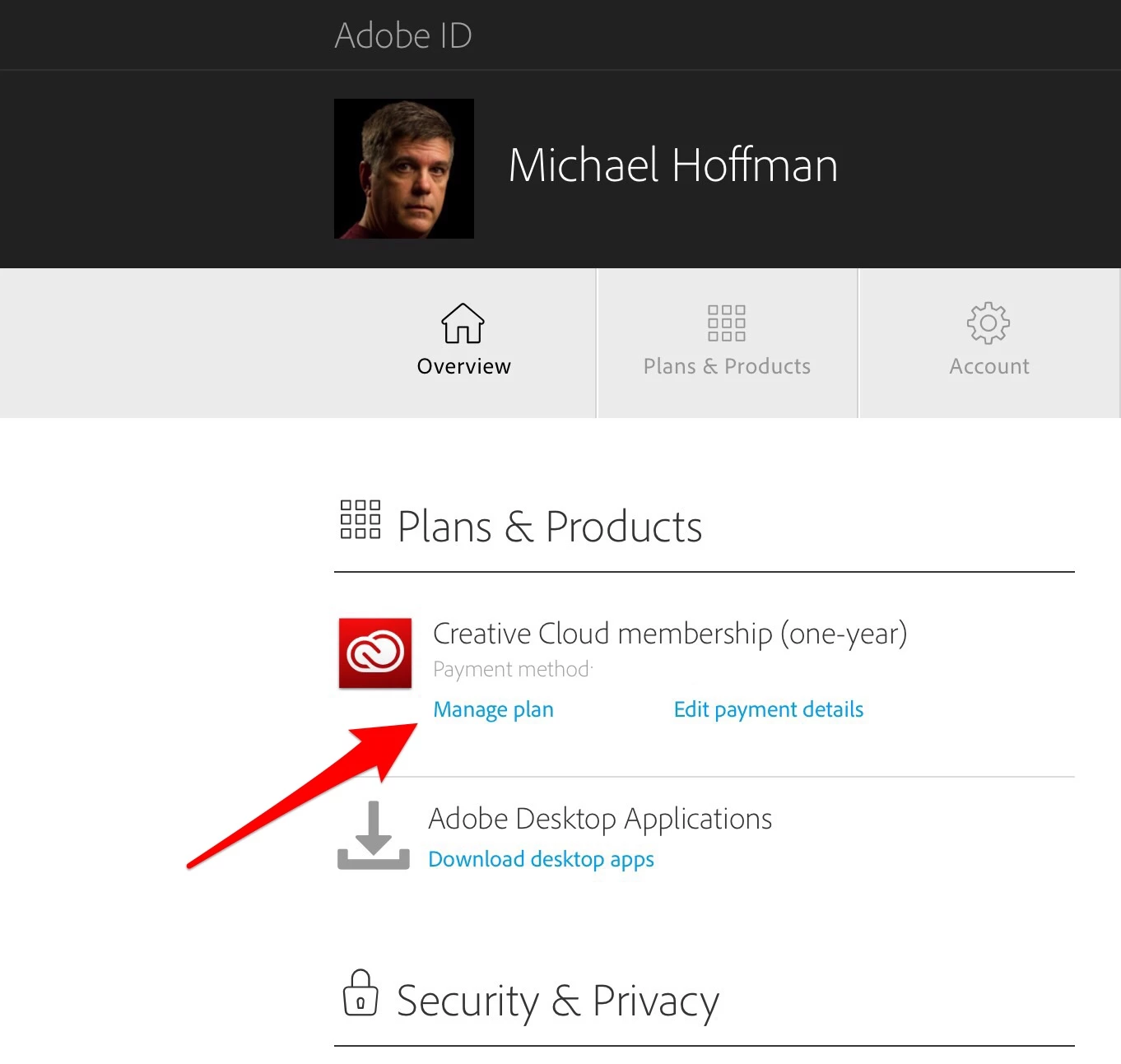
You can find the details of your account and what is included by your level of subscription by doing the following:

1. Sign in at Adobe.com and click "Manage Account."

2. In the Plans and Products section, click "Manage Plan."

3. Details about your plan, including apps that are part of your plan, are shown.

1 reply

Michael J. Hoffman
Community Expert
Community Expert
March 23, 2017

Hi Kingties,

Are you actually signed in with your CC account on your device? Tap the settings icon in the upper left and you should see your account details. If you aren't signed in, that may be all that is required. If you are already signed in, I'd recommend signing out and then signing back in. Also please make sure that your Adobe ID used on the Android device for the Capture app is in fact the same Adobe ID that is linked to your CC subscription.

All basic stuff, I know, but we have to rule that out before diving in further

Mike

tiesgroenAuthor
Participant
March 23, 2017

Hi Michael,

Unfortunately I have already tried all of those options but to no avail.

tiesgroenAuthor
Participant
March 23, 2017

Hi Ties,

Your device information seems to be fine for the application to function properly.

However, I assume you are successfully able to capture files on your device and save them to the libraries.

Can you confirm to which application are you trying to export the file and also which Adobe ID are you signed in with on both the applications?

Regards,

Sheena


Hi Sheena,

Correct, I am able to capture files on my device and save them to my libraries.

None of the export options work, the one I was trying in particular is the export to SVG. Yes, I am signed in to the right Adobe ID.

I also have the same problem for Lightroom, which is giving me an error telling me that my trial has ran out whilst I have a running subscription to Adobe CC.