


Copy link to clipboard
Copied
How do I change which color is the base color within a color theme? Initially, the base color triangle icon is set to the middle color of the 5. I want to move the base color triangle within an existing color scheme so that a different one of the 5 colors can act as the base color.


 1 Correct answer


Apparently, currently there is no work around this.
For setting/modifying base color, you have to use touch functionality, for touch display.

 9
Replies
9
9
Replies
9

Copy link to clipboard
Copied
1. Hover over a swatch, for eg:- pink color as depicted in below attachment, and you will observe a small triangle appear at bottom of t
that swatch.
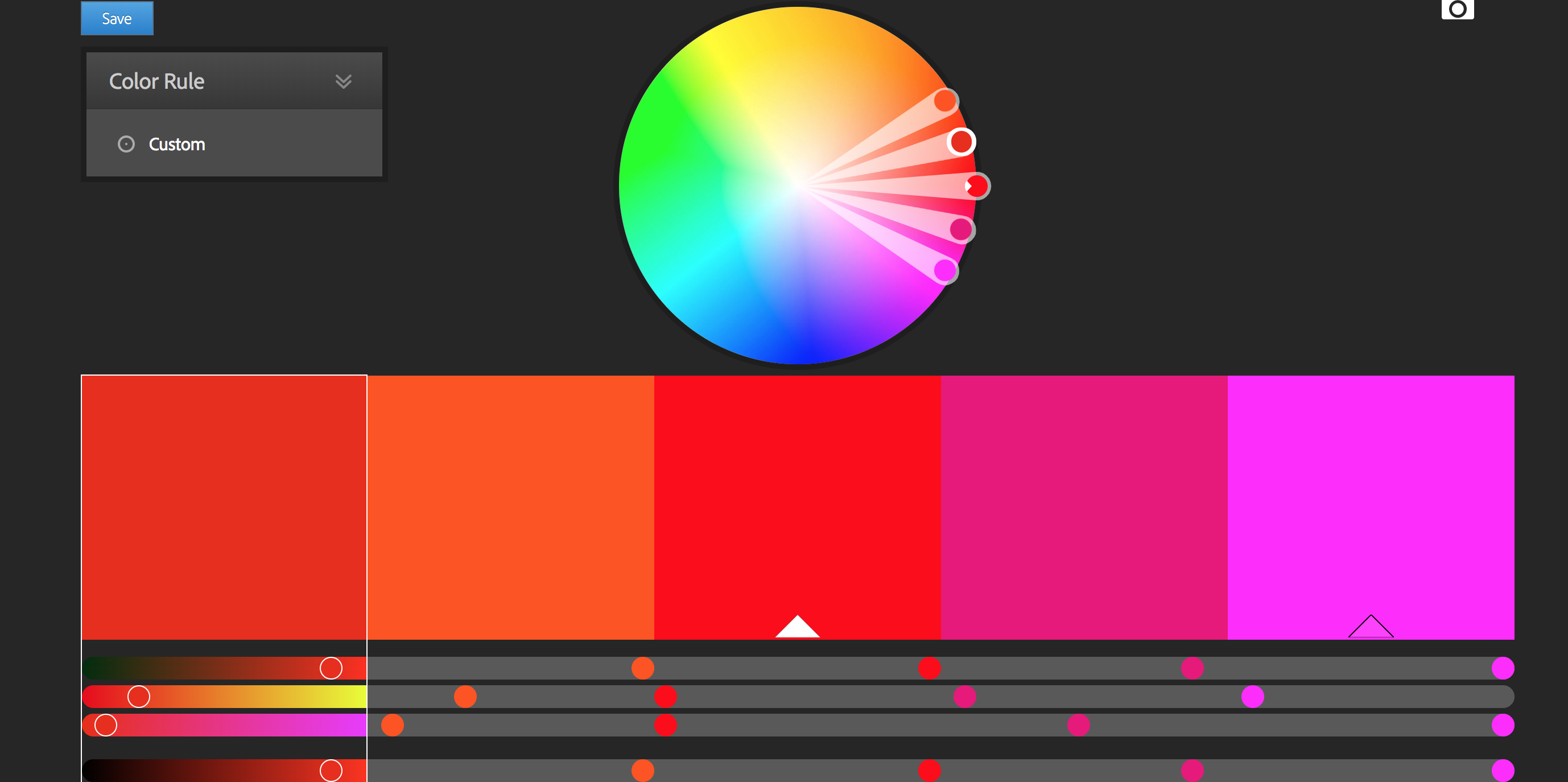
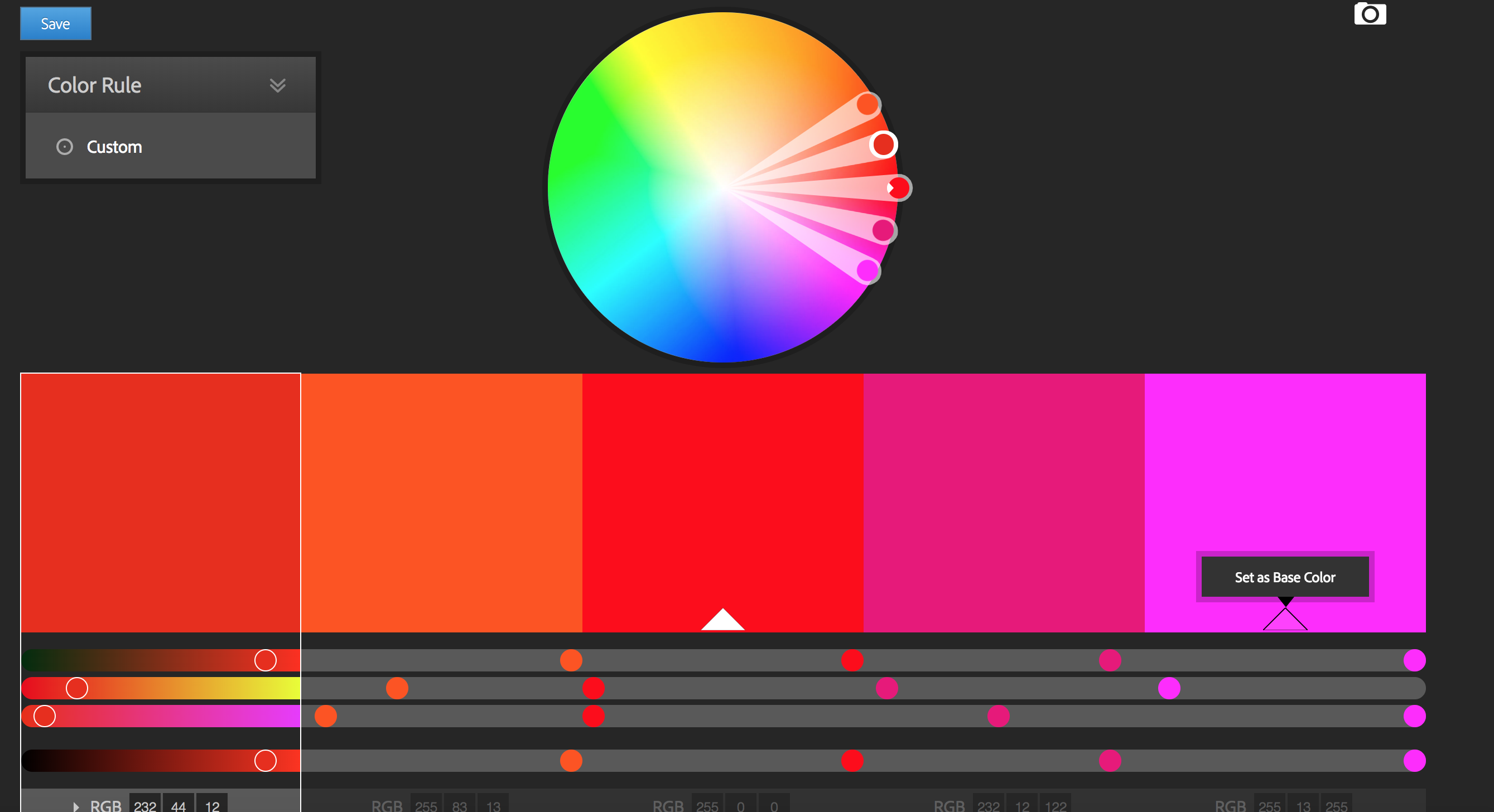
2. Hover over that swatch, and you will observe alternate text "Set as base color"
3. Click on that small triangle, your base color will change to new swatch.
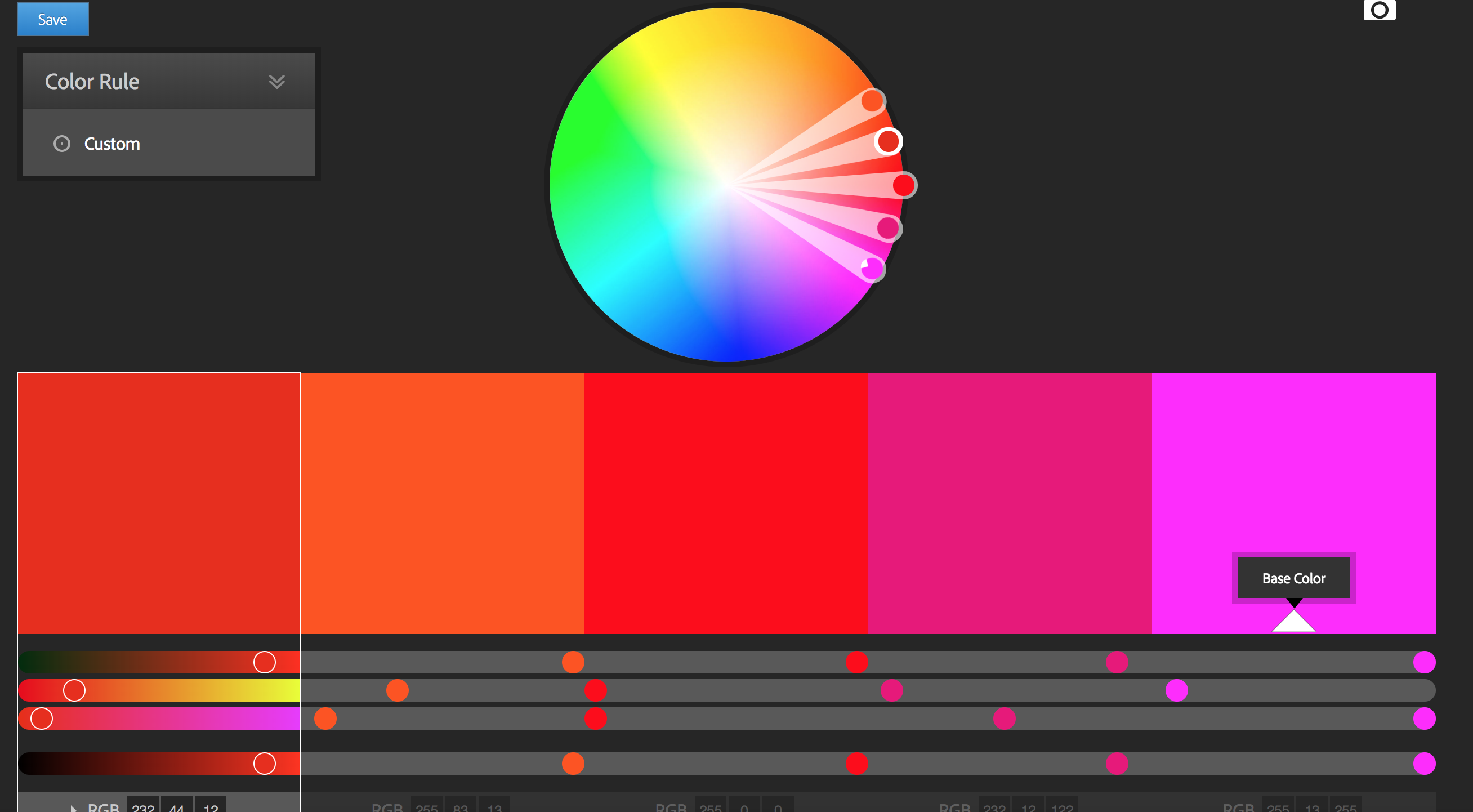
4. Which can be confirmed by white filled triangle.
If you still face any issues, then reply back with your feedback, along with images/attachments of what you are observing.
Copy link to clipboard
Copied
That is my problem. I hover over one of the other colors and do NOT see the triangle and the "set as base color" text. I have tried this on both Google Chrome as well as Firefox browsers. Any ideas that you might have would be appreciated.
Copy link to clipboard
Copied
Request you to share following details :
1. Version of Chrome and Firefox? Be ensure you are using updated one.
2. Which OS you are using?
3. Display configuration i.e. (either it is touch or non-touch, either of HD, ultra HD, 4K).
4. Whether you are on VPN or not ?
Copy link to clipboard
Copied
1.
Google Chrome is up to date
Version 63.0.3239.132 (Official Build) (64-bit)
Firefox
57.0.4 (64-bit)
2. Windows

3. My laptop has touch capability but I do not use it in that mode
4. I am NOT using VPN
Copy link to clipboard
Copied
Hi Brenda,
Could you try by long pressing the swatch until you observe "Set as Base Color", using touch capability of your laptop display.
And again tapping on it to confirm/set the base color as new swatch.
Copy link to clipboard
Copied
Yes, when in touch screen mode, the long press option works.
However, I do not use my laptop in this mode. I always have it connected to a separate monitor and use a trackball for control. Is there no way to get this to work with my present setup/configuration?
Copy link to clipboard
Copied
Apparently, currently there is no work around this.
For setting/modifying base color, you have to use touch functionality, for touch display.

Copy link to clipboard
Copied
I found a pretty stupid workaround. Copy the name of the color swatch (the one with the hash) and paste it into the field of the base color. Press enter and voila. However, it makes the base color disappear, of course. So basically, if you type your color codes in manually, it works. As I said, pretty stupid but it works.

Copy link to clipboard
Copied
Thankyou ...this was my problem too. Only in touch screen mode would it work, not with my WACOM pen.

Get ready! An upgraded Adobe Community experience is coming in January.
Learn more
 AdChoices