
Adobe Fonts showing properly on screen, but not printing correctly
Hello, Adobe Community!
I have a problem that Adobe Customer Support cannot seem to fix. Although I can see Adobe Fonts correctly rendered on the screen on my applications (InCopy, Word, Excel etc), they do not print properly, except if I generate a PDF first and print the PDF instead. As you can see from the picture, the Adobe font is substituted with another, and/or printed in a deformed/garbled fashion. There are no problems with standard macOS fonts, which print correctly regardless.
I am using a M1 MacBookPro with MacOS Ventura 13.5.2. My printer is a Brother HL-L6402DW, and I am using the latest driver available from the manufacturer - which is version 3.0.
I would appreciate your advice. I have no issues using AdobeFonts in my PC, which is connected to the same printer.
Many thanks,
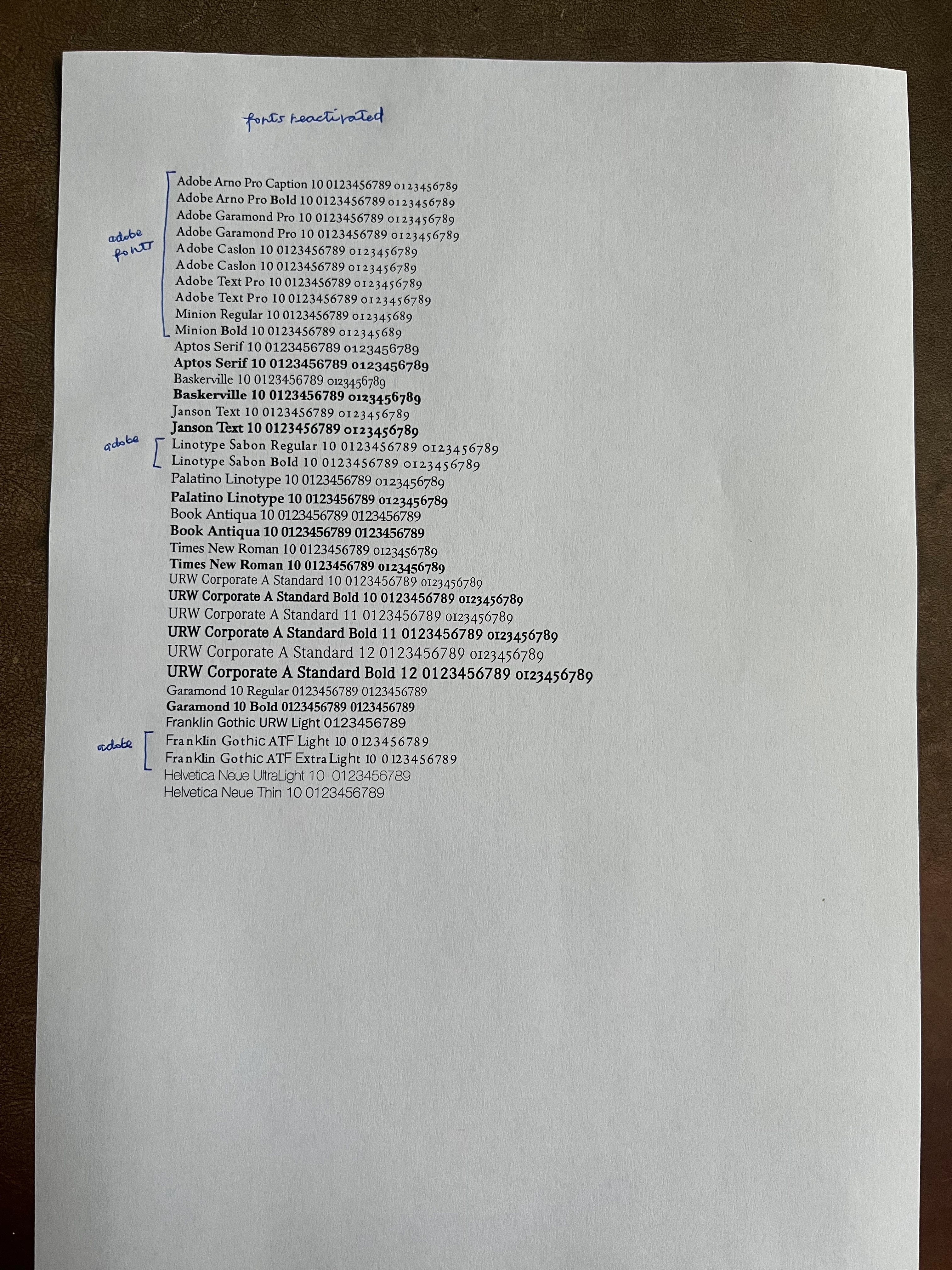
I have disabled and re-enabled all the fonts, cleared the font cache and the problem remains. I have also tried using a different computer - the issue persists.
 AdChoices