Participant
Sep 18, 2025 3:05 PM UTC
Answered

Jagged fonts on Chrome/Chromium based devices on Linux

Hi.


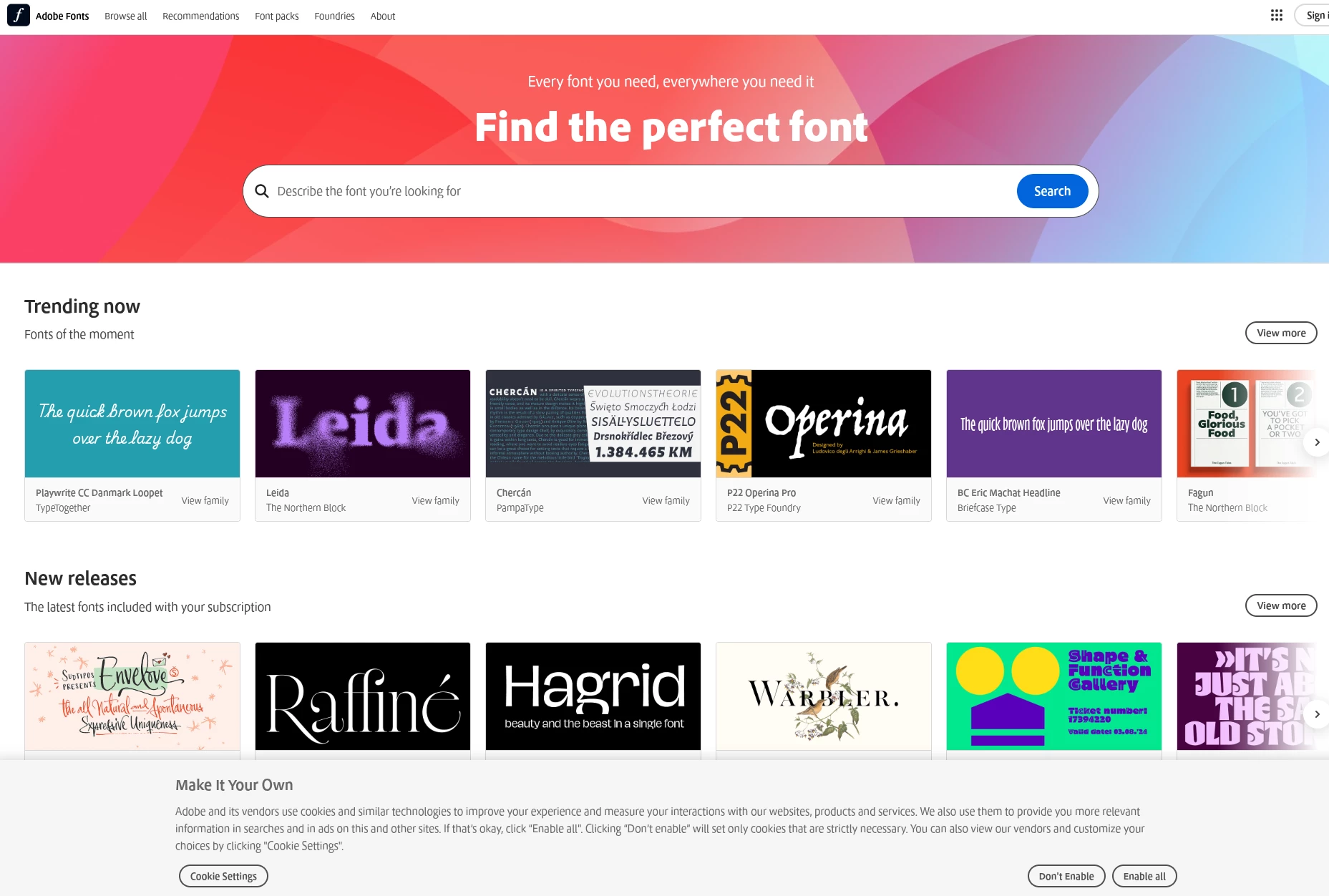
We are getting a lot of complaints from our customers that when they view our website using Linux running Chrome, the fonts look jagged. I tried going to fonts.adobe.com as well and this is how it looks.
Is this a known issue?
Thank you very much

    Skef37458763d0mbCorrect answer
    Adobe Employee
    Sep 18, 2025 10:15 PM UTC

    Hello -

    This is an issue with the font rasterization stack in Chrome, which is somewhat different on Windows, Mac, and Linux. Chrome is a Google project, of course, but Adobe has cooperated with Google and open source projects that Chrome makes use of in the past to try to address rendering problems. 


    In this case we confirmed the issue and reached out to check about this. The problem appears to have already been fixed in the source code and is likely to be resolved in a release of Chrome towards the end of the month. Their fix is already in the "Canary" experimental release of Chrome, and when we did some basic testing with a recent Canary release we did not see the issue. 


    So, short answer, with luck this rendering problem will be resolved as users start getting the Chrome release that comes out at the end of the month. 

    2 replies

    Skef37458763d0mbCorrect answer
    Adobe Employee
    Sep 18, 2025 10:15 PM UTC

    Hello -

    This is an issue with the font rasterization stack in Chrome, which is somewhat different on Windows, Mac, and Linux. Chrome is a Google project, of course, but Adobe has cooperated with Google and open source projects that Chrome makes use of in the past to try to address rendering problems. 


    In this case we confirmed the issue and reached out to check about this. The problem appears to have already been fixed in the source code and is likely to be resolved in a release of Chrome towards the end of the month. Their fix is already in the "Canary" experimental release of Chrome, and when we did some basic testing with a recent Canary release we did not see the issue. 


    So, short answer, with luck this rendering problem will be resolved as users start getting the Chrome release that comes out at the end of the month. 

    Translate
    Participant
    Sep 18, 2025 11:13 PM UTC

    Hi. 


    Thank you for the follow up. Greatly appreciate it 🙂

    Translate