

TypeKit Fonts not Synching
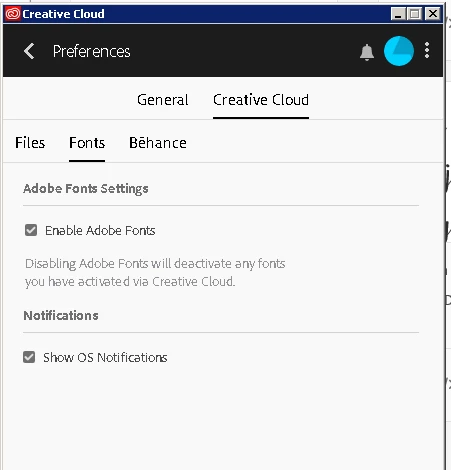 We have several users using Adobe Creative Cloud V 4.8.2.478.
In the last couple of weeks they have noticed that they can no longer synch any fonts from Adobe Fonts/TypeKit to their CC apps.
What used to happen was you would go to the fonts tab in Creative Cloud and it would list any activated fonts (see fig1) and from there you could go to manage fonts which loads Search fonts | Adobe Fonts and from there you find a font you want and switch the slider button to activate and you would get 2 notifications pop up, one from the website and one from CC itself, see fig2
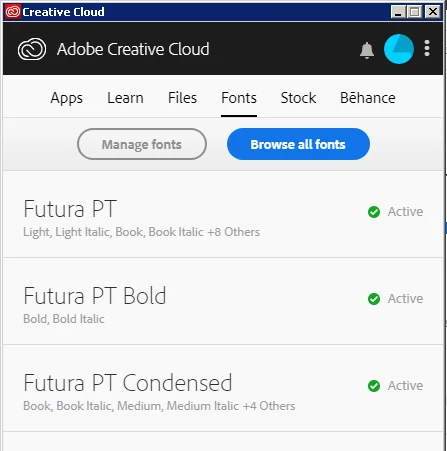 Fig1
Fig1
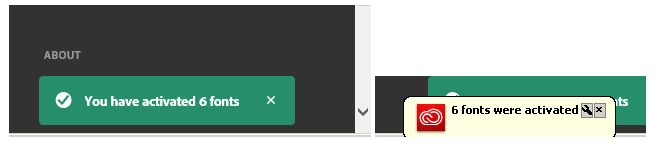 Fig2
Fig2
What now happens is when you go to the Fonts tab in CC you dont get what you can see in the above image.
What you get is the below, see Fig3. Where you see no active fonts and you click on browse fonts which opens Search fonts | Adobe Fonts which is fine but if you activate a font which you can still do, you only get the one notification from the website to say its been activated - the green one in Fig2 - you do not get the app notification, the yellow one in Fig2.
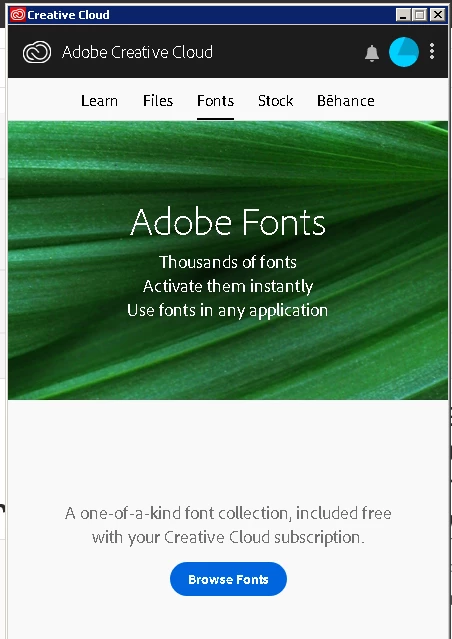 Fig3
Fig3
What ive also noticed is before in Creative Cloud under preferences > creative cloud menu > there was an apps tab, see fig 4 but now this has gone see fig 5
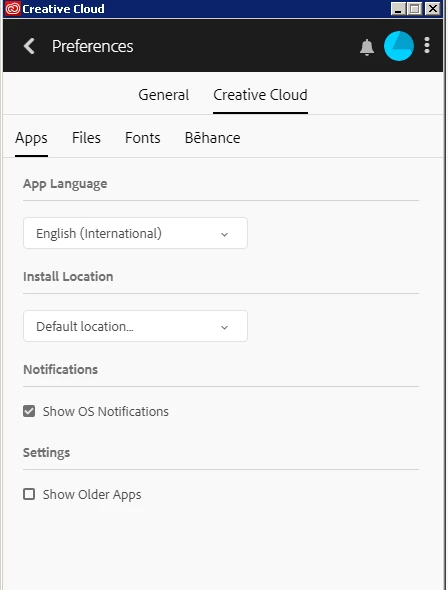 Fig 4
Fig 4
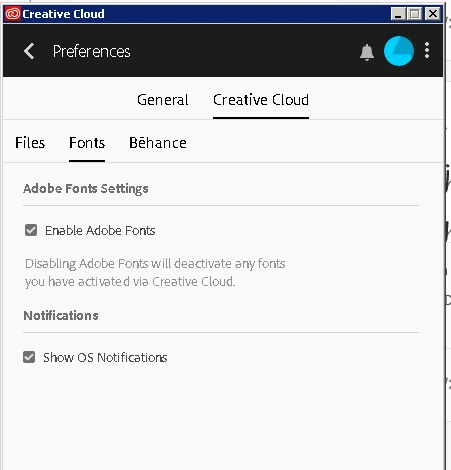 Fig 5
Fig 5
ive tried different logins on the PC and it seems to affect anyone. Ive also tried differnt adobe logins and again same issue.
Ive ripped out all CC apps and reinstalled everything and still the same issue.
Has anyone seen this before?


 AdChoices