
avidearvisuals
Participant
July 25, 2019
Answered

Converting all 4k video files in a drive to 1080p

  • July 25, 2019
  • 1 reply
  • 1089 views

Hello all!

I have a large external hard drive with past projects including a lot of 4k footage. I dont anticipate using the footage, and certainly dont need the 4k file size. Is there some way i can run AME to scan the drive, convert all 4k files to 1080p and simultaneously move the original file to another drive (id be happy for it to delete also) and not re-encode any files that are were shot in 1080p or touch any image files?

It doesnt seem that watch folders would do the trick.

Thanks so much for your input!
    This topic has been closed for replies.
    Correct answer Warren Heaton

    Oh...

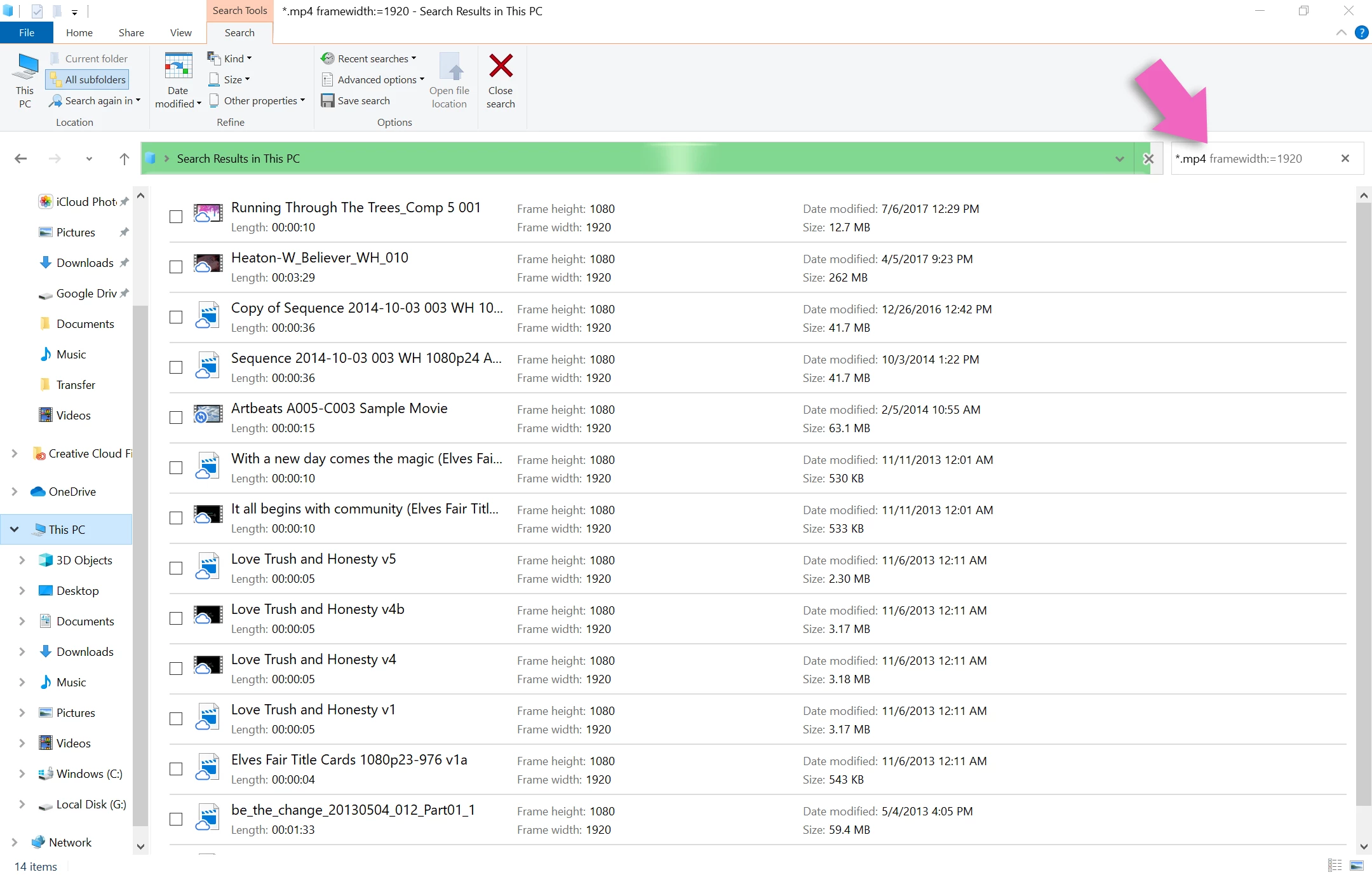
    In an Explorer window, go to the Search This PC text field and type: *.mp4 framewidth:=3840

    1 reply

    Warren Heaton
    Community Expert
    Community Expert
    July 26, 2019

    If you're running macOS, you can set the "Other" option to "Pixel width" when doing a Find action (File > Find) and then search for "3840" (or "4096") and then add the resulting movie files to the Queue tab of Media Encoder.

    -Warren

    avidearvisuals
    Participant
    July 26, 2019

    Thank you!! Unfortunately, Im running Windows.

    Warren Heaton
    Community Expert
    Warren HeatonCommunity ExpertCorrect answer
    Community Expert
    July 26, 2019

    Oh...

    In an Explorer window, go to the Search This PC text field and type: *.mp4 framewidth:=3840