


Participant
August 28, 2023
Answered

I have a yearly plan, but now i can't access media encoder?

  • August 28, 2023
  • 1 reply
  • 322 views

So i have been using this plan since June of this year. Today when i logged in, i got that i must PAY to use media encoder, which i used for the past period without anyproblems, i am not sure what i am messing here.
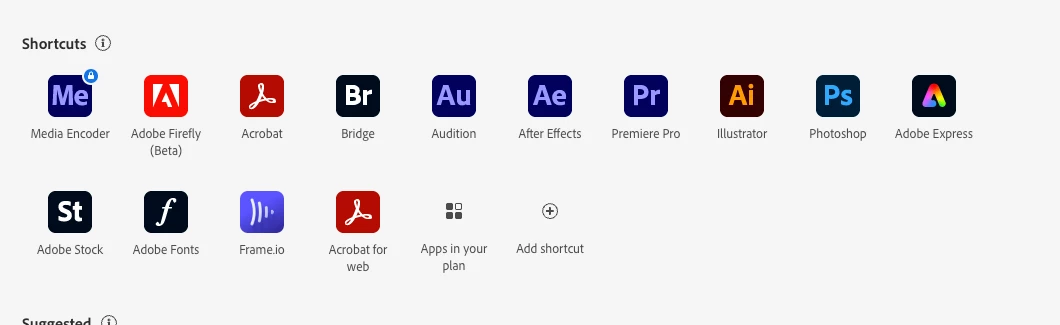
As you can see above, media encoder is locked and must be purchased, which is weird because it was included in my original plan and did use it on a daily basis.

 

This topic has been closed for replies.
Correct answer Peru Bob

Try resetting the CC App.
To reset the Creative Cloud desktop app, make sure it's in the foreground, then press:
Win: Ctrl + Alt + R
Mac: Cmd + Opt + R

If that doesn't work, try uninstalling and reinstalling the CC App:
https://helpx.adobe.com/creative-cloud/help/uninstall-creative-cloud-desktop-app.html
https://helpx.adobe.com/download-install/kb/creative-cloud-desktop-app-download.html

1 reply

Peru Bob
Community Expert
Peru BobCommunity ExpertCorrect answer
Community Expert
August 28, 2023

Try resetting the CC App.
To reset the Creative Cloud desktop app, make sure it's in the foreground, then press:
Win: Ctrl + Alt + R
Mac: Cmd + Opt + R

If that doesn't work, try uninstalling and reinstalling the CC App:
https://helpx.adobe.com/creative-cloud/help/uninstall-creative-cloud-desktop-app.html
https://helpx.adobe.com/download-install/kb/creative-cloud-desktop-app-download.html

Participant
August 28, 2023

Thanks! the first solution worked!