


- Home
- Adobe Media Encoder
- Discussions
- No audio when using 2017 Media Encoder
- No audio when using 2017 Media Encoder
No audio when using 2017 Media Encoder

Copy link to clipboard
Copied
Hi,
I'm having issues with the 2017 version of Media Encoder.
To start, I exported my files from Adobe Premiere CC 2017 version. I have no problems with audio. Sound is there with the file(s). Everything looks good.
Then, when I use the media encoder to change to another format, I get no audio at all. All of my clips from the new ME has no audio.
I have cleaned the media cache from both Premiere and ME. I also re-installed Media Encoder 2017. So far, nothing has worked. Still no audio on files.
Everything was fine with previous version. Any suggestions?


 29
Replies
29
29
Replies
29




Copy link to clipboard
Copied
Yes, could you try unchecking "Import sequences natively"?
Also, could you tell me version for Premiere Pro and AME? Are they both 12.1.2 that we just released?
Copy link to clipboard
Copied

Copy link to clipboard
Copied
Getting the same issue. Except - the 3 audio tracks sound fine when playing the preview video in Premiere Pro, but when exporting a video, the audio is mostly non-existent.
I'm starting to suspect it's certain audio source types will work in the scrubbing environment of Premiere, but for some reason not be supported by the media encoder?
Copy link to clipboard
Copied
Using 12.1.2

Copy link to clipboard
Copied
Seriously, Adobe?!
Seriously?
This issue is happening since stone age and it ain't fixed yet?!
how the heck is this even possible!?
I've having the same issue with my end, Mac OSX latest update, Adobe CC apps latest updates.
A file which VLC tells me has the following Codec info
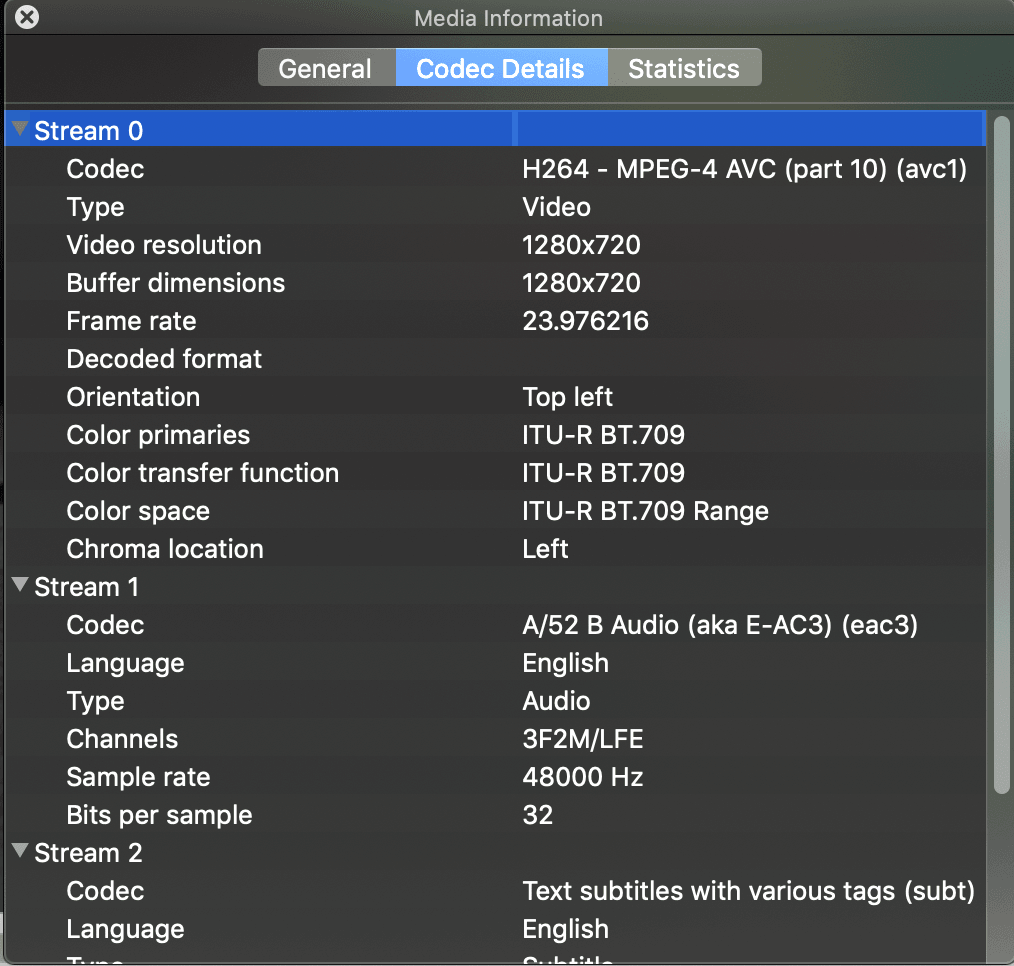
so as another user says the Audio track is in Stream 1 yet isn't exported with audio!
And I did the 3 steps suggested above.
What kind of absurd issue is this?!
Anyone? Adobe?!

-
- 1
- 2
Get ready! An upgraded Adobe Community experience is coming in January.
Learn more
 AdChoices