
vandaln50288564
Participating Frequently
May 26, 2022
질문

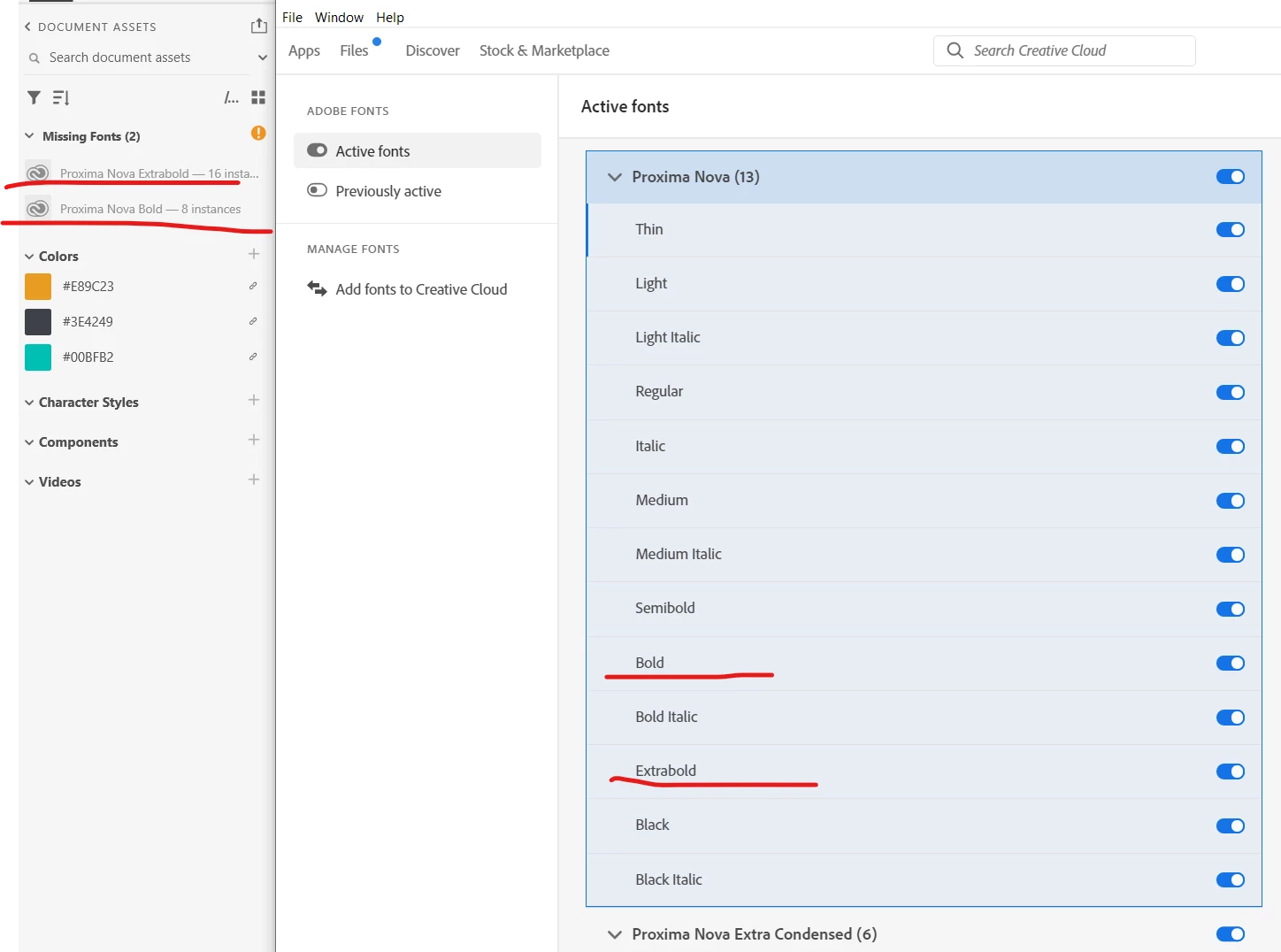
Activated Adobe Fonts not syncing Version 51.0.12.6

  • May 26, 2022
  • 4 답변들
  • 888 조회

Just last night everything was working in perfect order but this morning all my activated fonts will not sync with Xd. The fonts are showing up fine in AI, AE, PS, and ID. I have deactivated and reactivated fonts, restarted Xd and restarted my Windows 10 system many times. 

Xd versions 51.0.12.6
Creative Cloud Sync 5.10.2.1
 

이 주제는 답변이 닫혔습니다.

4 답변

vandaln50288564
Participating Frequently
June 16, 2022

Another week and no reply from anyone or Adobe... 3 weeks I've had to work around this issue. For some of use our jobs depend on these programs. I guess it is time to find new software to depend on.

Participant
December 7, 2022

I am having the same issue for a week now, it is really frustrating! Adobe fonts activated or sync on other Adobe programs but suddenly when it comes on XD it stopped. I already used and exhausted different ways that I saw online but nothing getting solve. Very frustrating Adobe, veryyy... :s


vandaln50288564
Participating Frequently
June 9, 2022

Quick update: I tried using a different machine (windows 11 pc) and same thing is happening but SOME of the fonts are working. For example, I have the whole Proxima Nova family activated but only the light italic version is working on XD. Questa Slab, same thing, only the Italic, Bold Italic, and Black Italic are working. Many of the other font do not show up at all.
And looks like im not the only one here with the same issue and not getting any answers: unable to find the fonts I activatied in creative cloud

vandaln50288564
Participating Frequently
June 9, 2022

2 weeks later and still no help... we pay a premium for this software (which most of us use to make the $$$ to pay for the software) and there are always issues and barely any support.

HARSHIKA_VERMA
Community Manager
Community Manager
May 27, 2022

Hi vandaln50288564,


We are sorry to hear that. We would request you to please try the below steps in sequence-


  • Sign out of XD and Creative Cloud desktop app
  • Quit the Creative Cloud Desktop app and kill all related processes from Task Manager.
  • Restart the machine
  • Sign back in and launch XD from the Creative Cloud Desktop app.


Let us know if that helps. 


Thanks,

Harshika

vandaln50288564
Participating Frequently
June 1, 2022

None of this worked. I've tried signing out of all adobe apps, uninstalling and reinstalling CC and XD. Tried using an older version of XD. I can connect to CC Libraries and cloud doccuments no problem. Just not my adobe fonts.