
Participant
July 2, 2020
Answered

[Bug] Double clicking file from XD Home opens an unresponsive Untitled file - Windows 10

  • July 2, 2020
  • 1 reply
  • 498 views

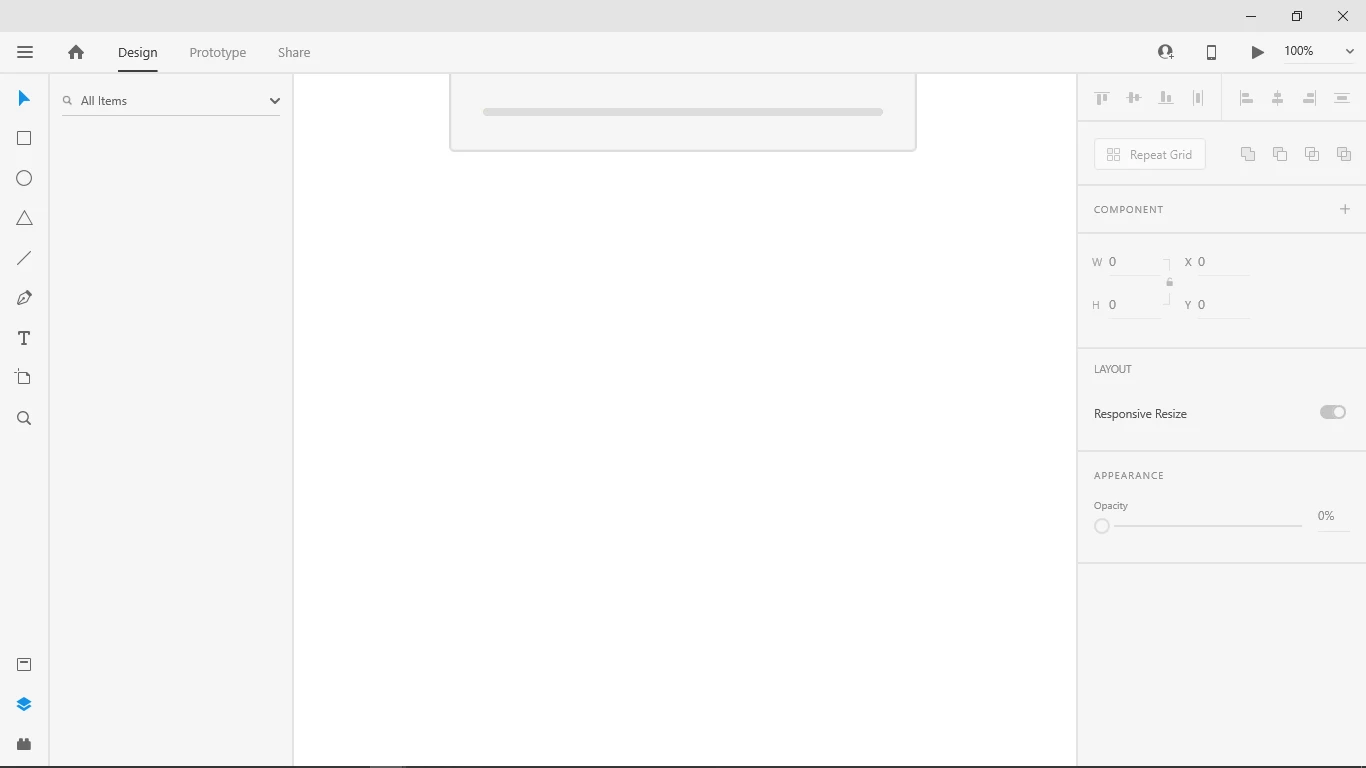
I've inadvertently double-clicked on a recent file from the XD Home window to open the file, and while the intended file does open fine, a separate file window opens which continuously shows the loading bar (screenshot below). Everything in this window is disabled, including the window control (X) that should close the file.

The only way I can close this unresponsive file/window is via the Task Manager by ending the entire Adobe XD app.

There doesn't seem to be any noticeable performance issues with keeping this open while I work on other files, but it is extremely annoying.
 

Windows 10

XD v30.2.12.3

This topic has been closed for replies.
Correct answer HARSHIKA_VERMA

Hi there,


Sorry to hear you are experiencing issues with XD while opening the file. We would request you to please sign out of Creative Cloud and XD and sign back, restart the machine and then sign back in.


Let us know if that helps.


Thanks,

Harshika

1 reply

HARSHIKA_VERMA
Community Manager
HARSHIKA_VERMACommunity ManagerCorrect answer
Community Manager
July 2, 2020

Hi there,


Sorry to hear you are experiencing issues with XD while opening the file. We would request you to please sign out of Creative Cloud and XD and sign back, restart the machine and then sign back in.


Let us know if that helps.


Thanks,

Harshika

Participant
July 6, 2020

Thanks, Harshika, signing out of CC and then back in worked for me.

HARSHIKA_VERMA
Community Manager
Community Manager
July 6, 2020

Glad to hear you are back on track. Please feel free to reach out to us in the future for any query related to XD. We would be happy to help.


Thanks,

Harshika