
invitro01
Participating Frequently
October 16, 2018
Answered

Can't see the option Overlay

  • October 16, 2018
  • 2 replies
  • 2433 views

Hello,

I'm starting using XD today on Windows 10. I ust saw the video about the recent overlay function, and now the product sound more useful to me.

The problem is that when I select a button, and drag it to the menu, the option I see are:

  • Trigger
  • Action
  • Destination
  • Animation

I've tried uninstalling and installing it again to be sure about the version. But still the same. Seems I'm missing something because couldn't find anyone in google with the same problem,
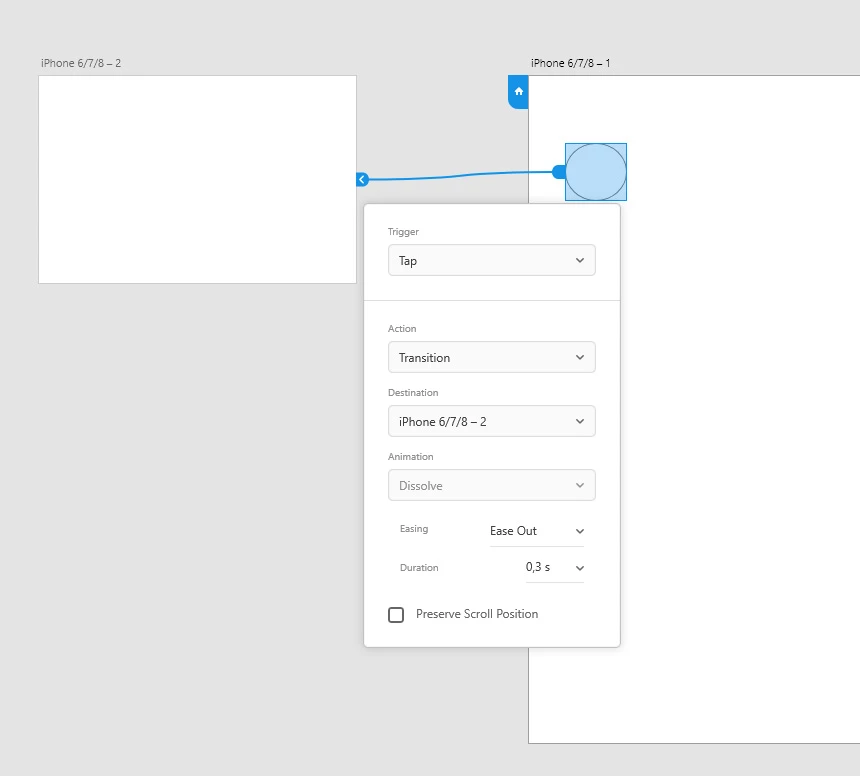
This is how the options should show up according to the demo:
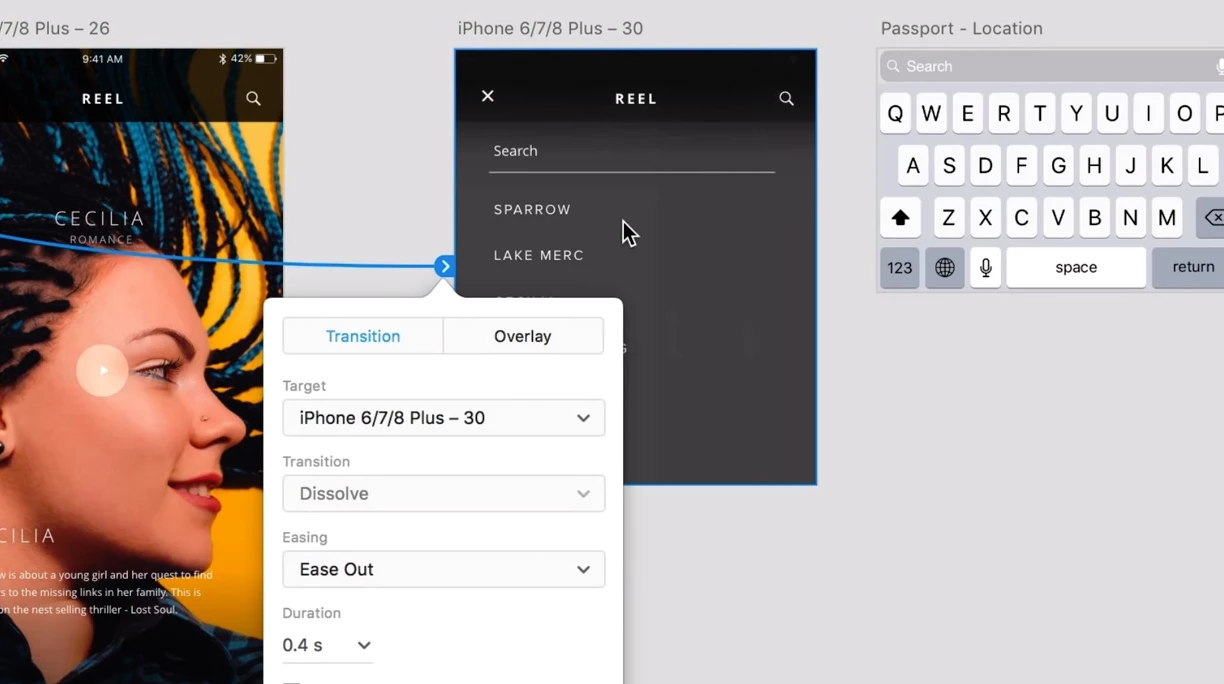
Thanks in advance for the help

Cheers!

    This topic has been closed for replies.
    Correct answer andyt95788222

    You should have it under "action".

    2 replies

    invitro01
    invitro01Author
    Participating Frequently
    October 16, 2018


    you are right! I still remember when they've launched the CS3 option, with a lot of really cool improvements, and they claim "instead of thinking what to add, we have asked our users". That was the last time they did that! Now seems the Adobe developers are thinking the improvements on a software that they've never used in their lives.

    Henrik_Huus_Mikkelsen
    Inspiring
    October 16, 2018

    Yes, its a real mystery why they add useless things like spelling and voice control to an app which is meant to make prototypes in, when you still can't copy a character asset from one project to another and the prototypes still scale if you shrink you browser window instead of showing the content in 100% like any real website...

    invitro01
    invitro01Author
    Participating Frequently
    October 16, 2018

    As I said in another comment, instead of asking the users what would be useful for us, they let the developers to decide what to do. Of course, for them the voice recognition is cool, beacause they can play with it.

    Would be nice if Adobe start asking the users again what we want, and do it quickly.

    Some of the "great improvements" thwy have anounced lattely are things that should have been there 10 years ago!

    andyt95788222Correct answer
    Inspiring
    October 16, 2018

    You should have it under "action".

    invitro01
    invitro01Author
    Participating Frequently
    October 16, 2018

    you are right! it's under actions.
    thanks a lot!
    My question now is why it's different to the demo? It's because I'm using XD on Windows?

    Inspiring
    October 16, 2018

    For me it's the same, and I use Mac. I think they changed it in the recent update.