
Participant
March 8, 2021
Answered

Change Language

  • March 8, 2021
  • 1 reply
  • 2002 views

Hello everyone. I am struggling to change the language on Xd to English. I have tried everything that has been suggested herein the community nothing is working. I've installed and unistalled the app, I've checked the region and language settings on my computer and I've even tried to change the language on the menu option within Xd(picture attached). Please help me solve this.

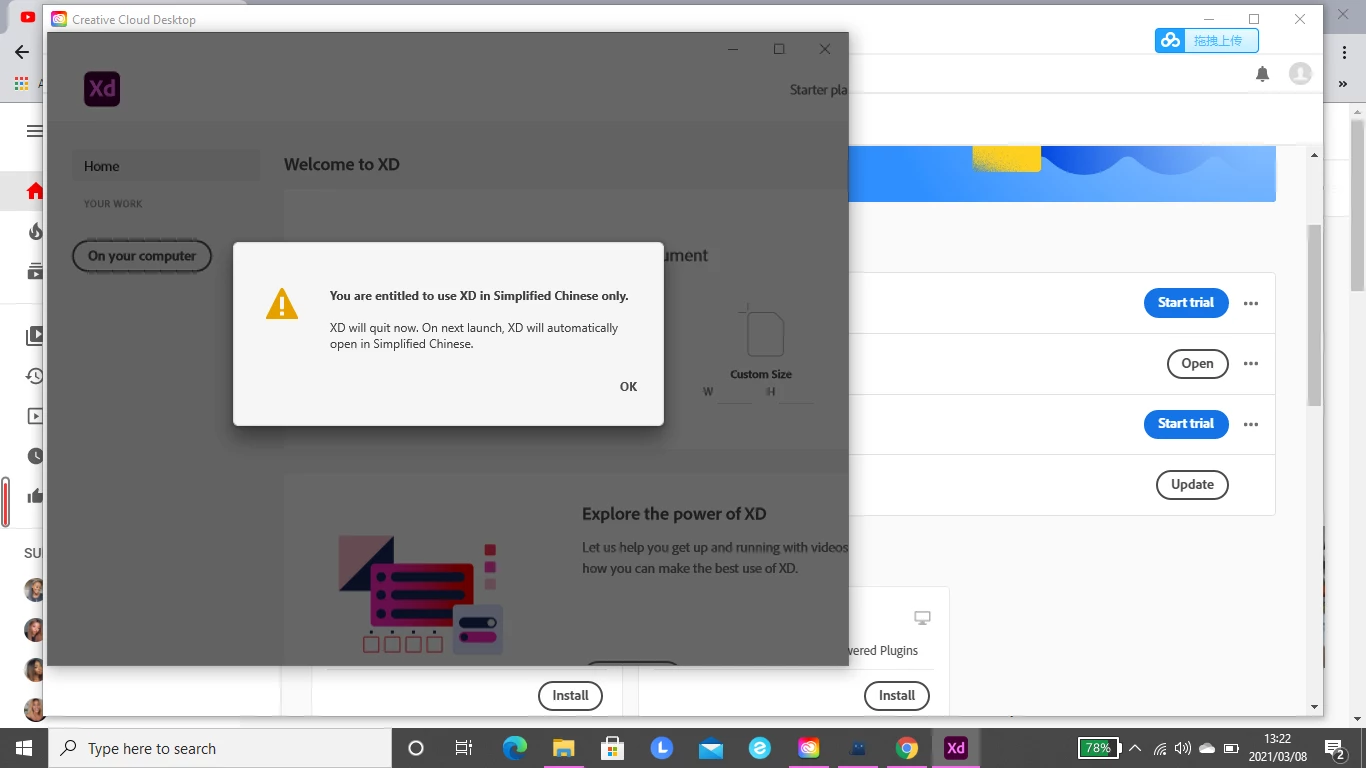


    This topic has been closed for replies.
    Correct answer HARSHIKA_VERMA

    Hi there,


    We are sorry for the delay in response. Would you mind checking this post: https://community.adobe.com/t5/enterprise-teams/design-xd-changed-to-chinese-and-language-setting-is-unavailable-greyed-out/m-p/10900855 and try the suggestion mentioned?


    Let us know if that helps.


    Thanks,

    Harshika

    1 reply

    Adobe Employee
    March 9, 2021

    Hi Olwethu5EF6,

    Sorry for the inconvience while changing the language in XD,
    1.If the issue in Windows go the hambergur menu, Select Help option(last option), in that you will find language, select the language which you want to switch and then re-start the XD.
    2. If it is in Mac, go to the Help Menu bar, select Language, the options will be displayed, choose which language you want to swirch and then re-start the XD.
    Attached the video.
    Hope it helps.
    Regards,
    Ashwini M Hiremath

    Participant
    March 9, 2021

    Hi Ashwini


    Thanks for your assistance but I have already tried doing this. Please look at the first screenshot of my original post. I can't click on the "language" chevron button you are speaking of on the Help menu.  Is there any other way I can solve this?

    HARSHIKA_VERMA
    Community Manager
    HARSHIKA_VERMACommunity ManagerCorrect answer
    Community Manager
    April 5, 2021

    Hi there,


    We are sorry for the delay in response. Would you mind checking this post: https://community.adobe.com/t5/enterprise-teams/design-xd-changed-to-chinese-and-language-setting-is-unavailable-greyed-out/m-p/10900855 and try the suggestion mentioned?


    Let us know if that helps.


    Thanks,

    Harshika